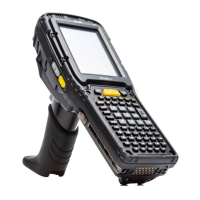
Psion EP10 Hand-Held Computer User Manual
V
Index
Good and Bad Scan Vibrates 176
Good Scan Beep 176
Options tab 175
safety instructions 214
Scan Indicator 176
Scan Log File 176
Scan Result 176
Scan Result Time 176
Translations tab 177
Scan Result 176
Scan Result Time 176
screen
navigating 31
stylus 31
touch pen 31
scrolling, adjusting speed (Up_Down tab) 136
security, setting up phone 55
Server Settings (modem setup) 117
Server tab (Bluetooth) 110
Set for AutoRestore 188
Settings 44
Personal Tab
OneShot tab 137
Up_Down tab 136
Task Manager, working with 43
Shell Settings (PsionVU) 163
shift-state indicator, accessing 40
shift-state indicator (softkey bar) 40
shift-state indicator icon 20
Shutdown 11
SIM card, inserting 26
softkey (softkey bar) 40
softkey bar
shift-state indicator 40
softkey 40
soft keyboard icon 40
softkeys 40
soft keyboard, using 74
soft keyboard icon (softkey bar) 40
softkeys (softkey bar) 40
Soft Scan Timeout 176
software specifications D-3
sound, adjusting 54
Sound, setting events 104
Sound and Notifications, defining 104
Sound settings 104
speaker
beep conditions 26
volume adjustment 26
specifications D-1
802.11a/b/g/n D-5
bar code application D-4
digital camera D-4
f
or EP10 hand-held D-3
physical dimensions D-3
power management D-4
software platform D-3
user interface D-3
wireless communication D-4
Sprint connection (CDMA) A-8
Start Menu 41
Start screen
Contacts icon 63
Home icon 49
Stop Bits, port replicator 181
Storage Card tab 160
stylus (touch pen), using 31
Surface
Glossy C-4
Suspend 11
suspend (turn off screen) 101
swap time (for battery) 17
synchronizing e-mail (Windows Vista and 7) 62
synchronizing e-mail (Windows XP) 60
System apps
About 142
Admin Password, changing (PsionVU) 163
AGPS (Assisted Global Positioning System) 154
Backlight 143
Backlight, Advanced tab 144
Battery Power settings 144
Certificates 145
Contrast 148
Encryption 150
Error Reporting 151
External Power settings 145
GPS (external) 151
GPS Settings (built-in profiles) 153
Imagers Settings 156
Managed Programs 159
Memory 159
Phone (PsionVU), limiting access 168
PsionVU 162
Shell Settings (PsionVU) 163
trigger mappings 157
T
task
completed (marking as) 79
creating 77, 78
deleting 79
editing 79
notification 77
sorting 79
Task Manager 43, 183
TCP_IP Settings (modem setup) 116
Terminal Services Client
91
session, disconnecting (without ending) 91
session, ending 91
Total Recall 184
AutoRestore Profile 188
backup profile, creating 185
backup Profile, restoring 187
clone, creating 186
Clone to USB 189
managing profiles 187
Restore Profile 188
Upload to A.R.C. 189
view Profile 187
touch pen, using 31
touchscreen
aligning (calibrating) 24
calibrating 24
locking 25
orientation 24
stylus, using 31
touch pen, using 31
transcriber (handwritten note) 74
Translations parameters (bar codes) 177
trigger mappings 157
Trigger On Sequence, port replicator 181
Trigger Press Type, Manage Triggers menu 158
troubleshooting
RV40004 205
RV4000 LED 202
TweakIT 190
U
Unicode Mapping 138
Up_Down tab (scrolling adjustments) 136
Upload to A.R.C. 189


 To Next Page