Chapter 3: Getting to Know the EP10
Inserting the Cards
27
Psion EP10 Hand-Held Computer User Manual
• Close the card door, and slide it down to lock it in place.
EP10 Equipped with an UMTS Radio
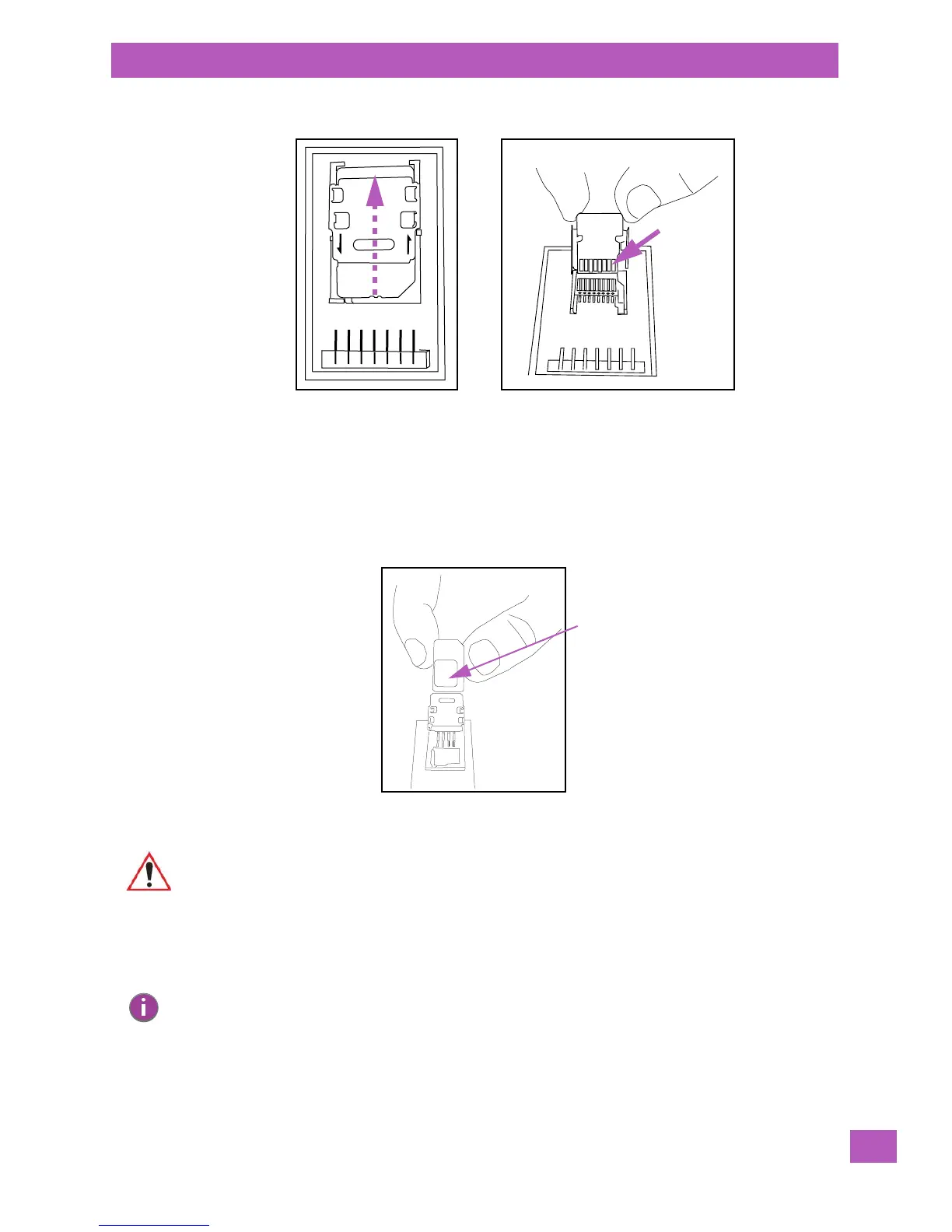
Both a SIM card slot and a microSD slot are present if the unit is equipped with a UMTS radio.
To insert the SIM card:
• Slide the card door up to unlock it. Flip it open.
• Slide the SIM card onto the guides on the SIM card door - position the card with the connector pad
visible so that when the door is closed, the connector pad makes contact with the connectors on
the unit.
To insert the microSD card:
• Flip up the left side of the microSD door. Note that this door is hinged on the right.
Important: The SIM card door must remain open to insert the microSD card.
Note: A label in the shape of a microSD card is affixed to the card door. Don’t mistake the label for
an actual microSD card.



 To Next Page