Alteon Application Switch Operating System Application Guide
WAN Link Load Balancing
646 Document ID: RDWR-ALOS-V2900_AG1302
3. Check the load balancing information.
4. Check that all load balancing parameters are working as expected. If necessary, make any
appropriate configuration changes and then check the information again.
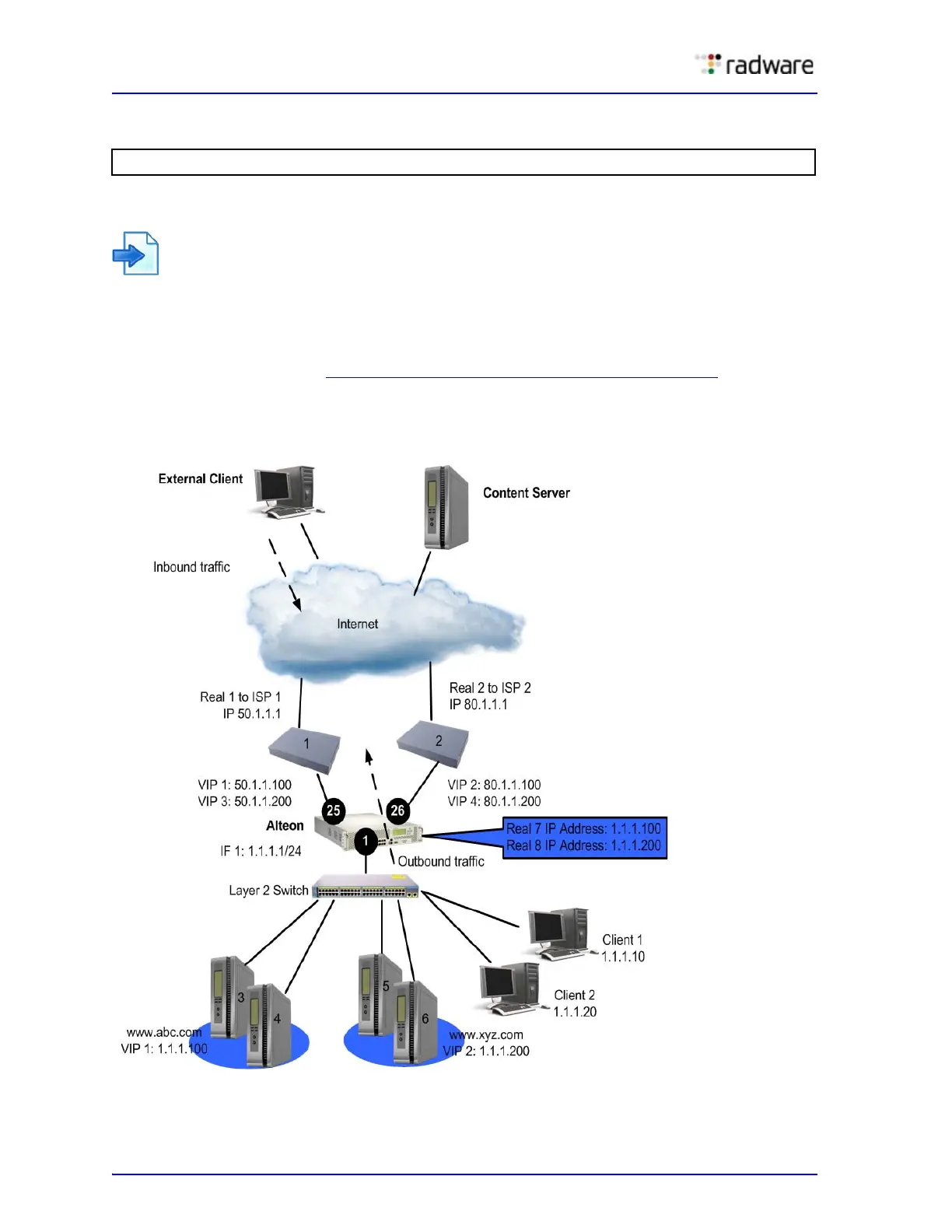
Example 2: WAN Link Load Balancing with Server Load Balancing
In this example, Alteon is configured for standard server load balancing. Alteon is configured to load
balance the WAN links for both outbound and inbound traffic and perform server load balancing for
inbound traffic.
The configuration is similar to Example 1: Simple WAN Link Load Balancing, page 639
, except that
the virtual server IP addresses are configured as real server IP addresses and are added to a group.
Figure 105: WAN Link Load Balancing with Server Load Balancing
>> Layer 4# /info/slb/dump



 To Next Page