Alteon Application Switch Operating System Application Guide
WAN Link Load Balancing
Document ID: RDWR-ALOS-V2900_AG1302 647
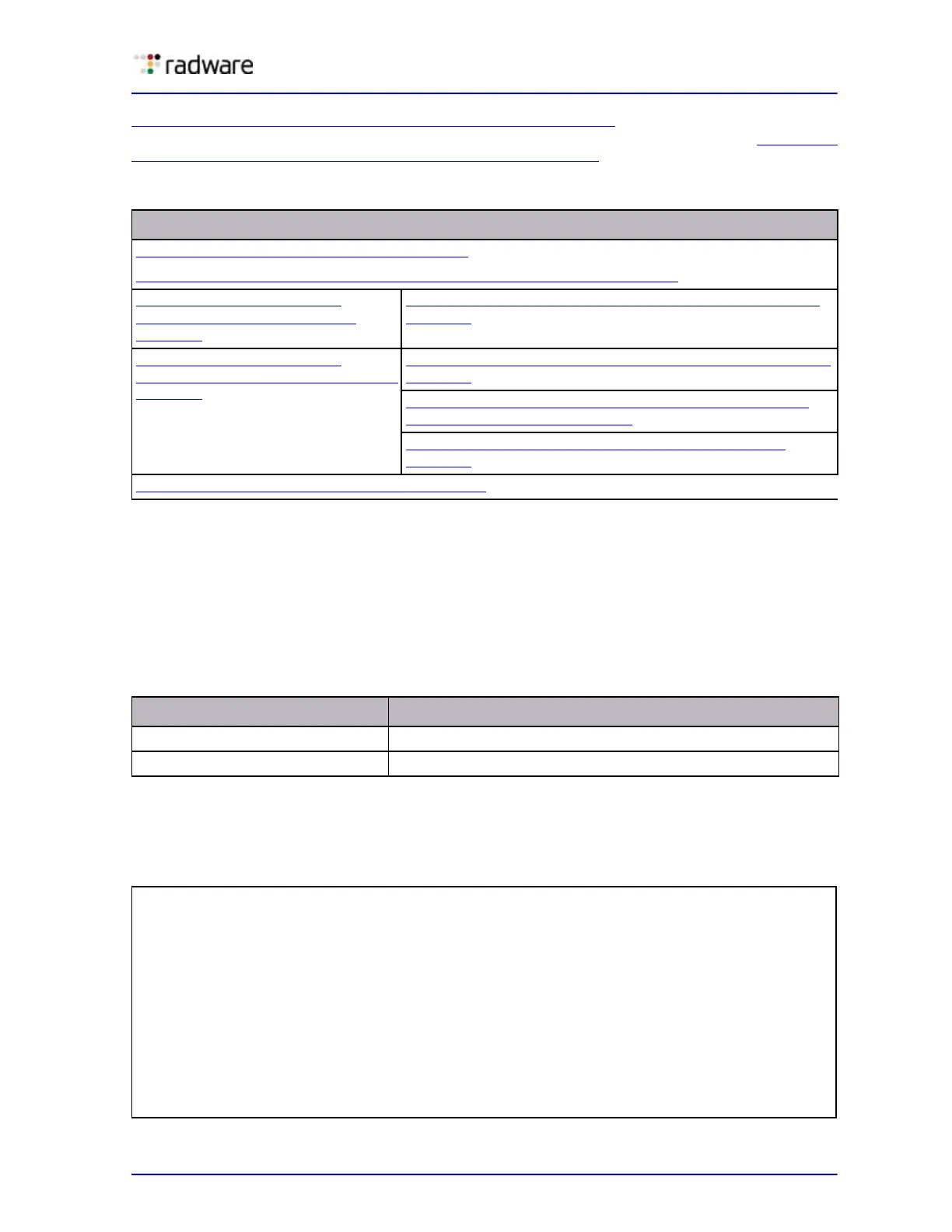
Table 58 - Configuring WAN Link Load Balancing with SLB, page 647 provides an overview of
configuring simple WAN load balancing with SLB. All definitions for this example refer to Figure 105
- WAN Link Load Balancing with Server Load Balancing, page 646.
Step 1—Configure Basic Parameters
This step includes configuring VLAN, interfaces, and defining gateways per VLAN. Gateways per
VLAN is recommended if you have not configured other routing protocols. Configure a default
gateway per VLAN for each ISP.
1. Assign an IP address to each of the ISP links. The WAN links in any given real server group must
have an IP route to Alteon that performs the load balancing functions. For this example, the two
ISP links are the following IP addresses on different IP subnets:
2. Configure the IP interfaces on Alteon. Alteon must have an IP route to all of the real servers that
receive switching services. For load balancing the traffic, Alteon uses this path to determine the
level of TCP/IP reach of the WAN links.
3. On Alteon, configure VLANs.
Table 58: Configuring WAN Link Load Balancing with SLB
For outbound traffic For inbound traffic
Step 1—Configure Basic Parameters, page 647
Step 2—Configure the Load Balancing Parameters for ISP Routers, page 648
Step 3a (Outbound Traffic)—
Configure the WAN Link Ports,
page 649
Step 3b (Inbound Traffic)—Configure the WAN Link Ports,
page 649
Step 4a (Outbound Traffic)—
Configure the Internal Network Port,
page 650
Step 4b (Inbound Traffic)—Configure the Internal Network,
page 650
Step 5—Configure the Virtual Server IP Address and the
Services for Each ISP, page 652
Step 6—Configure Alteon as a Domain Name Server,
page 653
Step 7—Apply and Save Your Changes, page 654
Table 59: ISP links: Real Server IP Addresses
WAN links IP address
ISP 1 80.1.1.1
ISP 2 30.1.1.1
>> # /cfg/port 25/pvid 2
(Sets the default VLAN number)
>> # /cfg/port 26/pvid 7
(Sets the default VLAN number)
>> # /cfg/port 1/pvid 1
(Sets the default VLAN number)
>> # /cfg/port 5/pvid 5
(Sets the default VLAN number)
>> # /cfg/vlan 2/ena
(Enable VLAN 2)
>> # /cfg/vlan 2/def 25
(Add port 25 to VLAN 2)
>> # /cfg/vlan 7/ena
(Enable VLAN 7)
>> # /cfg/vlan 7/def 26
(Add port 26 to VLAN 7)
>> # /cfg/vlan 1/ena
(Enable VLAN 1)



 To Next Page