Common Measurement Settings
R&S
®
FSPN
127User Manual 1179.4363.02 ─ 01
Pushing measurements are possible when you connect the "Sweep Source" to the
supply port of the DUT and the "Fix Source" to the tune port of the DUT. A pushing
measurement typically measures the influence of a swept supply source on the
DUT characteristics.
You can use all available DC sources as a sweep source (tuning source) or fix source
(V
supply
, V
tune
and V
aux
).
Most of the functionality for VCO characterization is the same as in the phase noise
measurement, differences and additional functionality is described in this section of the
documentation.
Refer to the following topics for more information about equivalent functionality.
●
Input configuration: Chapter 6.2, "Input Source", on page 99
●
Amplitude configuration and diagram scale: Chapter 6.3, "Level Characteristics",
on page 101
●
DC source configuration: Chapter 6.6, "DC Source Configuration", on page 123
●
Measurement configuration: Chapter 5.2, "Performing Measurements", on page 84
●
Limit line configuration: Chapter 7.5, "Limit Lines", on page 174
●
Marker configuration: Chapter 7.4, "Markers", on page 165
Notable differences are the measurement configuration itself and the trace configura-
tion, as described in this topic.
● Sweep Configuration.............................................................................................127
● Trace Configuration...............................................................................................129
6.7.1 Sweep Configuration
Access: "Overview" > "Sweep Config"
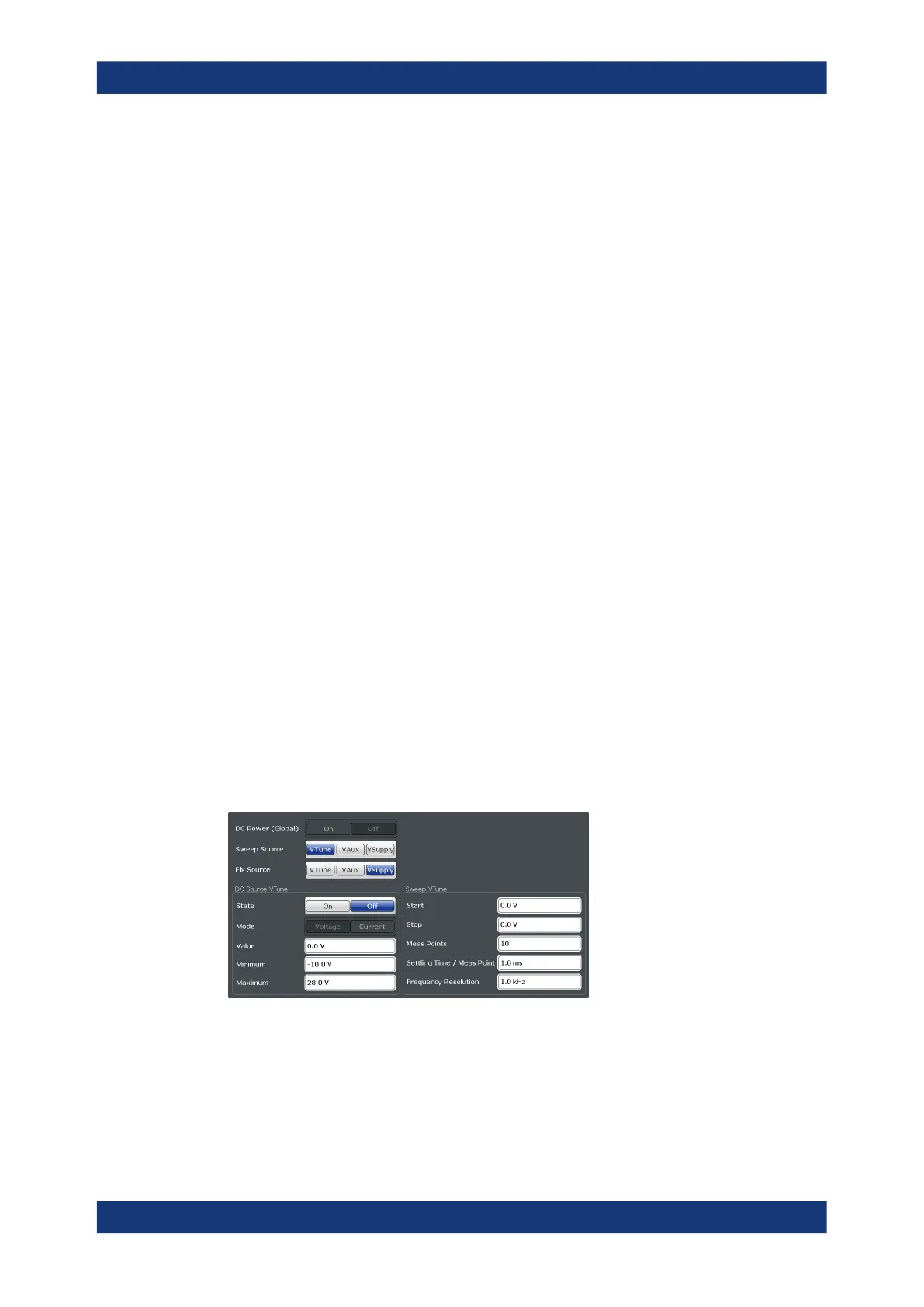
The "Sweep Config" dialog box contains two main features: DC source configuration
and the sweep configuration (which corresponds to the tuning configuration).
DC source configuration
The functionality to configure the DC sources is basically the same as in the "DC Con-
fig" dialog box. The main difference is that the dialog box does not show all available
DC sources. Instead, you have to select the DC source you would like to use.
●
"Sweep Source"
VCO Characterization Configuration



 To Next Page