Network and Remote Operation
R&S
®
FSPN
288User Manual 1179.4363.02 ─ 01
LAN Password
Password for LAN configuration. The default password is LxiWebIfc.
Remote command:
SYSTem:LXI:PASSword on page 496
LAN Reset
Resets the "LAN" configuration to its default settings (LCI function).
Parameter Value
TCP/IP Mode DHCP + Auto IP Address
Dynamic DNS Enabled
ICMP Ping Enabled
Password for "LAN" configuration LxiWebIfc
Remote command:
SYSTem:LXI:LANReset on page 495
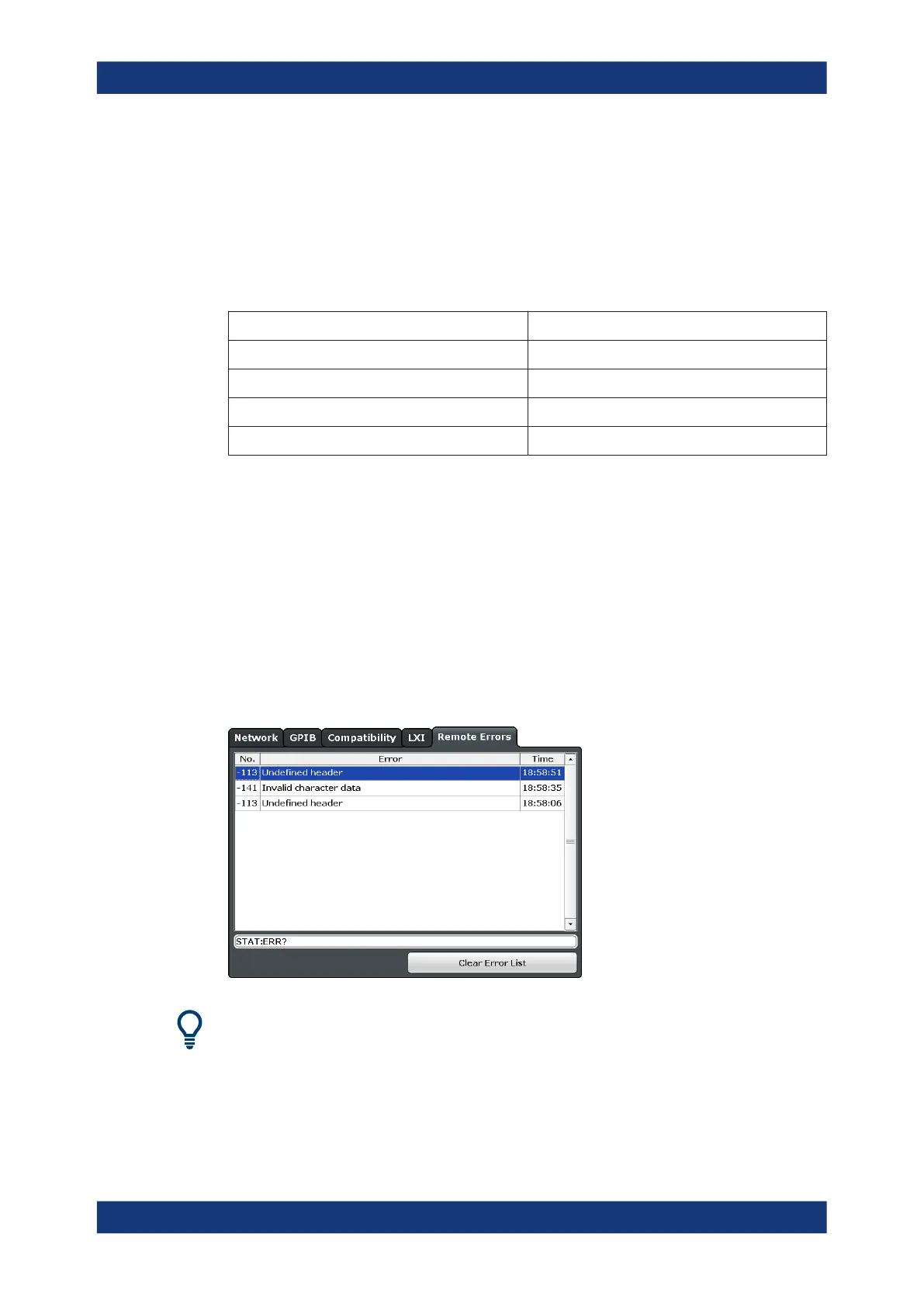
10.3.5 Remote Errors
Access: [SETUP] > "Network + Remote" > "Remote Errors " tab
The error messages generated by the R&S FSPN during remote operation are dis-
played here.
The messages are displayed in the order of their occurrence; the most recent mes-
sages are placed at the top of the list.
The most recent error message during remote operation can be displayed on the
screen, see "Display Remote Errors" on page 285.
If the number of error messages exceeds the capacity of the error buffer, the oldest
error message is removed before the newest one is inserted. To clear the message
Network and Remote Control Settings



 To Next Page