Common Measurement Settings
R&S
®
FSPN
138User Manual 1179.4363.02 ─ 01
6.9.5 Diagram Scale
Access: "Overview" > "Amplitude / Scaling" > "Scale"
Depending on the result display you have selected (frequency or phase), you can
adjust the scale of the y-axis as required.
The remote commands required to configure the diagram axes are described in Chap-
ter 11.6.9.5, "Y-Axis Scale", on page 394.
Scaling the y-axis of the frequency diagram............................................................... 138
Scaling the y-axis of the phase diagram..................................................................... 138
Selecting the AF coupling mode................................................................................. 139
Positioning the zero-phase..........................................................................................139
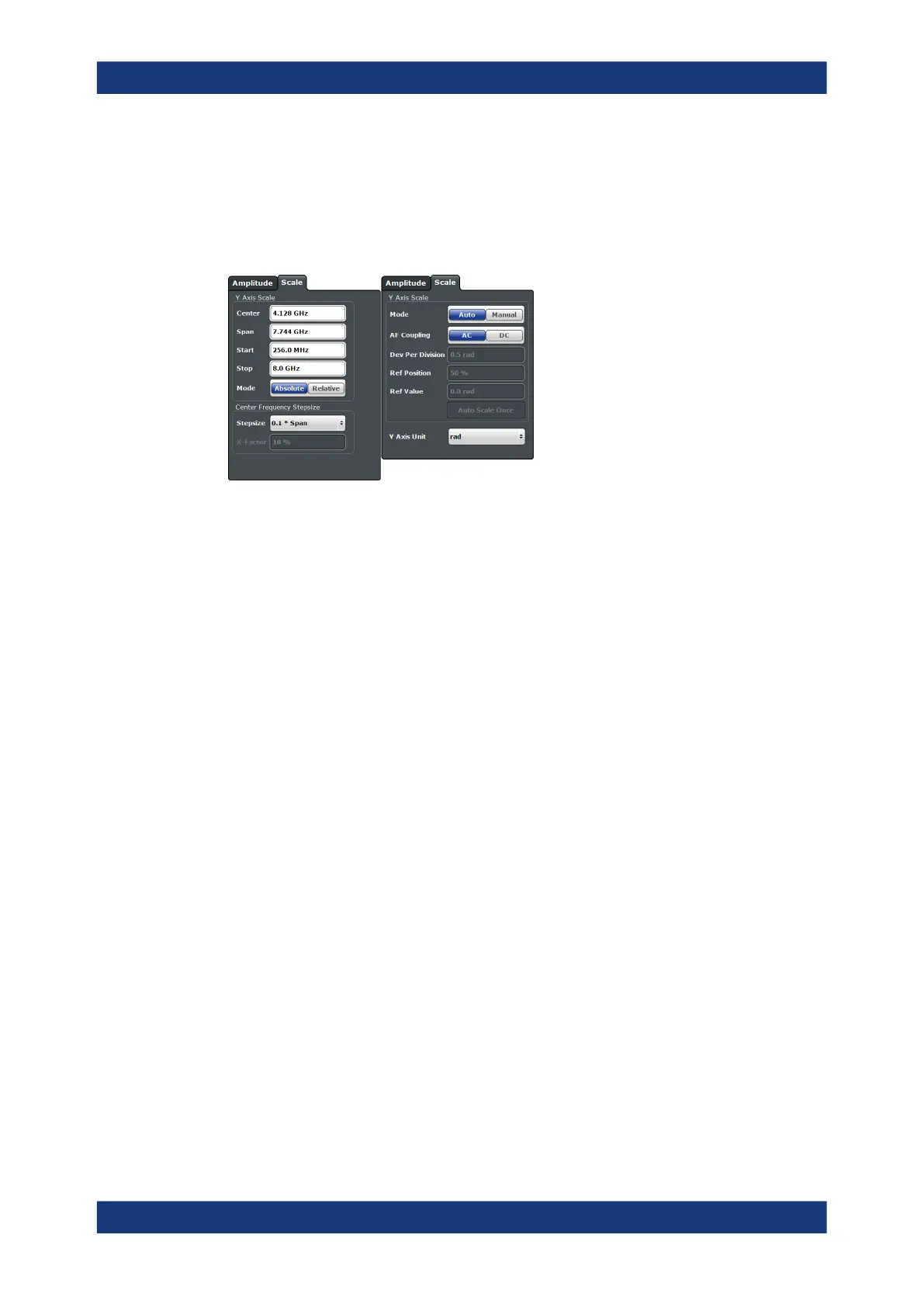
Scaling the y-axis of the frequency diagram
The y-axis of the frequency result display always corresponds to the frequency param-
eters you have defined for the measurement.
The settings of the "Scale" dialog box are linked to the settings in the "Frequency" dia-
log box. If you change them in one place, they are automatically adjusted in the other.
In addition, you can select how the frequency is displayed on the y-axis.
●
"Absolute": Frequencies are displayed as absolute frequencies.
●
"Relative": Frequencies are displayed as relative frequencies that refer to the cen-
ter frequency (offset to the center frequency).
In both cases, the center frequency is displayed in the middle of the y-axis.
Remote command:
Display mode: DISPlay[:WINDow<n>]:TRACe<t>:Y[:SCALe]:MODE on page 395
Scaling the y-axis of the phase diagram
The phase result display supports various scaling possibilities for the y-axis, on which
the phase is displayed.
The default "Y Axis Unit" for phase results is rad, but you can also select the unit
degree, if you like.
By default, the R&S FSPN automatically scales the y-axis based on the measured sig-
nal.
When you select manual scaling "Mode", you can define the "Dev Per Division", the
"Ref Position" and the "Ref Value" as required. In manual scaling mode, you can delib-
erately initiate a single automatic scaling with the "Auto Scale Once" feature.
PN Transient Analysis Configuration



 To Next Page