Network and Remote Operation
R&S
®
FSPN
302User Manual 1179.4363.02 ─ 01
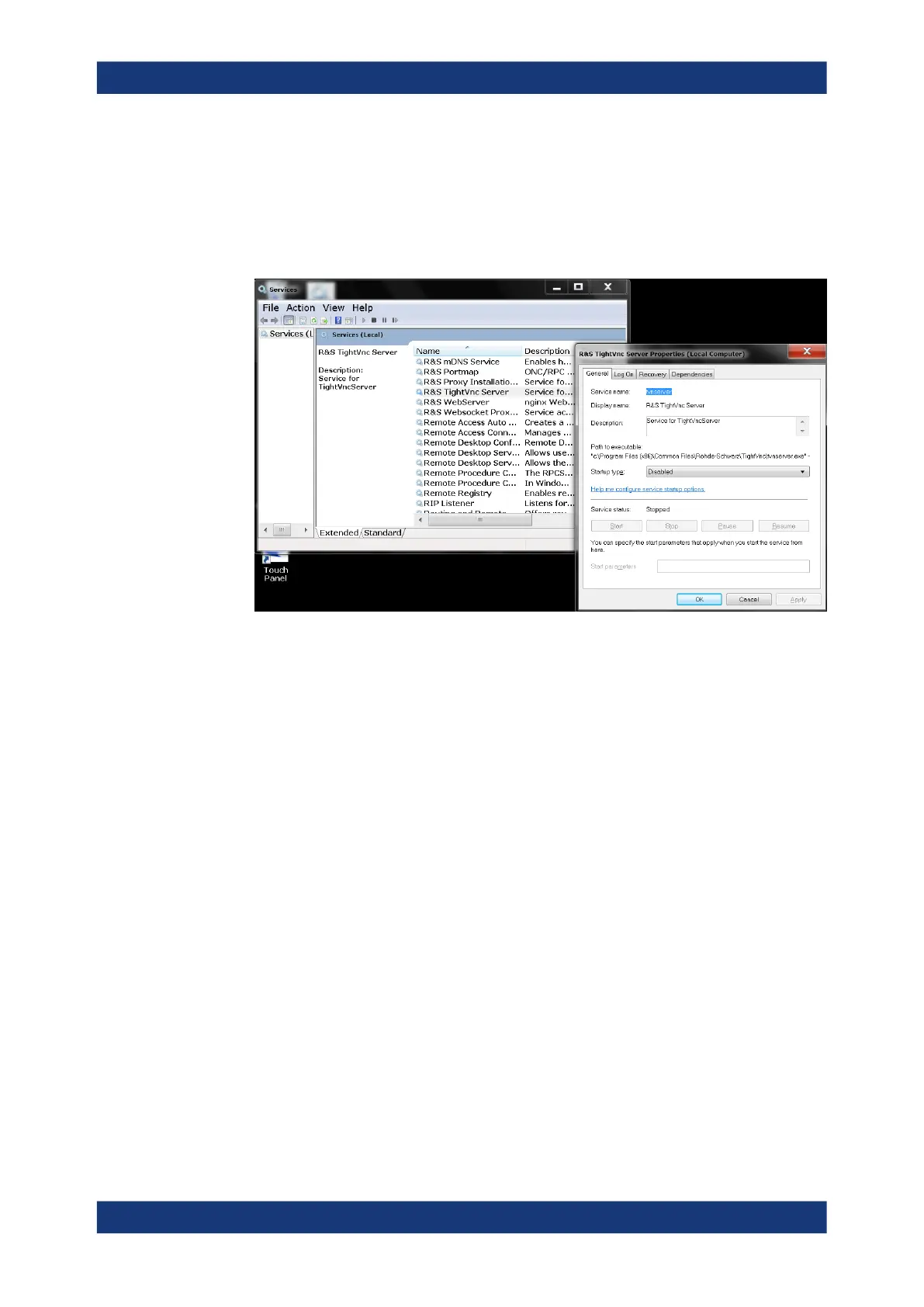
2. In the "Start" menu, select "Control Panel".
3. Select "System and Security" > "Administrative Tools".
4. From the list on the right, select "Services".
5. From the list of local services, select "R&S TightVNC Server".
6. Set "Startup type" to "Disabled".
7. Select "Stop".
8. Select "Apply".
The next time a user enters the IP address of the instrument in a web browser, an
error message is displayed:
Failed to connect to server (code. 1006)
10.4.7 How to Set Up Remote Desktop
Remote Desktop is a Windows application which can be used to access and control
the instrument from a remote computer through a LAN connection. While the instru-
ment is in operation, the instrument screen contents are displayed on the remote com-
puter, and Remote Desktop provides access to all of the applications, files, and net-
work resources of the instrument. Thus, remote operation of the R&S FSPN is possi-
ble.
With Microsoft Windows, Remote Desktop Client is part of the operating system. For
other versions of Windows, Microsoft offers the Remote Desktop Client as an add-on.
For details refer to the Microsoft Windows operating system documentation.
With the factory settings, the default "instrument" user can connect to the R&S FSPN
with the Remote Desktop program of the controller immediately. No further configura-
tion is required. However, if the connection fails or other users need to connect, this
How to Set Up a Network and Remote Control



 To Next Page