General Instrument Setup
R&S
®
FSPN
227User Manual 1179.4363.02 ─ 01
Icon Function
Turn left
Enter
Turn right
Mini front panel
The mini front panel provides only the keys on the touchscreen, to operate the
R&S FSPN via an external monitor or remote desktop.
By default, the "Auto close" option is activated and the mini front panel window closes
automatically after you select a key. This is useful if you only require the mini front
panel display occasionally to press a single function key.
If you want the window to remain open, deactivate the "Auto close" option. You can
close the window manually by selecting "Close planel" or the key combination [ALT +
M] (be aware of the keyboard language defined in the operating system!).
To display the soft front panel or mini front panel
1. Press the [Setup] key and select the "Display" softkey.
2. Select the "Displayed Items" tab.
3. Select "Front Panel" : "On" or "Mini Front Panel" : "On" .
To activate or deactivate the front panel temporarily, press the [F6] key on the external
keyboard (if available) or on the remote computer.
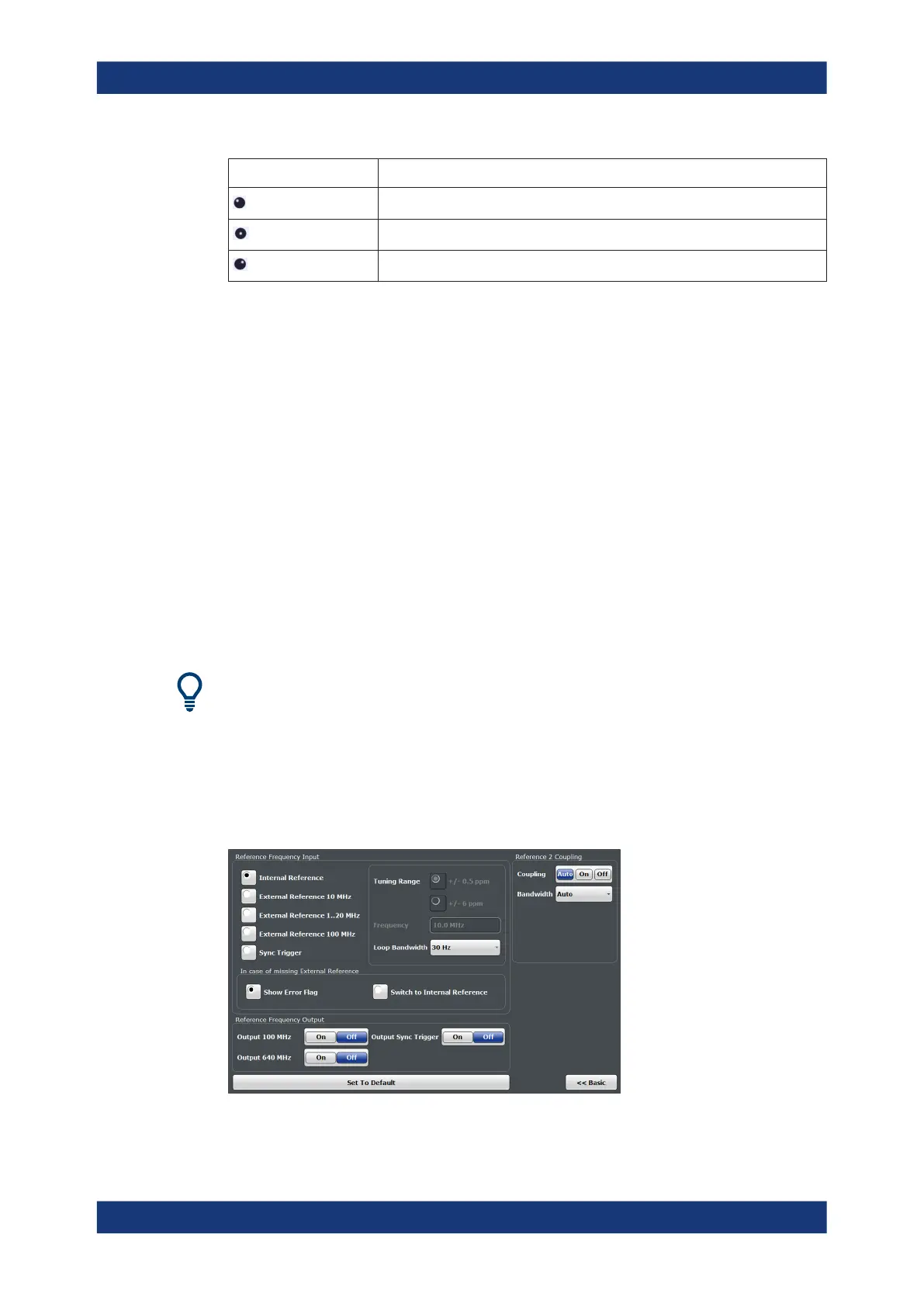
9.3 Reference Frequency Settings
Access: [Setup] > "Reference"
Reference Frequency Settings



 To Next Page