Common Analysis and Display Functions
R&S
®
FSPN
158User Manual 1179.4363.02 ─ 01
You can turn on persistence for all traces in the display ("State"). The "Decay" property
defines the time that shadows of past traces remain visible in the display before fading
away. With a decay of 0 s, all past traces remain visible.
When you change a measurement setting, the R&S FSPN resets the persistence
effect.
Remote command:
DISPlay[:WINDow<n>]:TRACe<t>:PERSistence[:STATe] on page 415
DISPlay[:WINDow<n>]:TRACe<t>:PERSistence:DECay on page 415
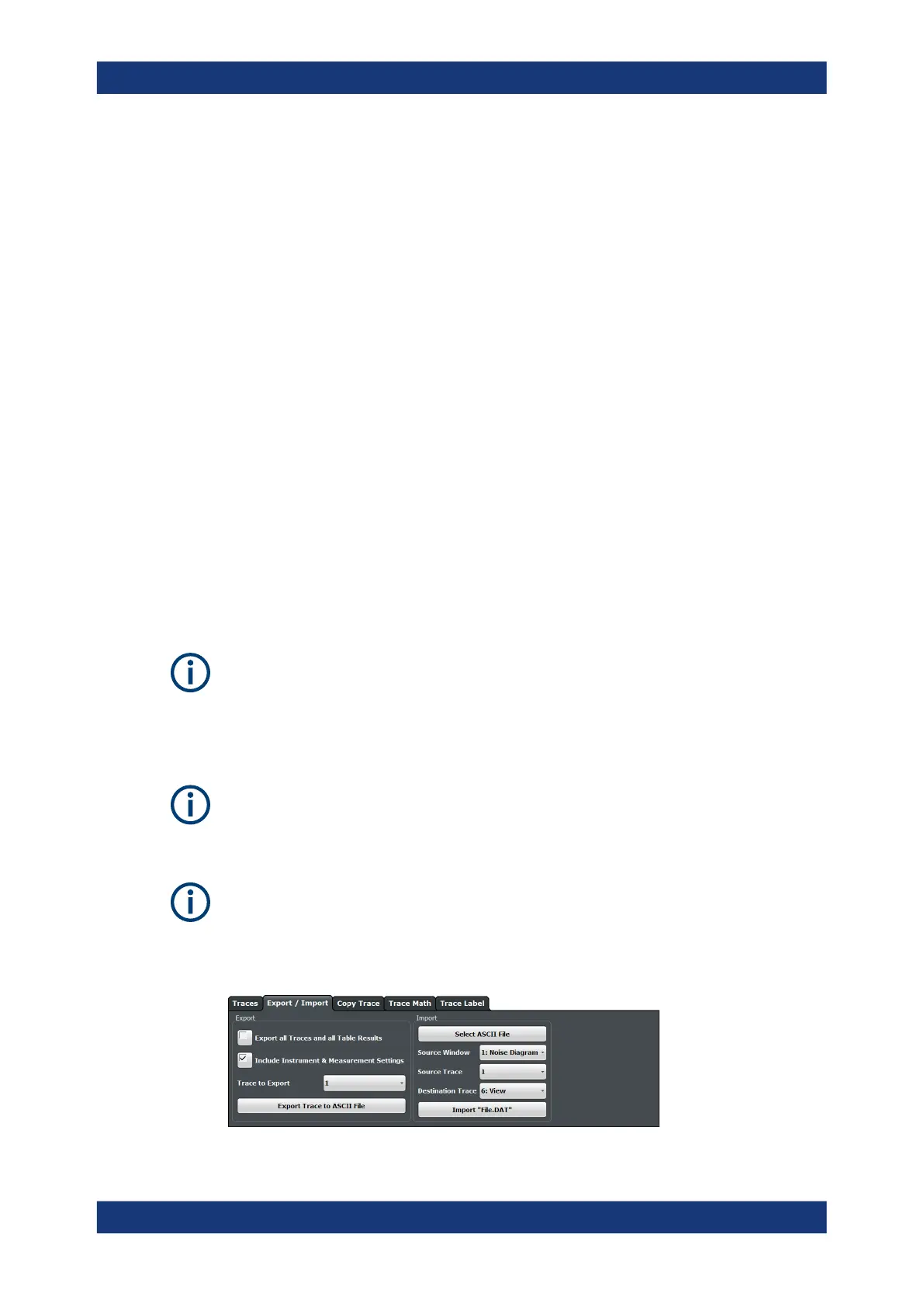
7.3.3 Trace Export and Import
Access: "Overview" > "Analysis" > "Traces" > "Trace / Data Export"
The R&S FSPN provides various evaluation methods for the results of a measurement.
However, if you want to evaluate the data with external applications, you can export the
measurement data to a standard format file (ASCII or XML).
The following data types can be exported (depending on the application):
●
Trace data
●
Table results, for example result summaries, marker peak lists.
You can also import existing trace data from a file, for example to compare your latest
measurement results with results that you have saved some time ago.
Availability of trace import
The trace import is available for the following measurements.
●
Phase noise
●
Baseband noise
I/Q data can only be imported and exported in applications that process I/Q data, such
as the I/Q analyzer or optional applications.
See the corresponding user manuals for those applications for details.
The standard data management functions (e.g. saving or loading instrument settings)
that are available for all R&S FSPN applications are not described here.
See Chapter 8, "Data Management", on page 185 for a description of the standard
functions.
Trace Configuration



 To Next Page