General Instrument Setup
R&S
®
FSPN
237User Manual 1179.4363.02 ─ 01
Create R&S Support Information ............................................................................... 237
Save Device Footprint ................................................................................................237
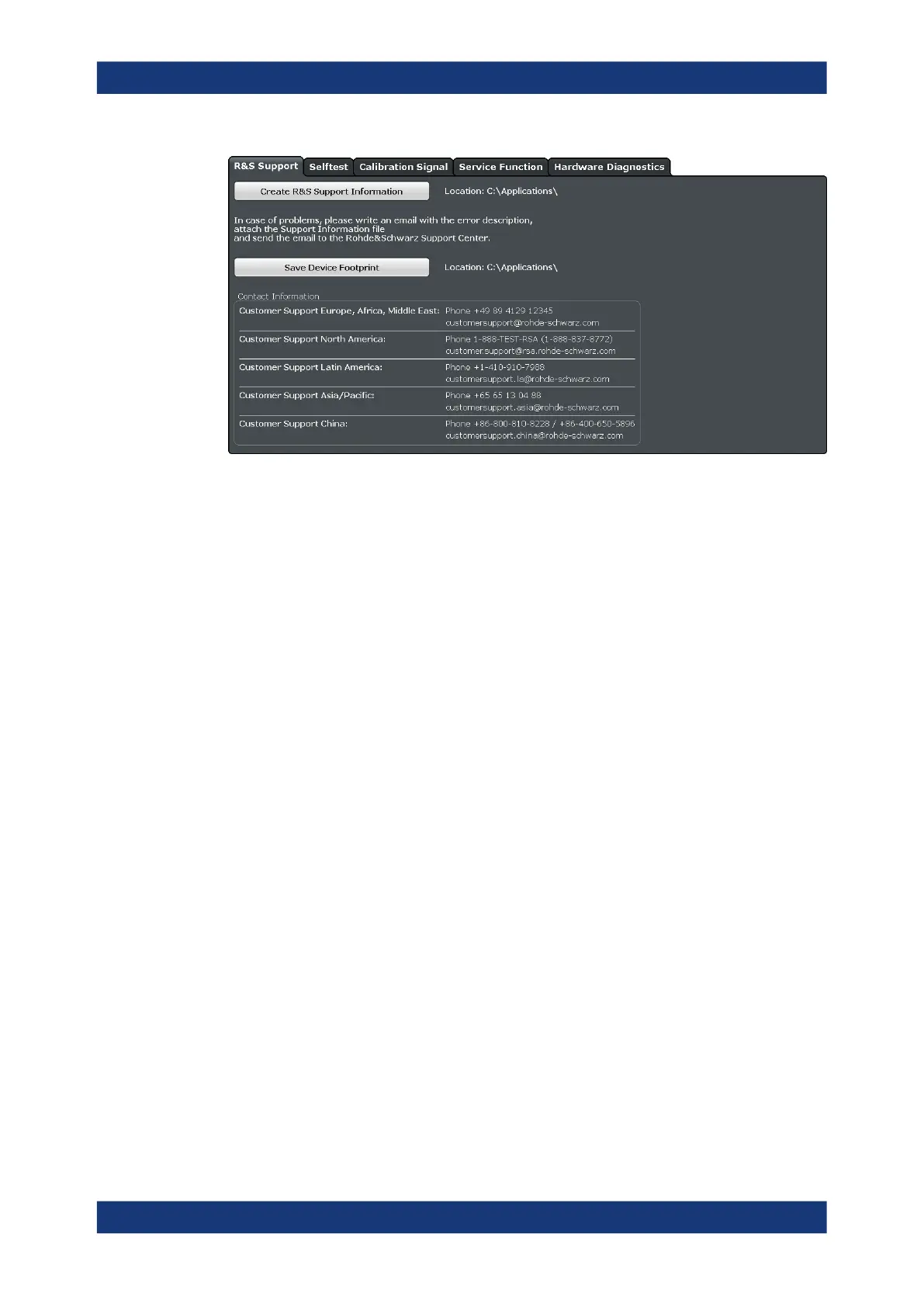
Create R&S Support Information
Creates a *.zip file with important support information. The *.zip file contains the sys-
tem configuration information ( "Device Footprint" ), the current eeprom data and a
screenshot of the screen display.
The file name consists of the unique device ID and the current date and time of the file
creation.
If you contact the Rohde & Schwarz support to get help for a certain problem, send
these files to the support in order to identify and solve the problem faster.
Remote command:
DIAGnostic:SERVice:SINFo? on page 508
Save Device Footprint
Creates an *.xml file with information on installed hardware, software, image and
FPGA versions. The *.xml file is stored under
C:\Program Files (x86)\Rohde-Schwarz\FSPN\<version>\devicedata\
xml\ on the instrument. It is also included in the service ZIP file (see " Create R&S
Support Information " on page 237).
9.5.2 Self-test Settings and Results
Access: [Setup] > "Service" > "Selftest"
If the R&S FSPN fails you can perform a self-test of the instrument to identify any
defective modules.
Service Functions



 To Next Page