Network and Remote Operation
R&S
®
FSPN
303User Manual 1179.4363.02 ─ 01
section provides basic instructions on setting up the Remote Desktop for the
R&S FSPN.
10.4.7.1 How to Configure the R&S FSPN for Remote Operation via Remote Desktop
1. Create a fixed IP address for the TCP/IP protocol as described in Chapter 10.4.1.2,
"How to Assign the IP Address", on page 292.
Note: To avoid problems, use a fixed IP address.
When a DHCP server is used, a new IP address is assigned each time the instru-
ment is restarted. This address must first be determined on the instrument itself.
Thus, using a DHCP server is not suitable for remote operation of the R&S FSPN
via Remote Desktop.
2.
Select the "Windows" icon in the toolbar to access the operating system.
3. In the Windows "Start" menu, select "Settings > System".
4. Search for "remote access".
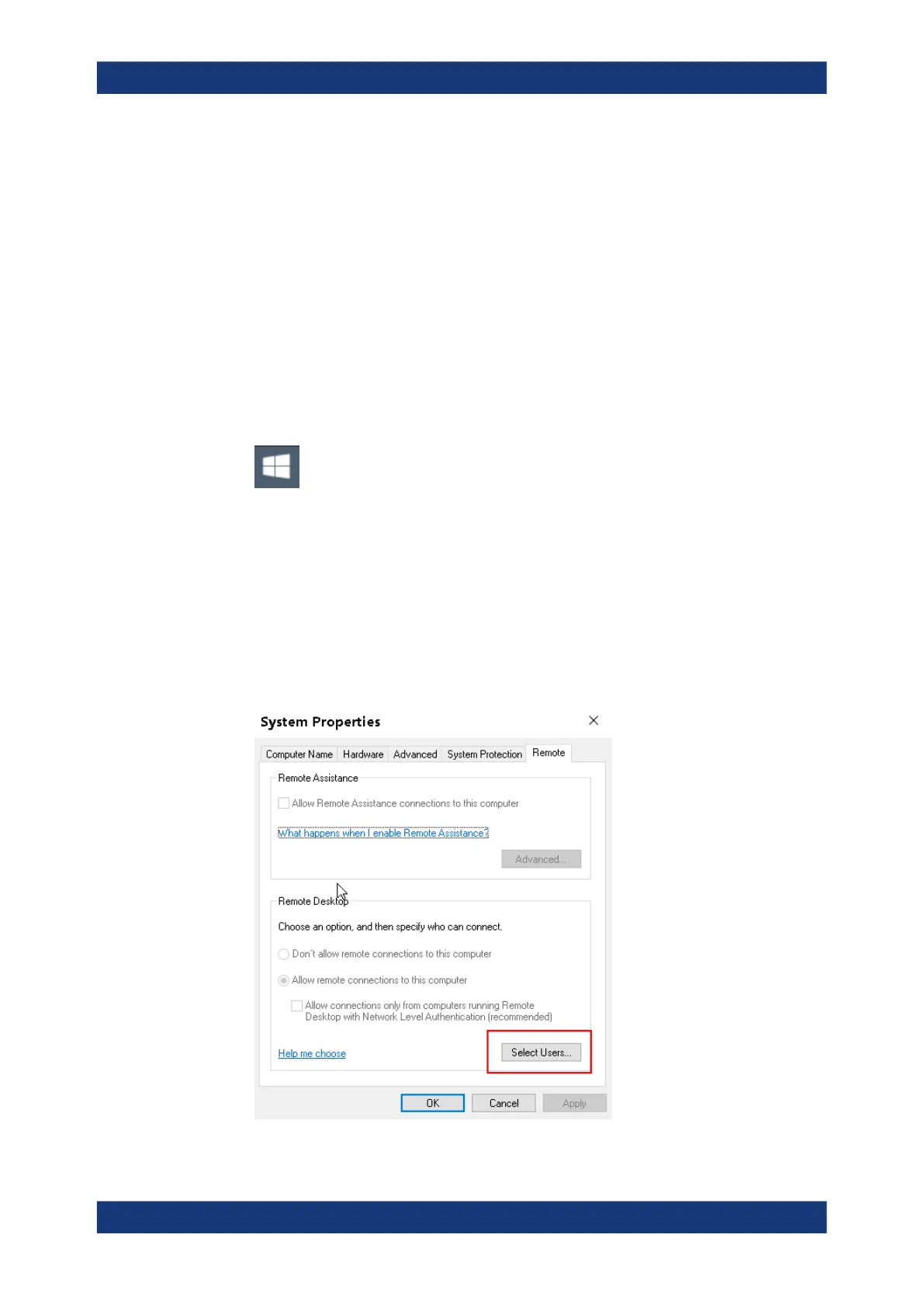
5. Select "Allow remote access to your computer".
6. Define which users are to be given access to the R&S FSPN via Remote Desktop.
Note: The user account under which configuration is carried out is automatically
enabled for Remote Desktop.
How to Set Up a Network and Remote Control



 To Next Page