Getting Started
R&S
®
FSPN
30User Manual 1179.4363.02 ─ 01
● Power Sensors........................................................................................................35
● Probe Power Connector (3 Pins)............................................................................ 36
● Baseband Input.......................................................................................................36
● Trigger Input and Output......................................................................................... 36
● DC Power Supply....................................................................................................36
3.2.1.1 Display (Touchscreen)
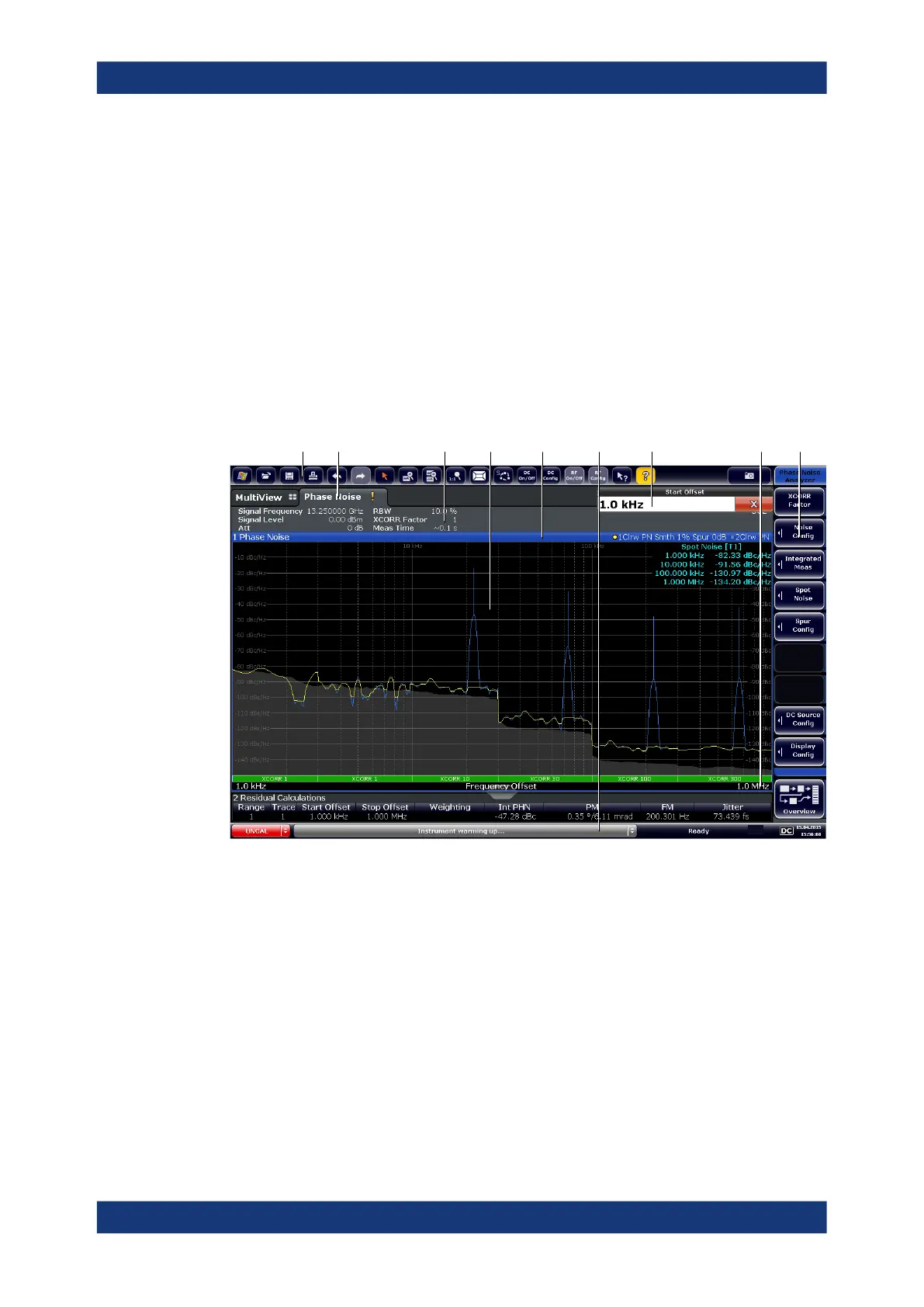
The touchscreen on the front panel of the R&S FSPN displays the measurement
results. Additionally, the screen display provides status and setting information and
allows you to switch between various measurement tasks. The screen is touch-sensi-
tive, offering an alternative means of user interaction for quick and easy handling of the
instrument.
1 2 3 7 9
4 5
8
6
1
= Toolbar: contains general functionality of the firmware.
2 = Channel tab: contains measurement channel.
3 = Channel bar: shows measurement settings.
4 = Result display: contains measurement results.
5 = Window title bar: contains diagram-specific (trace) information.
6 = Status bar: contains system messages, progress bar and date and time.
7 = Input field.
8 = Diagram footer: contains diagram-specific information.
9 = Softkeys: provide access to measurement functions.
A touchscreen is a screen that is touch-sensitive, i.e. it reacts in a specified way when
a particular element on the screen is tapped by a finger or a pointing device, for exam-
ple. Any user interface elements that can be clicked on by a mouse pointer can also be
tapped on the screen to trigger the same behavior, and vice versa.
Instrument Tour



 To Next Page