Troubleshooting
R&S
®
FSPN
529User Manual 1179.4363.02 ─ 01
The file is stored as
C:\Program Files (x86)\Rohde-Schwarz\FSPN\<version>\user\
<inst_model>_<serial-no>_<date_and_time>.zip
The file is stored as
C:\Program Files (x86)\Rohde-Schwarz\FSPN\<version>\user\
FSPN_*.zip.
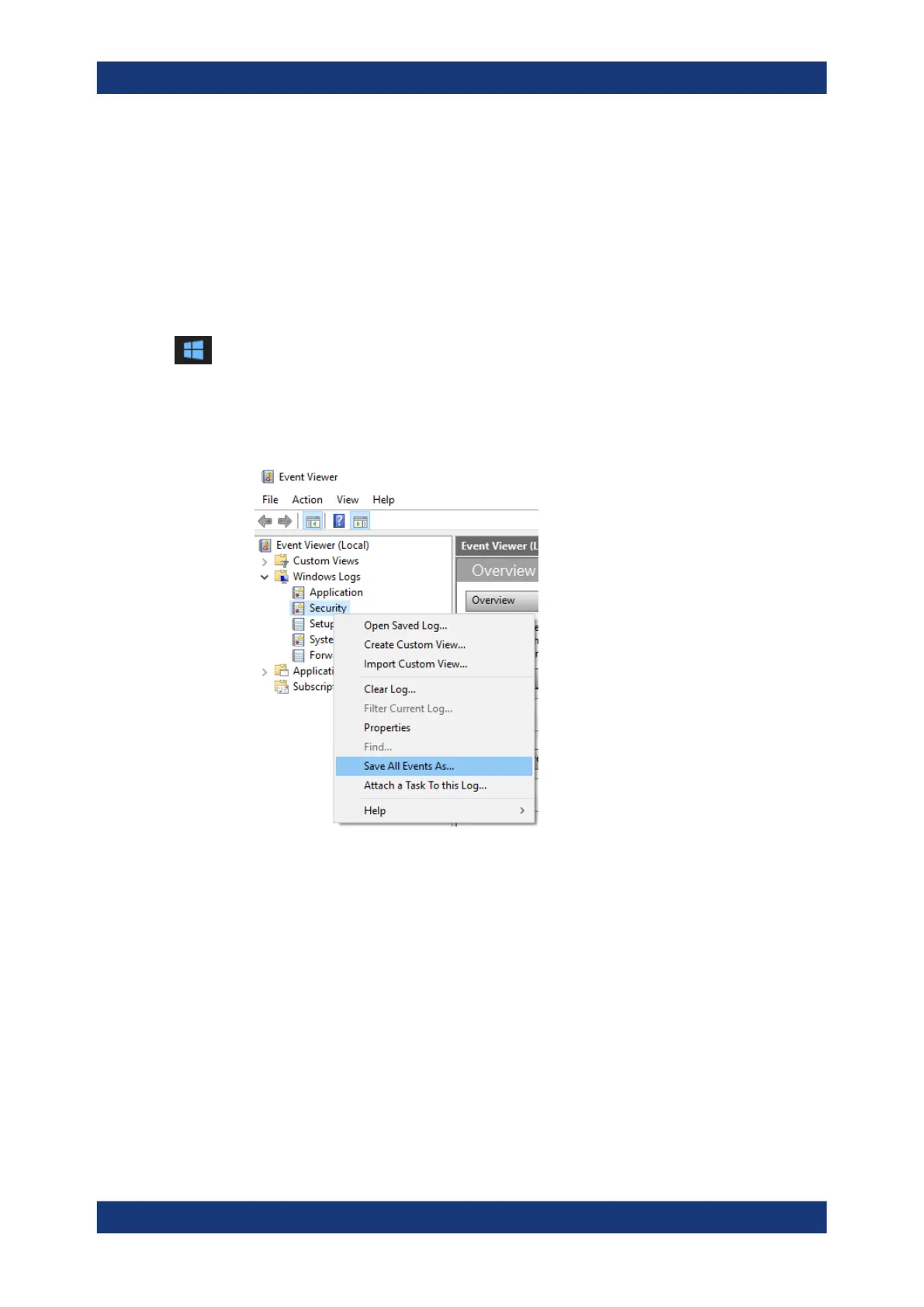
To create Windows event log files
1. Select the "Windows Start Button" in the bottom left corner.
2. Enter Event Viewer and select "Enter".
3. Select and expand "Windows Logs" in the "Console Tree".
4. Right-click on each subsection and select "Save All Events As...".
Figure 12-1: Event Viewer
5. Enter a file name and select "Save"
Collect the error information and attach it to an email in which you describe the prob-
lem. Send the email to the customer support address for your region as listed in Chap-
ter 12.2, "Contacting Customer Support", on page 530.
Collecting Information for Support



 To Next Page