112 Menu System Description ODIN Intercom Matrix
Fault Field
The Fault field displays if a fault has occurred on a fan. A red X indicates a fault has occurred.
RPM Field
The RPM field displays the speed or RPM (Revolutions Per Minute) the fan is operating.
• If the fan speed is within the normal operating range, the entry is shown in green (Normal).
• If the fan speed is outside the normal operating range, but not in the alarm state, the entry is shown in yellow
(Marginal).
• If the fan speed is outside the marginal operating range, the value is shown in red (Alarm).
Temperatures
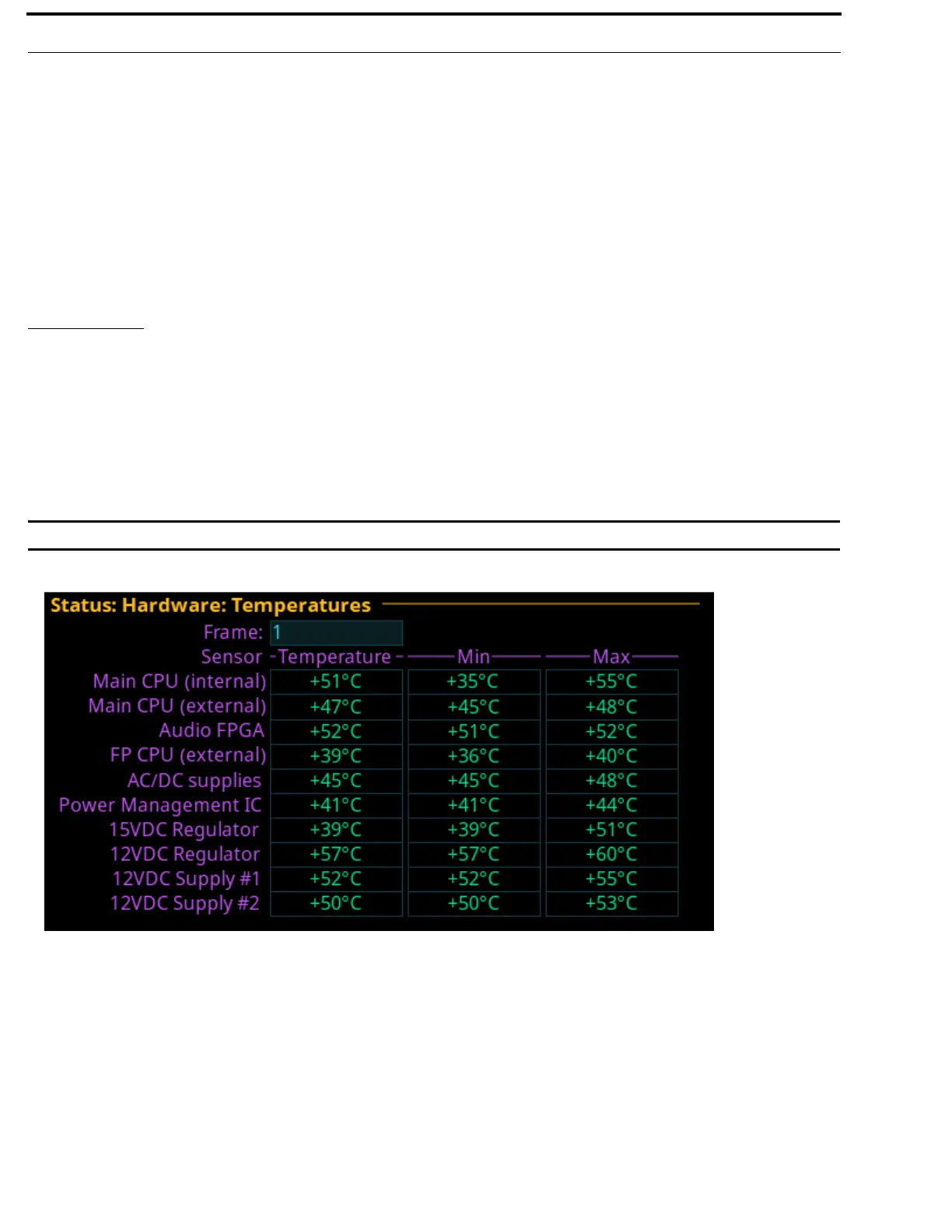
The Temperatures menu item displays temperature readings for different components inside the ODIN frame.There are 10
sensors that record temperatures across the frame. The frame self-monitors temperatures across the board and if it finds any
temperatures outside the recommended operating conditions, an alarm is generated.
• If the temperature is within the normal operating range, the entry is shown in green (Normal).
• If the temperature is outside the normal operating range, but not in the alarm state, the entry is shown in
yellow (Marginal).
• If the temperature is outside the marginal operating range, the value is shown in red (Alarm).
IMPORTANT: This information is for diagnostic purposes only!
Frame Field
The Frame field is used to select the frame to be viewed.
Sensor Field
The Sensor field displays the names of the different temperature sensors being monitored on the frame.
Temperature Field
The Temperature field displays the current temperature of the specific sensor. Temperatures are only shown in Celsius.
FIGURE 43. Status | Hardware | Temperatures



 To Next Page