ODIN Intercom Matrix Firmware 77
Download a Splash Screen, Screen Saver or Licenses
NOTE: When using a splash screen or screen saver the maximum bitmap size is 576 x 90. If the bitmap is smaller than the full
screen dimensions, the front panel centers the bitmap horizontally and vertically on the display and fills the
background with the same color as the pixel in the top left corner of the splash screen.
Supported file types: .bmp, .gif, .jpg, .png, and .tif.
IMPORTANT: When a license file is downloaded, all OMNEO connections are lost for approximately 20 seconds and then
re-established.
1. Open AZedit.
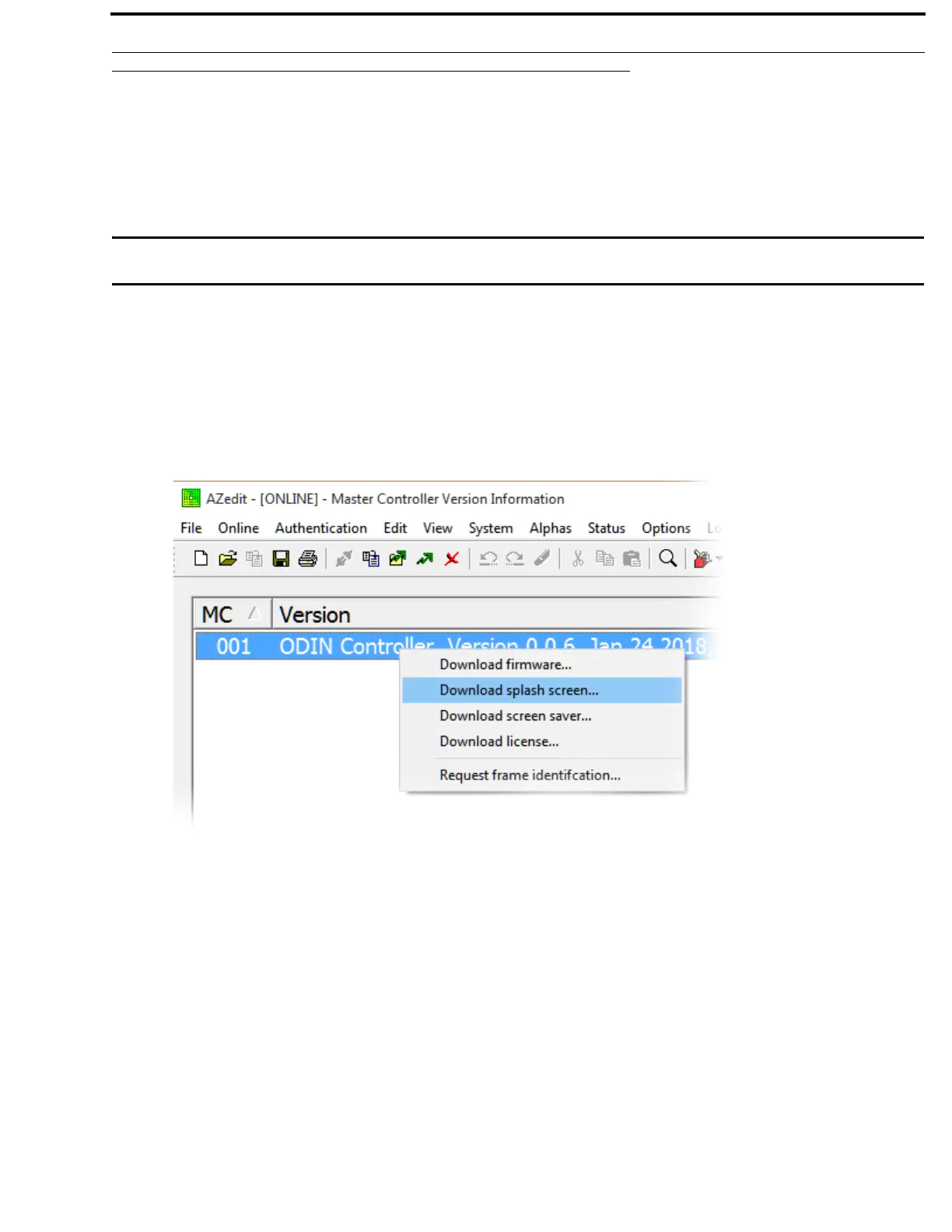
2. From the Status menu, select Software Versions | Master Controllers.
The Master Controller Version Information window appears.
3. Highlight the Master Controller to be updated.
NOTE: More than one selection may be made holding the CTRL key down while selecting multiple frames.
4. Right-click the highlighted selection(s).
A popup menu appears.
5. Select Download splash screen..., Download screen saver...,or Download license....
A network folder window appears.
6. Navigate to the desired file.
7. Click Open.
The Download File window appears.



 To Next Page