134 Menu System Description ODIN Intercom Matrix
Main IP Address Field
The Main IP Address field is used to enter the IP address of the main Trunk Master.
Partner IP Address Field
The Partner IP Address field is used to enter the IP address of a standby Trunk Master, if applicable.
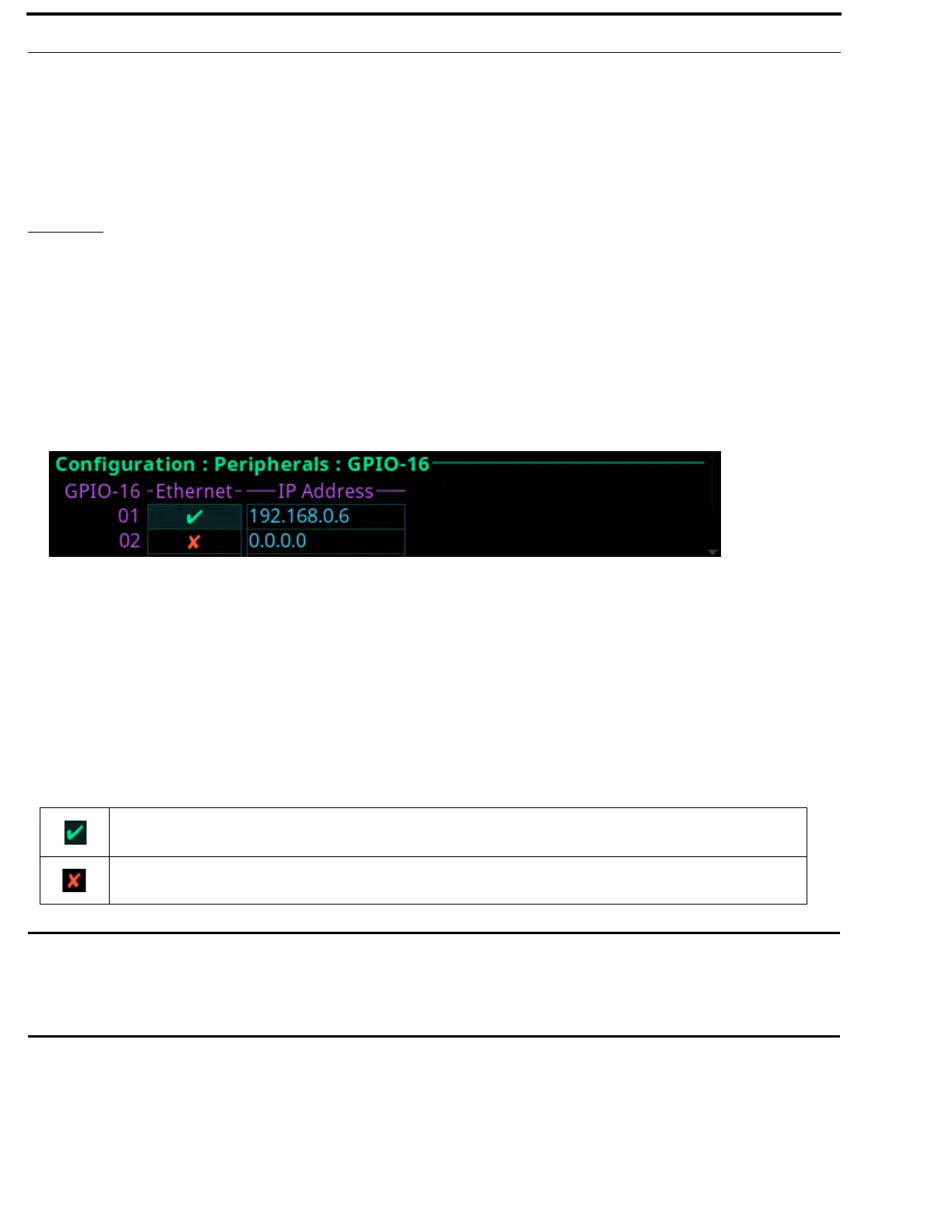
GPIO-16
The GPIO-16 screen is used to configure the GPIO-16 devices connected to the Control Port. Each GPIO-16 interface provides 16
opto-isolated inputs and 16 relay outputs. The GPI inputs can be set up to remotely control keypanel keys to activate intercom
ports, party lines, and relay outputs within the intercom system. The relay outputs are assigned for activation from keypanel keys.
They can be used to control lighting or to key remote transmitters, and paging systems. Relays can be assigned to keys via the
AZedit intercom configuration software.
The GPIO-16 supports two (2) communication modes: RS-485 Serial and Ethernet.
For more information, see the GPIO-16 Technical Manual at www.rtsintercoms.com.
GPIO-16 Field
The GPIO-16 field displays the number of GPIO-16 devices supported by the intercom. Depending on the number
GPI In/GPI Outs allocated on the Intercom Resources screen (see “Adding a frame or multiple frames is only possible from the last
frame in the intercom. Removing a frame (or frames) is only possible from a frame that is not the last frame in the intercom.” on
page 115), determines the number of GPIO-16 devices that shown.
Ethernet Check Box
The Ethernet check box determines whether Ethernet is being used.
IMPORTANT: When using an RS-485 serial connection, make sure the RS-485 cable is plugged into the PAP/LCP/GPIO-
16 connector on the back panel.
When using Ethernet, the Ethernet cable must be connected to the Control Port via a switch.
When using a serial connection, a polling address for the GPIO-16 must be configured so that multiple units
can be connected on the same data bus, and so the intercom knows which GPIO-16 it is.
IP Address Field
The IP Address field is used to enter the IP address of the corresponding GPIO-16 device. An IP address is only needed if using an
Ethernet connection.
FIGURE 67. Configuration | Peripherals | GPIO-16
An Ethernet connection is enabled.
A RS-485 Serial connection is enabled.



 To Next Page