CHAPTER 4
Firmware
Download Firmware
There are two processes for updating firmware and resources on ODIN; via AZedit or via the FWUT (Firmware Upload Tool).
However, updating the Audio FPGA can only be done using the FWUT.
Download Firmware Using AZedit
To download firmware to ODIN, do the following:
1. Open AZedit.
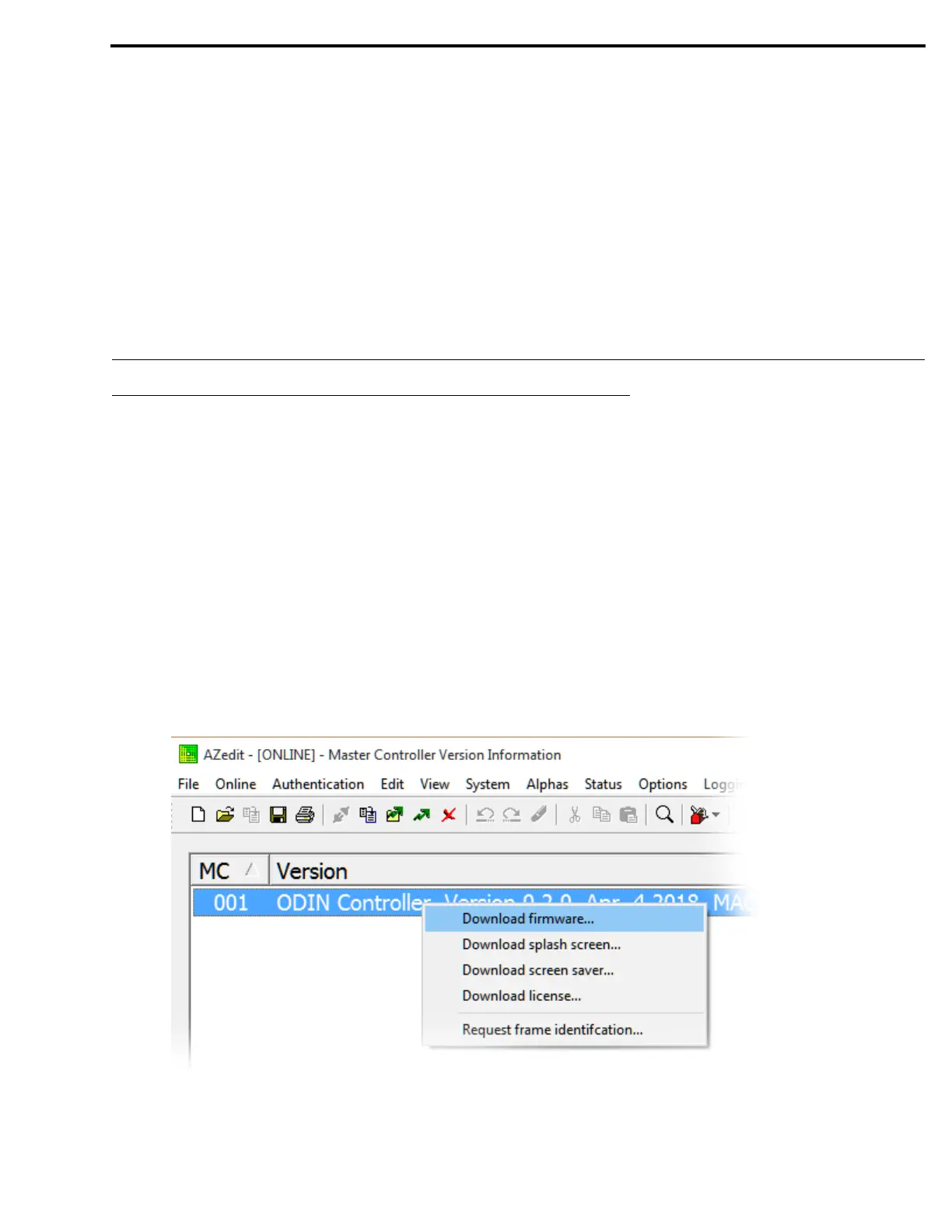
2. From the Status menu, select Software Versions | Master Controllers.
The Master Controller Version Information window appears.
3. Highlight the ODIN to be updated.
NOTE: More than one selection may be made holding the CTRL key down while selecting multiple frames.
4. Right-click the highlighted selections.
A popup menu appears.
5. Select Download firmware....
The Firmware Download window appears.
6. Using the browse button, browse to the desired file.



 To Next Page