48 Basic Operation ODIN Intercom Matrix
Frame Mapping (Multi-Frame Only)
Frame Mapping is used to assign the position of each frame in a multi-frame intercom system. The frame order determines the port
range assigned. For example, when mapping a 2-frame system, with each frame having 128 ports, the first frame is given ports 1
through 128. The second frame is assigned ports 129 through 256.
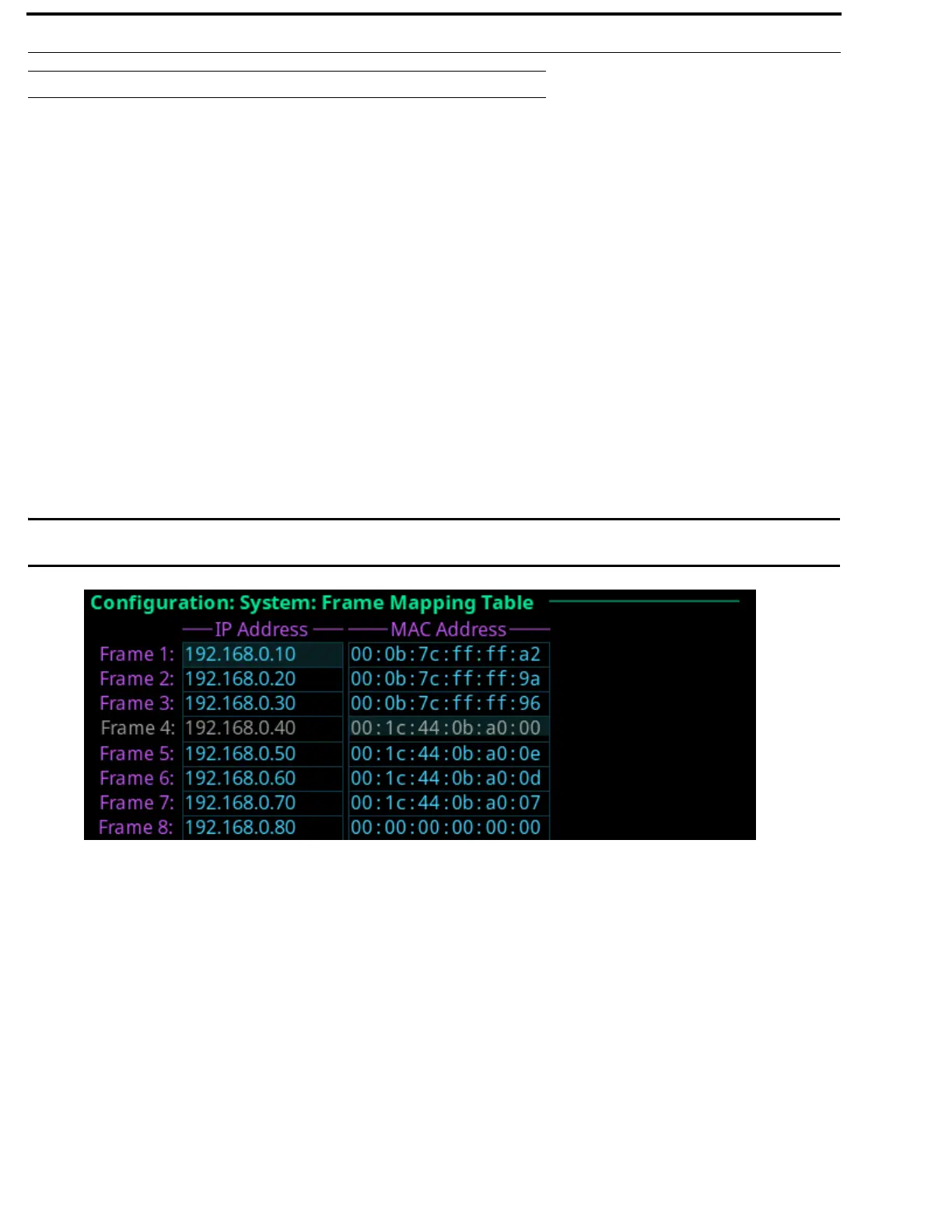
To order the frames in a system, a frame mapping table must be configured. Frame mapping can be done from either the front panel
of ODIN or by using the AZedit configuration software.
Frame Mapping (Front Panel)
To map frames from ODIN front panel, to the following:
1. Rotating the right encoder knob, navigate to the Configuration icon.
2. Click the right encoder knob.
The Configuration Menu appears.
3. Rotating the right knob, navigate to the System menu icon.
4. Click the right encoder knob.
The System menu appears.
5. Rotating the right encoder knob, navigate to the Frame Mapping Table menu icon.
6. Click the right encoder knob.
The Frame Mapping Table appears.
IMPORTANT: The IP Address and MAC Address of the current frame (shown in gray) cannot be modified from this
screen.
7. Edit the IP Address to reorder the frames in the intercom.
NOTE: Pressing SHIFT + UP/DOWN moves the currently highlighted entry up or down.



 To Next Page