ODIN Intercom Matrix Basic Operation 49
Frame Mapping (AZedit)
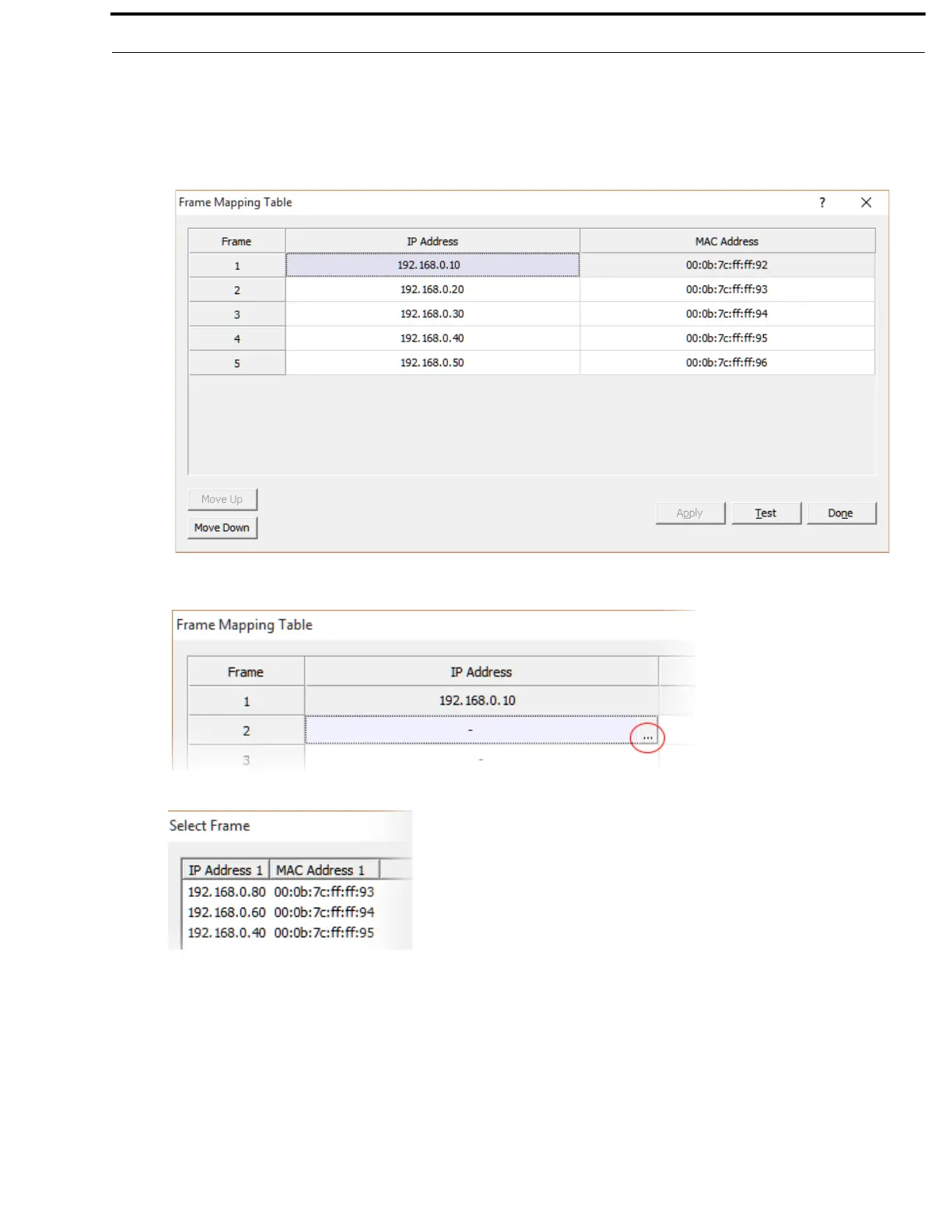
To map frames from AZedit, do the following:
1. From the Options menu, select Frame Mapping.
The Frame Mapping Table window appears.
2. Click the Browse icon to select frame to add to the table.
The Select Frame window appears.
3. Select the frame to add to the frame mapping table.
4. Click the OK button.
The Select Frame window closes and the frame information is added to the frame mapping table.
5. Click the Test button to validate the table.
A valid or not valid message appears.
6. Click OK.
The message closes.
7. Click Apply.
The modifications are applied to the frame mapping table.



 To Next Page