ODIN Intercom Matrix Menu System Description 137
Front Panel
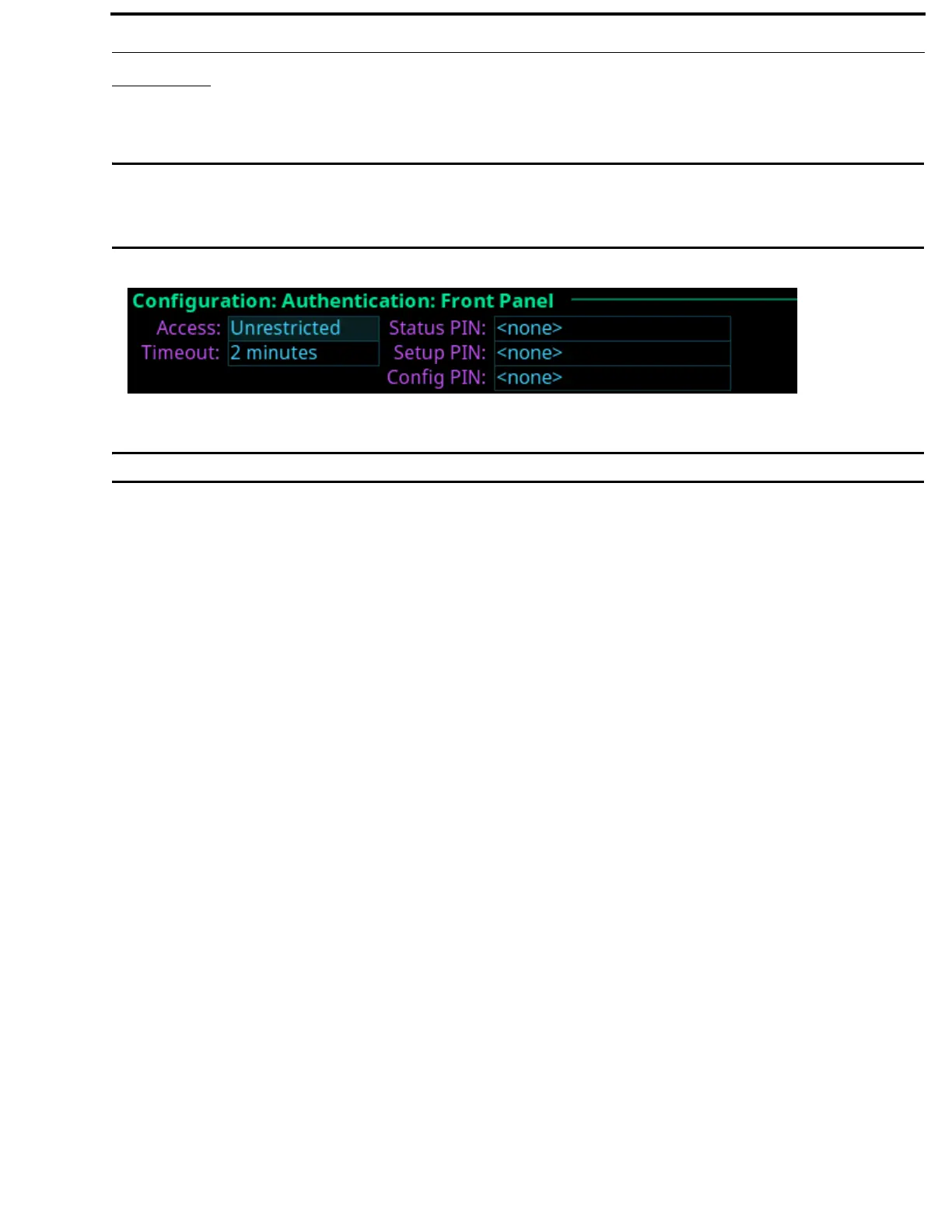
The Front Panel screen is used to configure different access areas on ODIN, such as Front Panel access, Status menu access, Setup
menu access, and Configuration menu access.
IMPORTANT: PINs are hierarchical. Whenever a PIN is entered, access to the highest level of PIN entered is granted. If all
three PINs are set, front panel access is PIN protected because a Status PIN is defined. However, if the Setup
PIN is set, access to Status is granted, but access to the Configuration menu is not. If the user knows the
Config PIN full access is granted.
IMPORTANT: If the a PIN is set, and then forgotten go to AZedit | Options | ODIN Front Panel to reset the PIN.
Access Field
The Access field is used to set level of security for the ODIN front panel.
Available options are:
Unrestricted The front panel has full access without any restrictions.
Read Only The front panel is read only. No modifications can be made to any menu items.
Authenticated The user must enter a PIN to access the front panel.
Disabled The front panel has no access.
Timeout Field
The Timeout field is used to set the amount of time the front panel is idle before the user must re-enter a PIN when access is set to
authenticated and a PIN is set.
NOTE: The front panel can be forced to logout (or forget a PIN has been entered) by manually activating the screen saver.
This is done by pressing and holding the left shaft encoder button.
Available options are 1 minute to 15 minutes.
Status PIN Field
The Status PIN field is used to enter a numeric PIN used to access the Status menu. If a Status PIN is set, the user must enter the
PIN to access any area on the front panel (for example, the Alarms menu is inaccessible without a PIN).
This field can contain up to 20 digits.
FIGURE 71. Configuration | Authentication | Front Panel



 To Next Page