154 Menu System Description ODIN Intercom Matrix
Port Field
The Port field is used to select the port whose party line membership is desired to view or modify.
Talker Check Box
The Talker check box designates the selected port as a permanent talker on the current party line. This means the port is always
talking. The permanent talkers are usually only used with devices that cannot turn talk keys on and off. This option is usually not
used with keypanels.
Listener Check Box
The Listener check box designates the selected port as a permanent listener on the current party line assignment. This means the
port is always listening. The permanent listeners are usually only used with devices that cannot turn listen keys on and off. This
option is usually not used with keypanels.
Scroll Enable Check Box
The Scroll Enable check box determines whether the current PL is visible in the local scroll list.
Latch Disable Check Box
The Latch Disable check box determines whether the party line, when assigned to a key, causes the key to become latch disabled.
This can be overridden by clearing the latch disable for the key after the assignment is made.
Tally Enable Check Box
The Tally Enable check box determines whether tallies are enabled on the current party line. If tallies are enable for party lines,
keypanel keys that have this party line key assignment tally when a user talks to the party line.
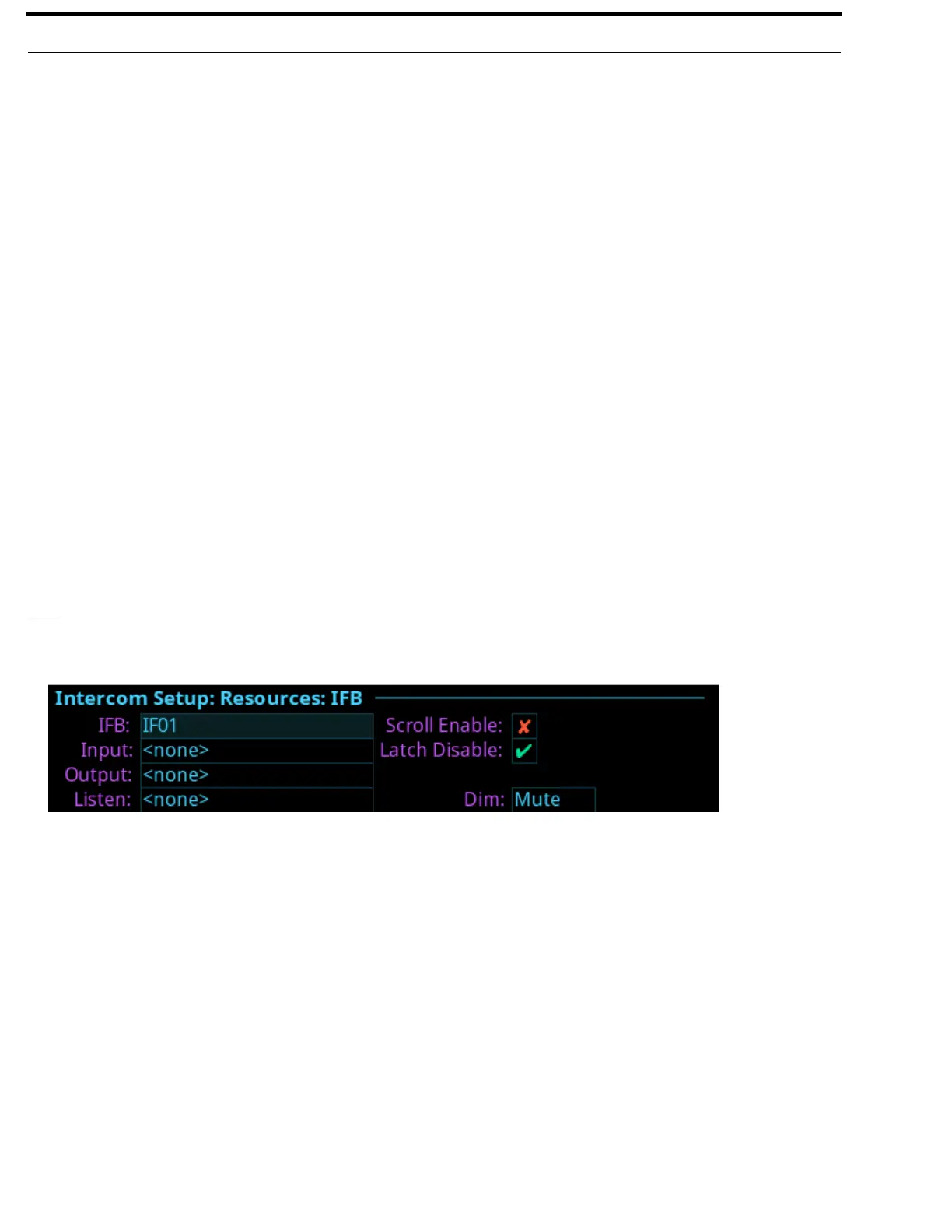
IFB
The IFB screen is used to configure IFB definitions and options.
IFB Field
The IFB field is used to select the desired IFB to configure.
Input Field
The Input field is used to select the IFB program input port. The program input is always routed to the IFB output (except when
the IFB is being interrupted). Program input is also referred to as Mix Minus (-).
Output Field
The Output field is used to select the IFB output port. The IFB Output is the audio heard by the talent. For example, the Program
Input is routed and heard as the IFB output (except when the IFB is being interrupted).
FIGURE 93. Intercom Setup | Resources | IFB



 To Next Page