162 Menu System Description ODIN Intercom Matrix
Alarms Menu
The Alarms menu is used to access alarm notifications of events that occur in the intercom system.
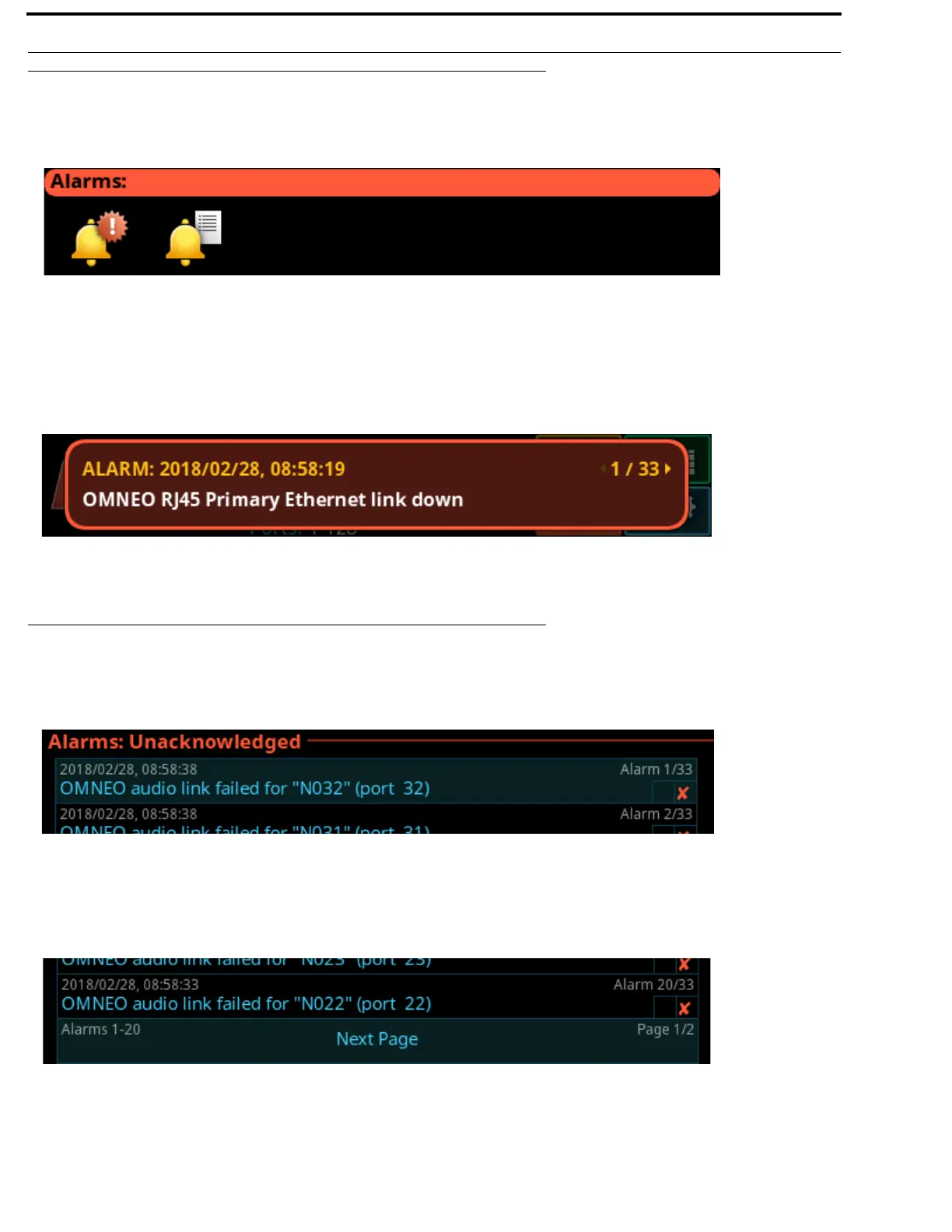
When an alarm occurs, an Alarm Notification message appears on the front display, as shown in Figure 104. To clear this message,
press CLR on the keypad. CLR dismisses the popup, but the alarm(s) remain unacknowledged. Pressing SHIFT, and then CLR on
the popup, automatically acknowledges all of the new alarms (33 as shown below). The number of new alarms are displayed in the
upper right corner of the popup window. Use the right shaft encoder or the left/right arrow buttons to scroll through the alarms.
Unacknowledged
Unacknowledged Alarms are alarms that have not been acknowledged. These alarms appear in the Alarms: Unacknowledged
screen.
The Unacknowledged and Active Alarms list can have up to 20 alarms displayed and scrollable. More than 20 alarms are pushed to
a new page, as shown in Figure 106.
FIGURE 103. Alarms Menu Icons
FIGURE 104. Alarm Popup Message
FIGURE 105. Alarms | Unacknowledged
FIGURE 106. Alarms Next Page Button



 To Next Page