ODIN Intercom Matrix Menu System Description 141
Keypad
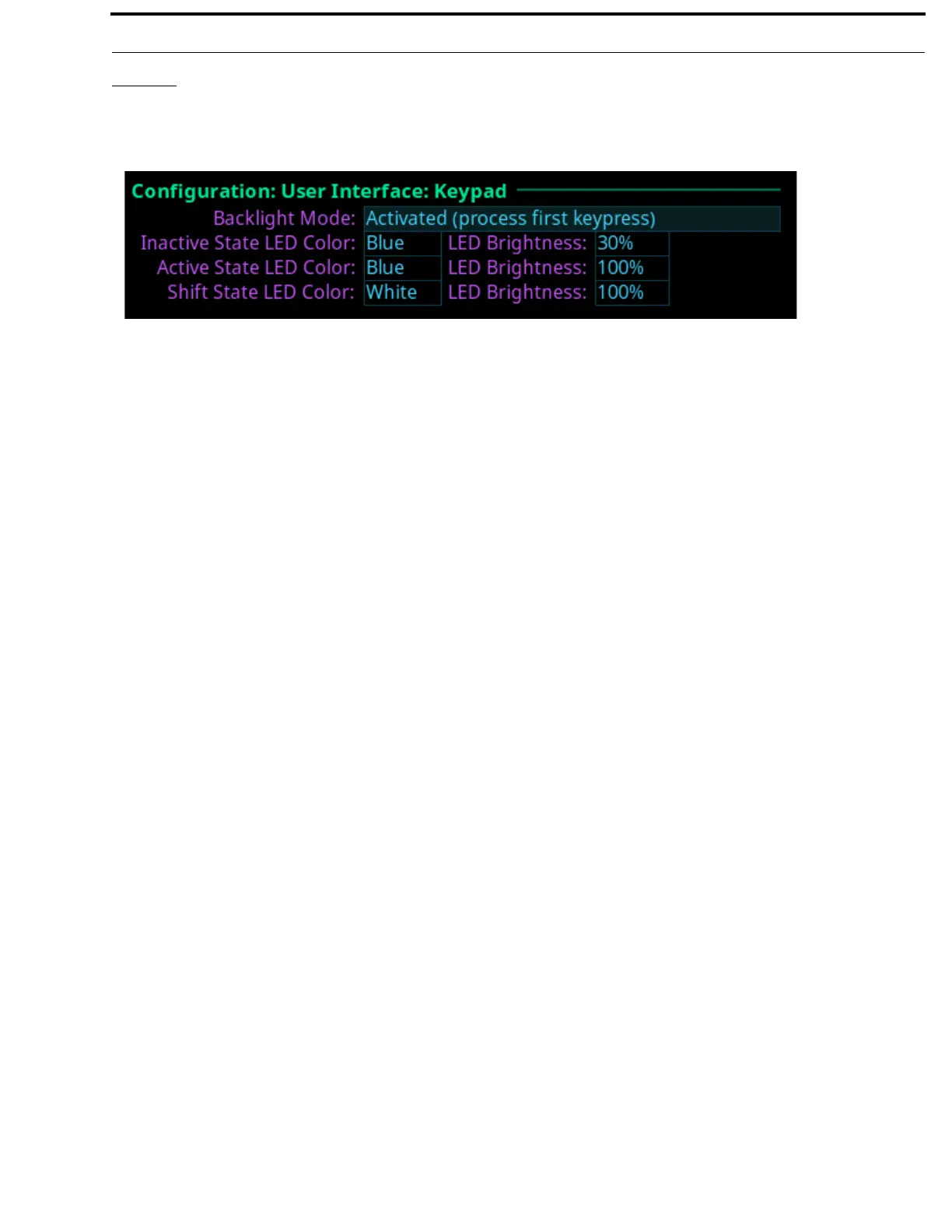
The Keypad screen is used to configure how and when the keypad backlight activates and the color and brightness of the keypad
backlight LEDs display in each keypad mode.
Backlight Mode Field
The Backlight Mode field is used to select how and when the keypad backlight activates.
Available options are:
Activated (swallow first keypress) The first keypad key pushed when the keypad is Inactive is only used to activate the
keypad, the actual keypad key push event is not acted upon.
Activated (process first keypress) The first keypad key pushed when the keypad is Inactive, activates the keypad and is
processed.
Always Active The keypad backlight is always in the active state.
Always Inactive The keypad backlight is always in the inactive state. When selected, the LED color/
brightness does not change when SHIFT is pressed, even if the keypanel is in SHIFT
mode.
NOTE: When the front panel menu is not active, the backlight stays lit for 5 seconds of inactivity before returning to the
inactive state. However, when the front panel menu is active, the backlight stays lit for one minute before exiting
the menu system and returning to the inactive state.
Inactive State LED Color Field
The Inactive State LED Color field is used to select the LED backlight color when the keypad is in the inactive state.
Available options are Blue and White.
Active State LED Color Field
The Active State LED Color field is used to select the LED backlight color when the keypad is in the active state.
Available options are Blue and White.
Shift State LED Color Field
The Shift State LED Color field is used to select the LED backlight color when the keypad is in the Shift state.
Available options are Blue and White.
LED Brightness Field
The LED Brightness field is used to set the brightness of the keypad backlight LEDs.
Brightness ranges from 0% to 100%.
By default, brightness is set for 30% for the Inactive state; and 100% for the Active and Shift states.
FIGURE 78. Configuration | User Interface | Keypad



 To Next Page