ODIN Intercom Matrix Menu System Description 85
Speed Field
The Speed field displays the transmission speed of the Control Port interface.
There are three speeds the Ethernet links support: 10 Mbps, 100 Mbps, or 1 Gbps.
Duplex Field
The Duplex field displays the transmit mode the network connection is currently operating – Half or Full Duplex. Almost all
Ethernet interfaces auto-negotiate to Full Duplex. If the interface displays Half Duplex mode, this typically signifies the auto-
negotiate failed, resulting in network collisions and errors.
Available options for this field are
Half-Duplex – can either transmit or receive, but not both simultaneously.
Full-Duplex – can transmit and receive simultaneously.
OMNEO (SFP)
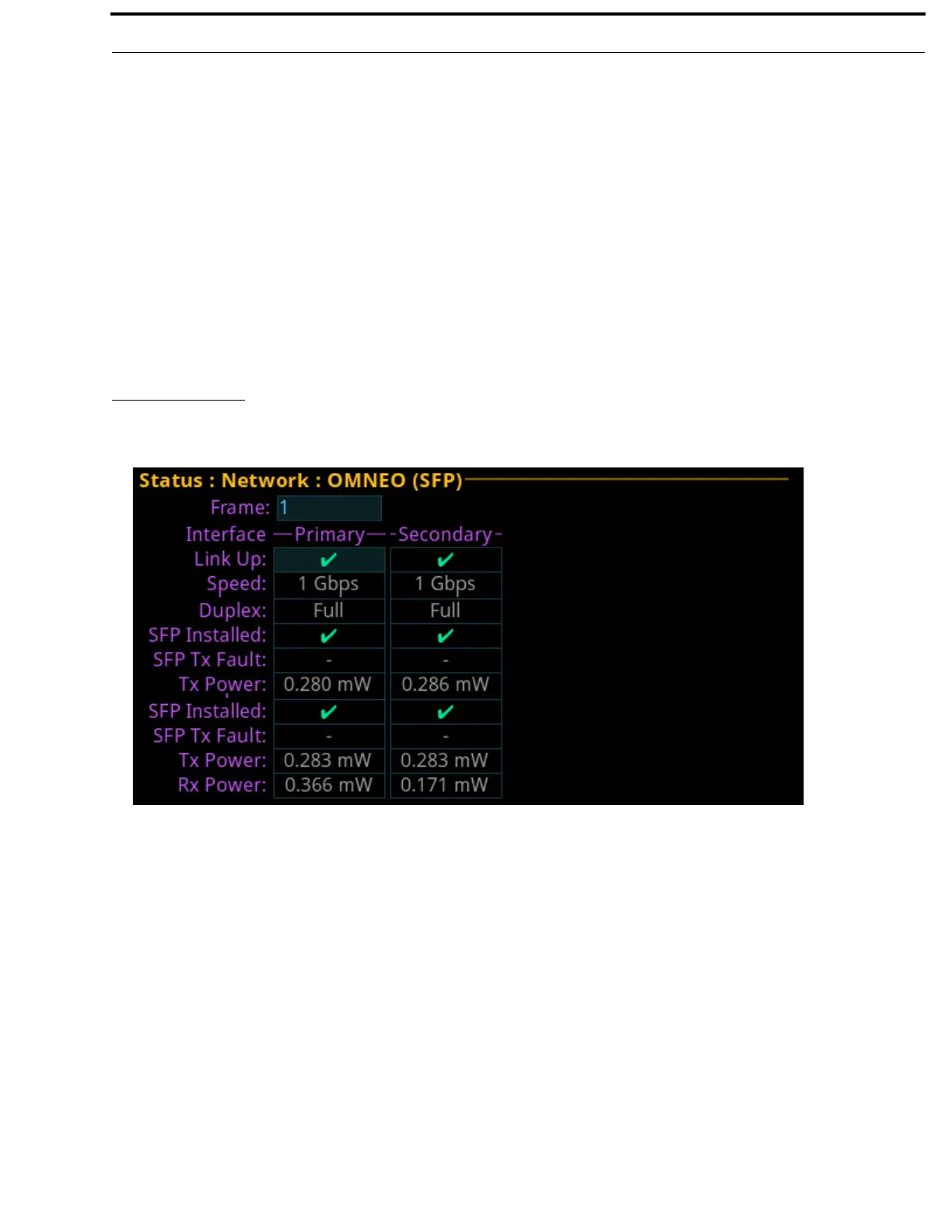
The OMNEO (SFP) screen is used to view the OMNEO (SFP) network status.
Frame Field
The Frame field (if visible) displays the frame currently being viewed.
Primary Column
The Primary column displays the status for the primary OMNEO (SFP) fiber connection.
Secondary Column
The Secondary column displays the status for the secondary OMNEO (SFP) fiber connection.
FIGURE 18. Status | Network | OMNEO (SFP)



 To Next Page