ODIN Intercom Matrix Installation and Maintenance 69
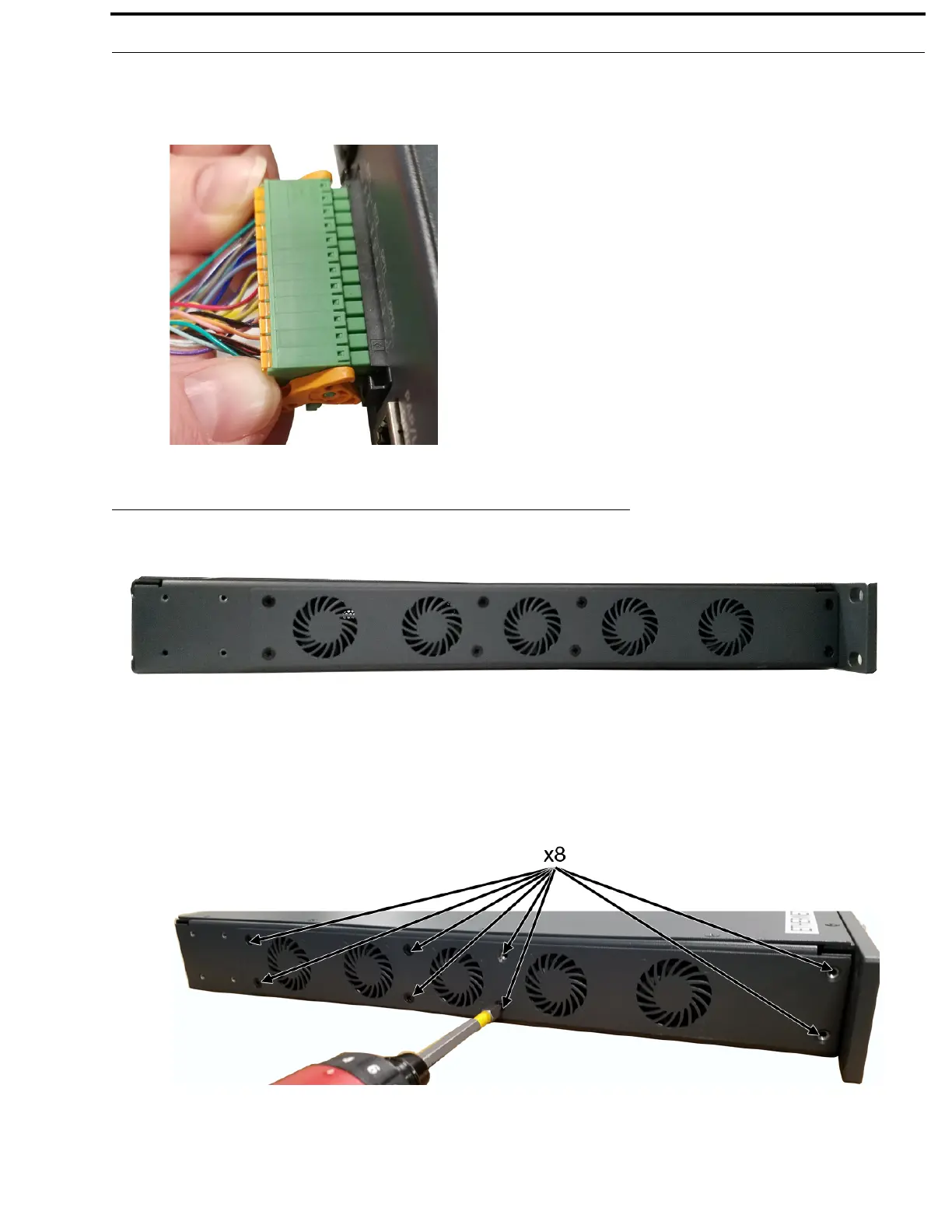
To detach the 24-position terminal block connector from the frame, do the following:
> Using both thumbs, gently press down on the locking levers.
The connector is released from the frame.
Fan Tray
To replace the fan tray, do the following:
1. Remove all power from the frame.
2. Remove the frame from rack, if rack-mounted.
3. Remove the eight screws holding the fan tray in place.
NOTE: M3x6 flat-head screws are used.
FIGURE 9. Fan Tray Side Panel of ODIN



 To Next Page