68 Installation and Maintenance ODIN Intercom Matrix
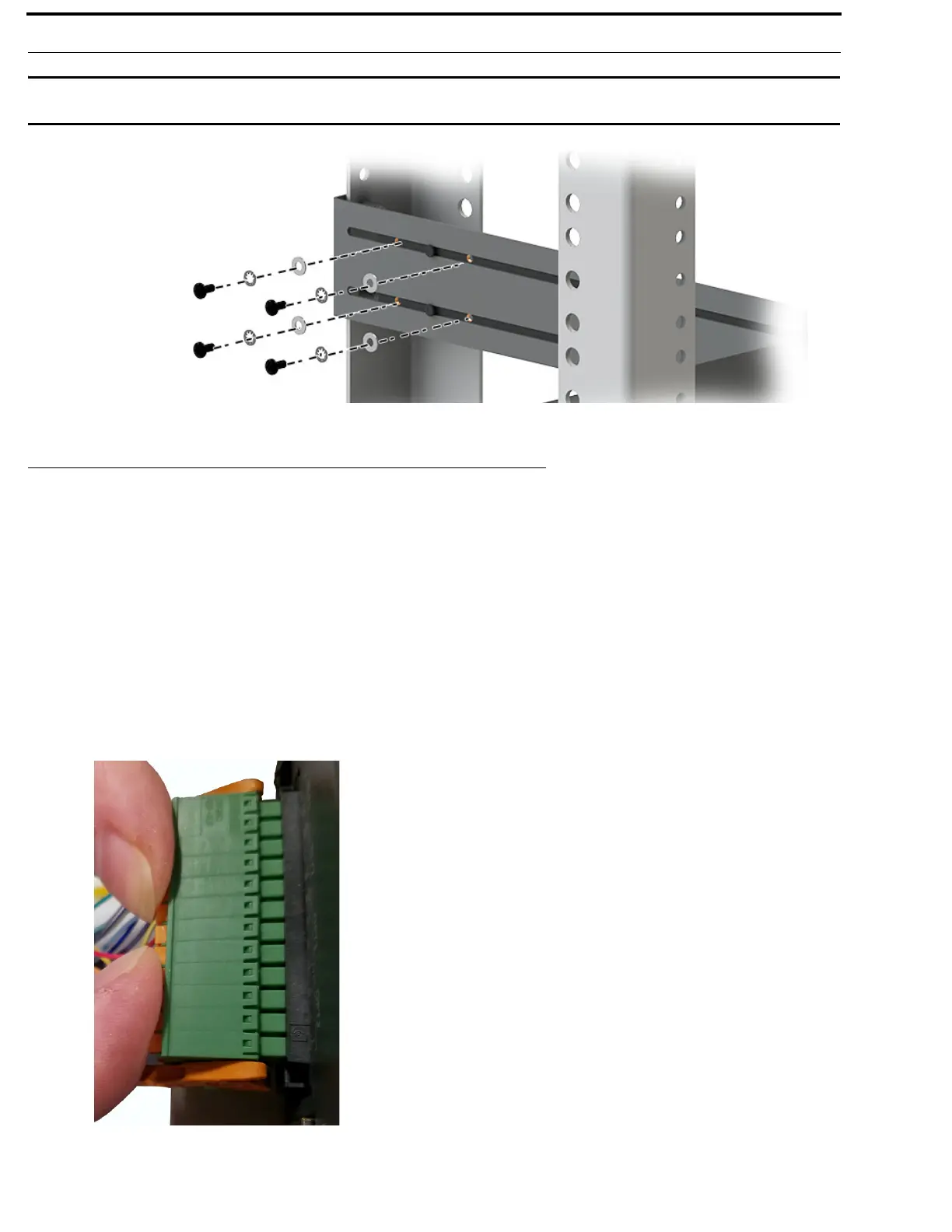
IMPORTANT: Layer the screw, the tooth lock washer and the flat washer in this order to attach the rear side bracket to the
matrix side bracket.
GPIO 24-Position Terminal Block Connector
The GPIO 24-Position Terminal Block Connector is used to provide connections to relays (outputs) and opto-isolators (inputs).
Using the table, “GPIO Connector: J10” on page 20, connect the correct wires to the 24-position connector.
Wire Specifications
Solid Wire: 26-16AWG/0.13–1.5MM
2
Stranded Wire:26-16AWG/0.13–1.5MM2
To connect the 24-position terminal block to the frame, do the following:
1. Align the terminal block connector with the 24-position connector on the rear side of the frame.
2. Gently push the connector into place.
The locking levers should lock into place.



 To Next Page