ODIN Intercom Matrix Menu System Description 151
Keypanels Menu
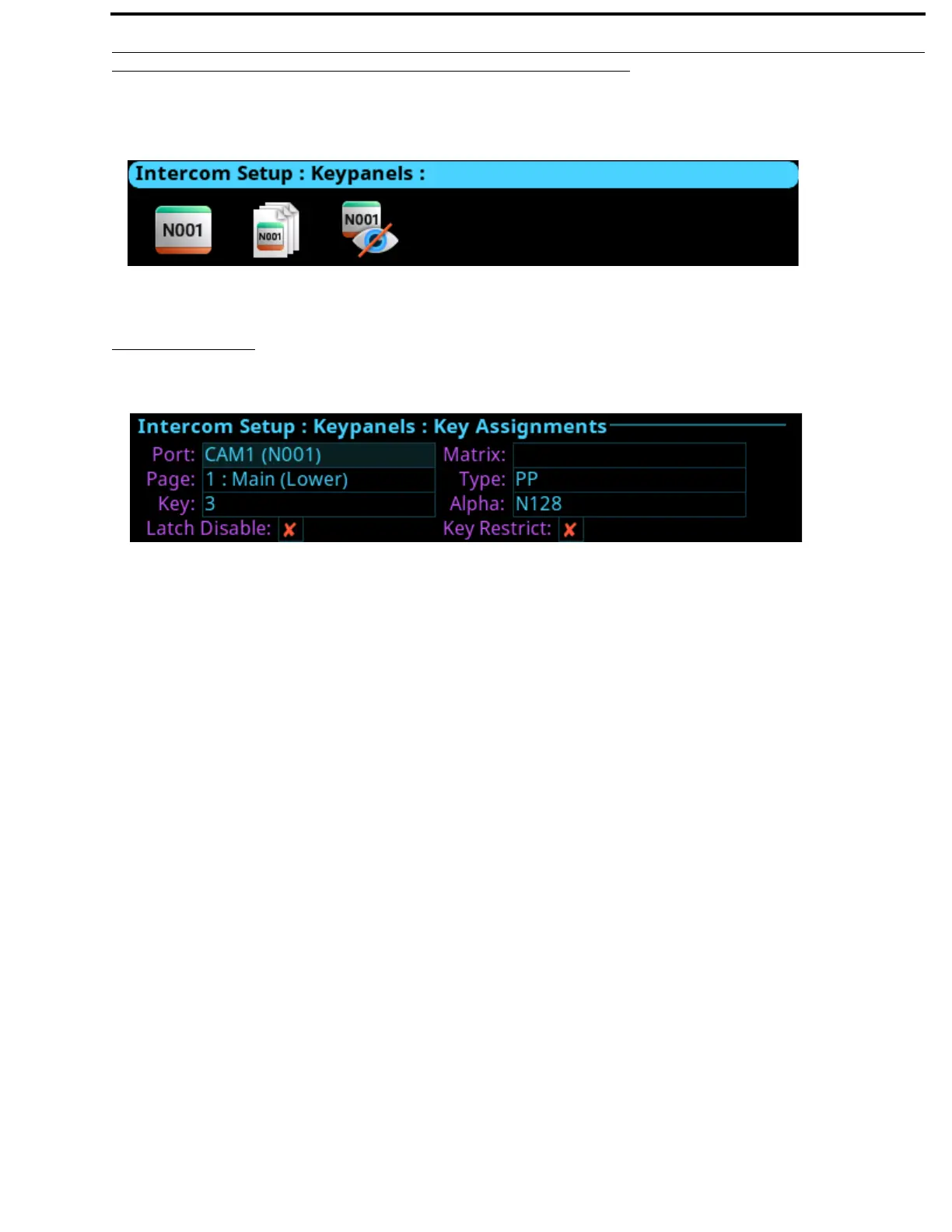
The Keypanels menu is used to configure keypanel assignments, key options, and setup pages in the intercom system.
Key Assignments
The Key Assignments screen is used to configure key assignments on keypanel keys.
Port Field
The Port field is used to select the desired port where the key assignment is to be assigned.
Page Field
The Page field is used to select the setup page where the key assignment is to be assigned
Key Field
The Key field is used to select the key on the selected setup page where the key assignment is to be assigned
Matrix Field
The Matrix field is used to select the matrix for the key assignment, if available. Only matrices with available scroll lists are
shown.
Type Field
The Type field is used to select the key assignment type.
Selections for this field can include SPCL, PP, PL, IFB, SL, RY, ISO, UR, and IFBSL.Only the assignment types available for the
selected matrix are shown.
Alpha Field
The Alpha field is used to select the desired alpha to assign to the key. The alpha selection only shows the available instances of
the selected type.
FIGURE 87. Intercom Setup | Keypanels Menu Items
FIGURE 88. Intercom Setup | Keypanels | Key Assignments



 To Next Page