136 Menu System Description ODIN Intercom Matrix
Name Field
The Name field is used to enter the name of a user or group. For example, the name could be an individual user such as John
Adams; or the name could be a group, such as “comms”, where a group of users can use the same profile.
Password Field
The Password field is used to enter a password for logging in to the specified ports. This field is optional.
Admin Check Box
The Admin check box determines whether or not the user profile has administrative rights.
Restricted Check Box
The Restricted check box determines whether or not the user needs a restrictions file present to log in.
IPedit
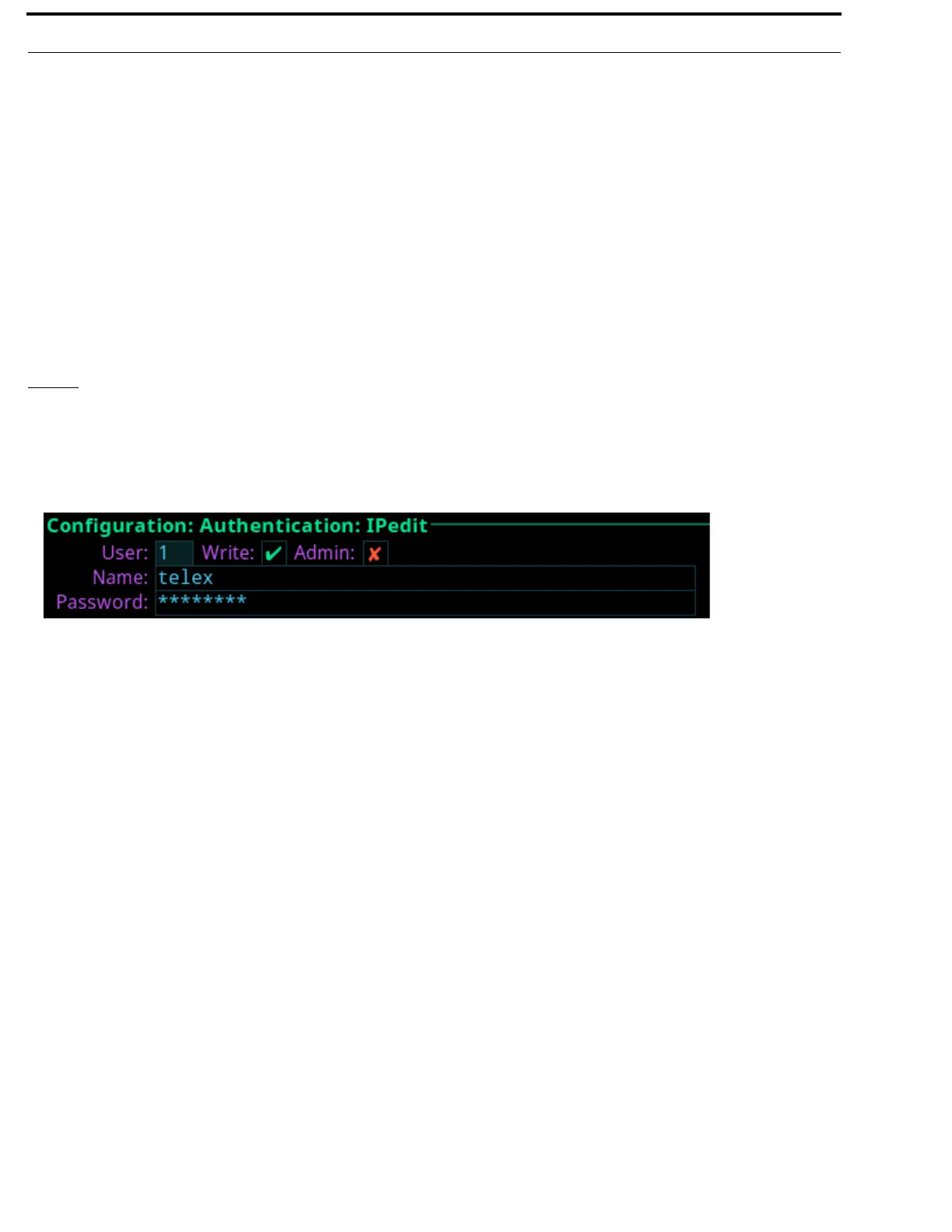
The IPedit Authentication screen is used to define the access privileges (read, write or admin) for each user profile defined. When
the Write and Admin check boxes both display red Xs, Read privilege is applied.
Up to five user profiles can be created in the authentication table.
User Field
The User field is used to select which user profile to view and modify.
Write Check Box
The Write check box determines whether or not the user profile has Write privileges.
Admin Check Box
The Admin check box determines whether or not the user profile has administrative rights.
Name Field
The Name field is used to enter the name of a user or group. For example, the name could be an individual user such as John
Adams; or the name could be a group, such as comms, where a group of users can use the same profile.
Password Field
The Password field is used to enter a password used to log into IPedit with the defined user profile.
This field is optional.
FIGURE 70. Configuration | Authentication | IPedit



 To Next Page