52 Installation and Maintenance ODIN Intercom Matrix
Network Port Cabling
To cable ODIN to a network, do the following:
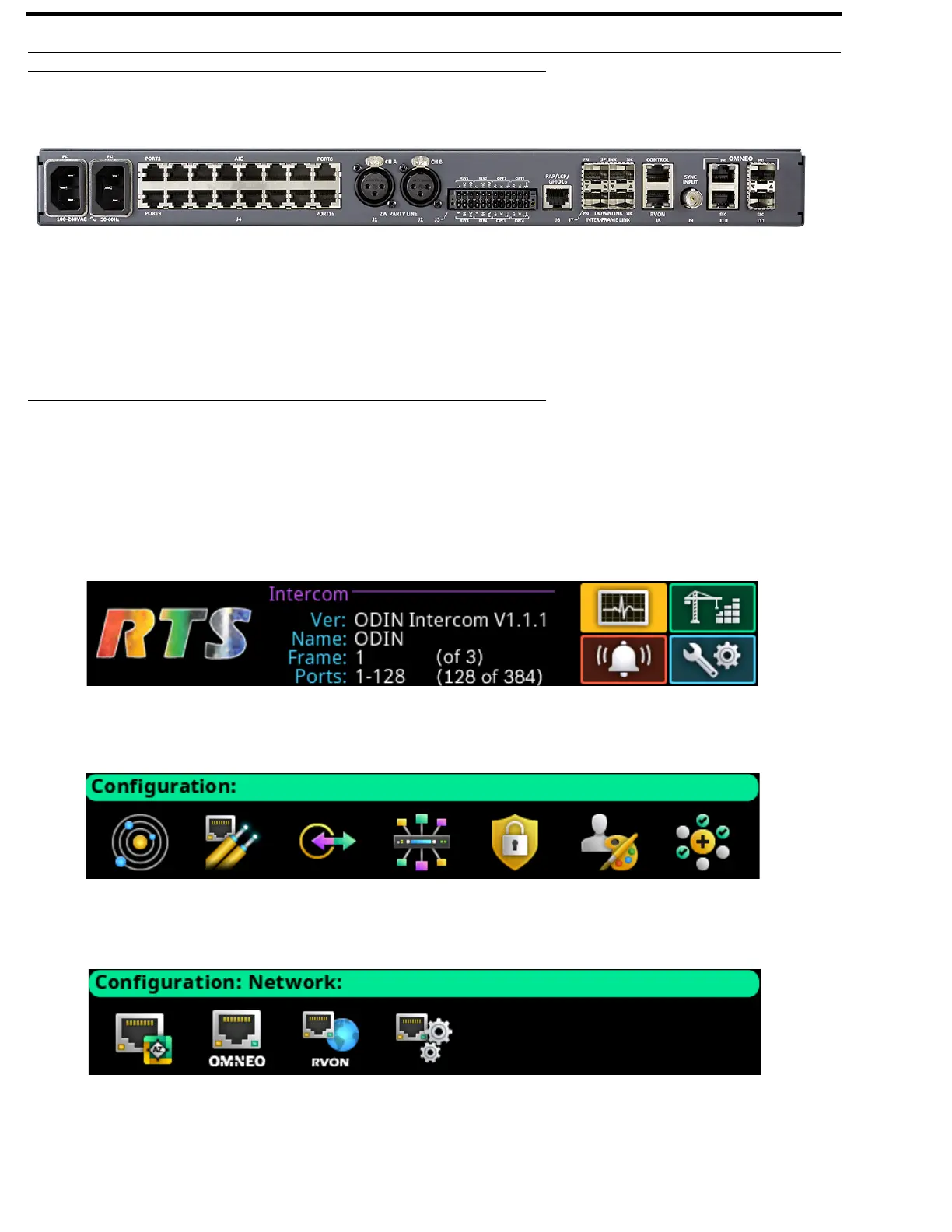
1. On the rear panel of ODIN, connect an Ethernet cable to the J8 CONTROL connector.
2. If using OMNEO over Ethernet, connect an RJ-45 cable to the J10 OMNEO PRI(RJ-45) connector.
3. If using OMNEO over fiber, connect an SFP fiber connector to the J11 PRI (SFP) connector.
4. If using RVON, connect an Ethernet cable to the J8 RVON connector.
Network Port Configuration
To access the Network Configuration menu, do the following:
1. On the rear panel of ODIN, connect a power cord to PS1, PS2 or both.
NOTE: When the power supply is powered on and only one power supply is connected, an alarm is generated.
2. On the front panel of ODIN, press the PS1, PS2 or both buttons.
The frame powers on and the display turns on and the Home screen appears.
3. Rotating the right encoder knob, navigate to the Configuration icon.
4. Click the right encoder knob.
The Configuration menu appears.
5. Rotating the right encoder knob, navigate to the Network icon.
6. Click the right encoder knob.
The Network menu appears.



 To Next Page