70 Installation and Maintenance ODIN Intercom Matrix
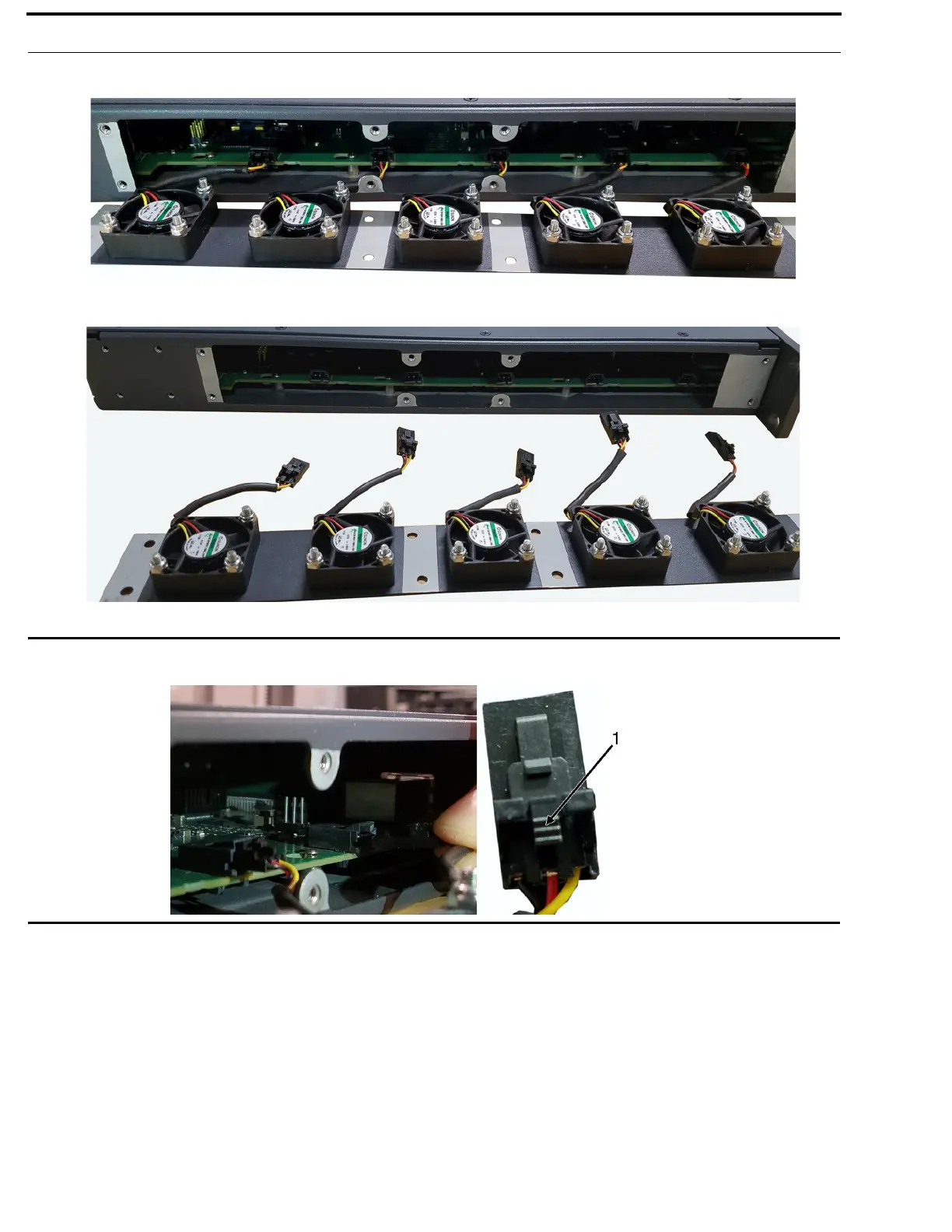
4. Carefully, slide the fan tray away from the frame and then lay the external face on a flat smooth surface.
5. Unplug the five fan harnesses from the frame.
IMPORTANT: Care must be taken to depress the locking feature (1) on each harness connector before disengaging. Wire
and/or receptacle damage can occur if not properly removed.
6. Replace the fan tray, staging it in the same position as the previous fan tray.
7. Reattach the five harness connectors.
NOTE: Lightly tug each harness connector to ensure it is properly seated.



 To Next Page