74 Firmware ODIN Intercom Matrix
7. Click Open.
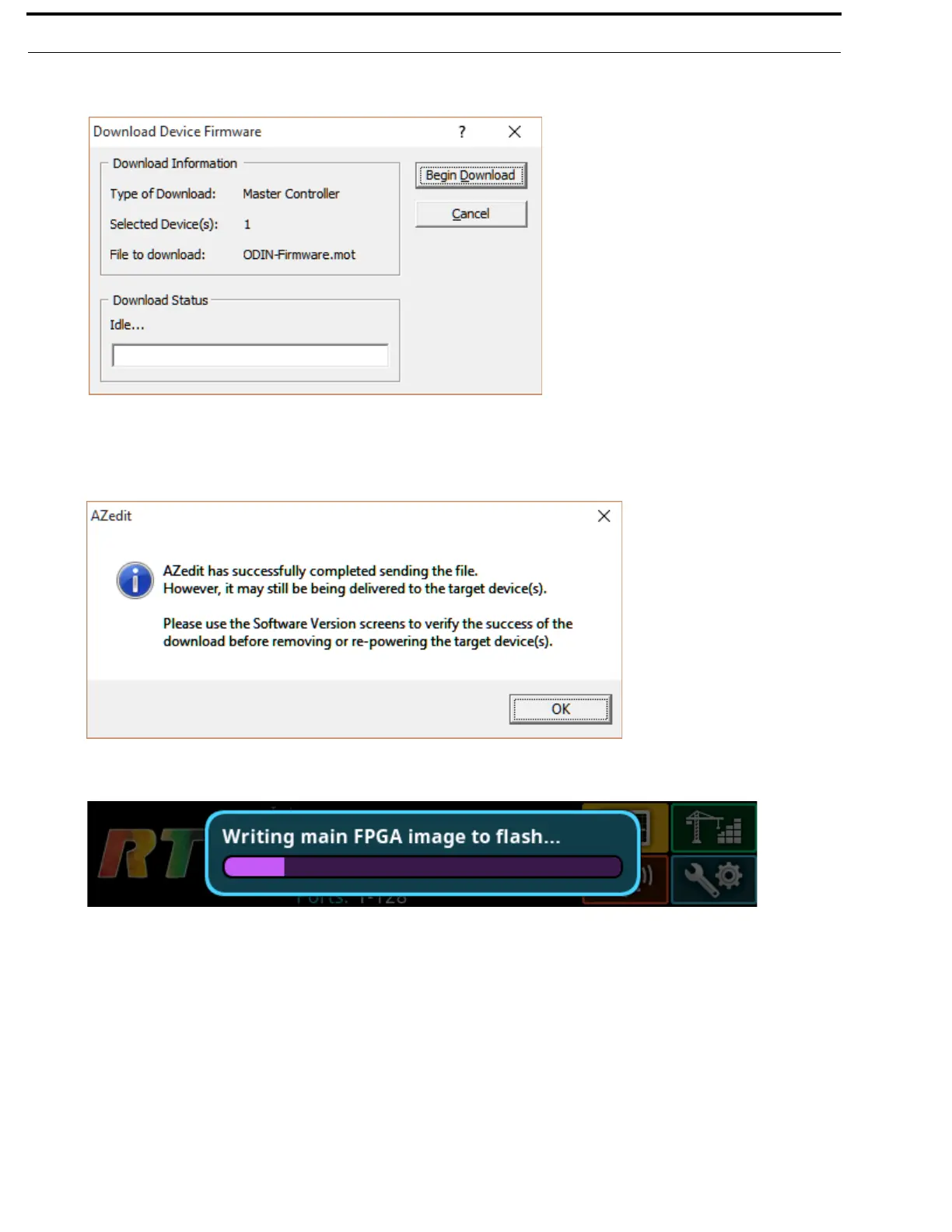
The Download Device Firmware window appears.
8. Click Begin Download.
The download begins.
Once the image loads, a success message appears.
9. Click OK.
10. In the Master Controller Version Information window, verify the firmware upgrade.
The flash programming progression status is shown on the front panel of the ODIN frame.
NOTE: ODIN-Firmware.mot file contains six different components–Main firmware, main FPGA, LEC firmware, FP
firmware, FP FPGA, and Bootloader–that programs each one after the other. Multiple progression bars are seen.



 To Next Page