ODIN Intercom Matrix Firmware 75
Download Firmware Using the Firmware Upload Tool
The Audio FPGA can only be upgraded using the Firmware Upload Tool.
NOTE: The ODIN-Firmware.capfw file includes all the components contained in the .mot file, plus the Audio FPGA.
Required Firmware version:
FWUT V5.4.0 and above
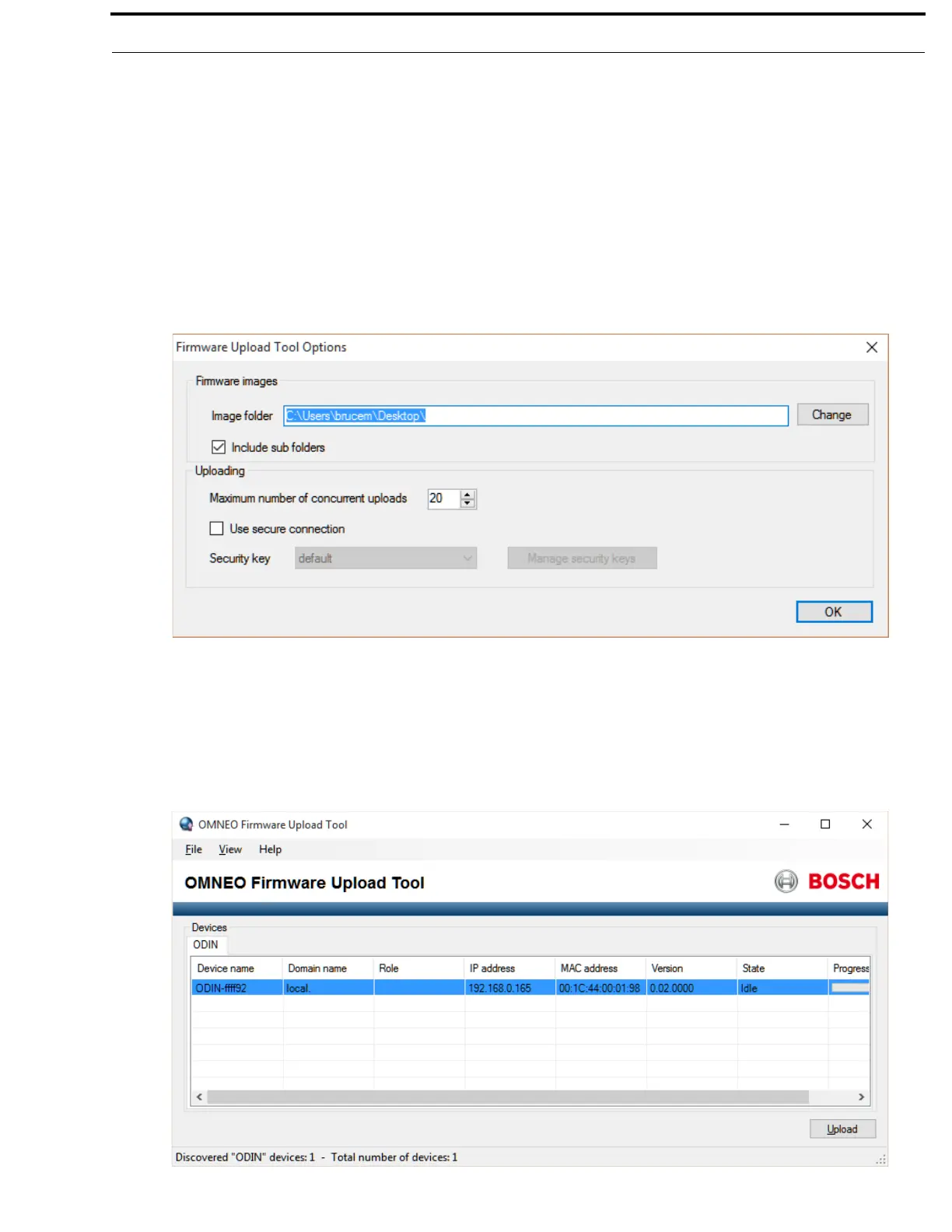
To download firmware to ODIN, do the following:
1. Open the Firmware Upload Tool.
2. From the File menu, select Options.
The Firmware Upload Tool Options window appears.
3. Click the Change button.
The folder network window appears.
4. Navigate to the folder where the firmware resides.
5. Click OK.
6. Click OK, again.
The Firmware Upload Tool Options window closes.
7. From the ODIN Device page, select the device to update.



 To Next Page