46 Basic Operation ODIN Intercom Matrix
Checking the IFL Status (Front Panel)
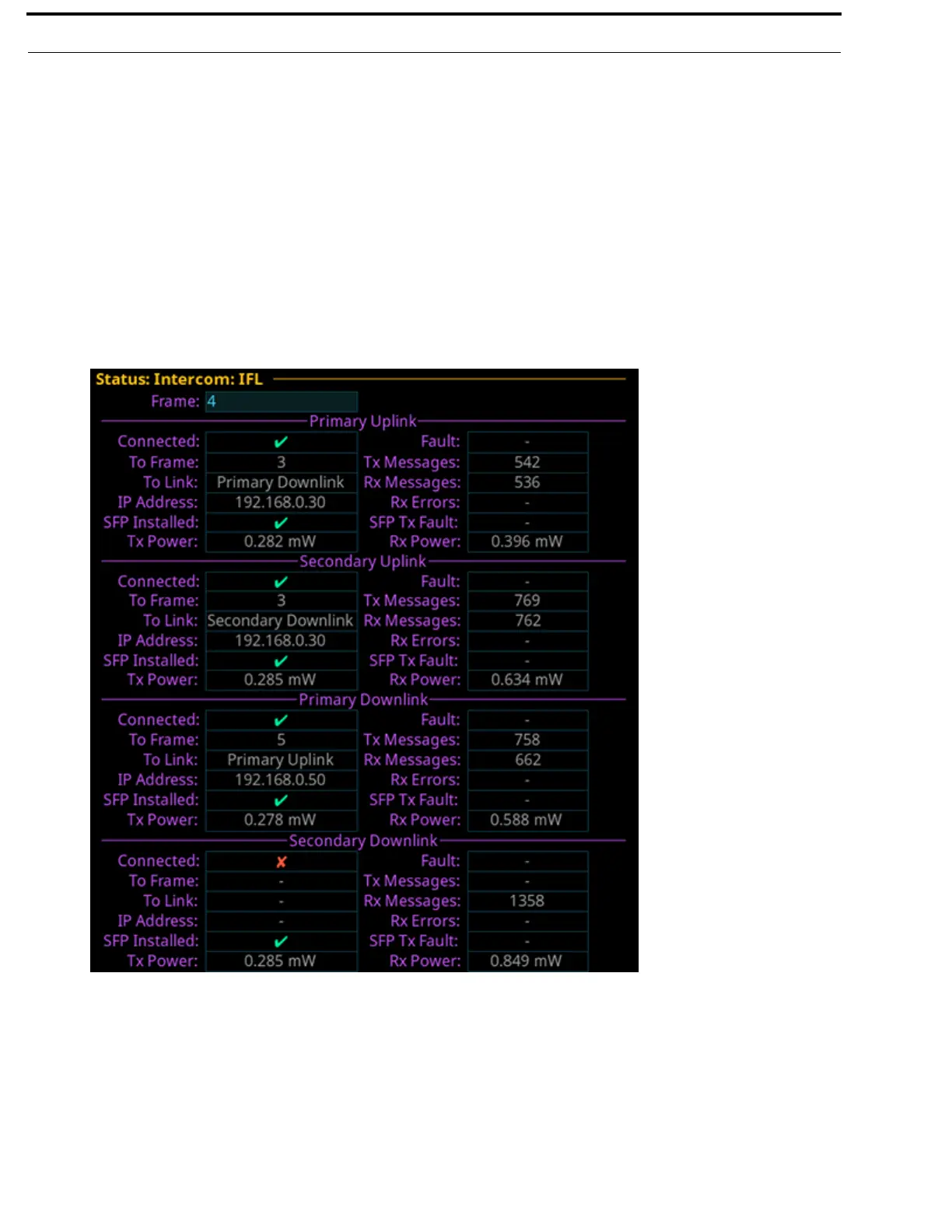
To display the IFL connection status from the front panel, do the following:
1. Rotating the right encoder knob, navigate to the Status icon.
2. Click the right encoder knob.
The Status Menu appears.
3. Rotating the right knob, navigate to the Intercom menu icon.
4. Click the right encoder knob.
The Intercom menu appears.
5. Rotating the right encoder knob, navigate to the IFL icon.
6. Click the right encoder knob.
The IFL screen appears.
NOTE: For more information, see “IFL” on page 107.



 To Next Page