Making settings for measuring mode • 149
English
17-10-05-353-002g_10-2020 B
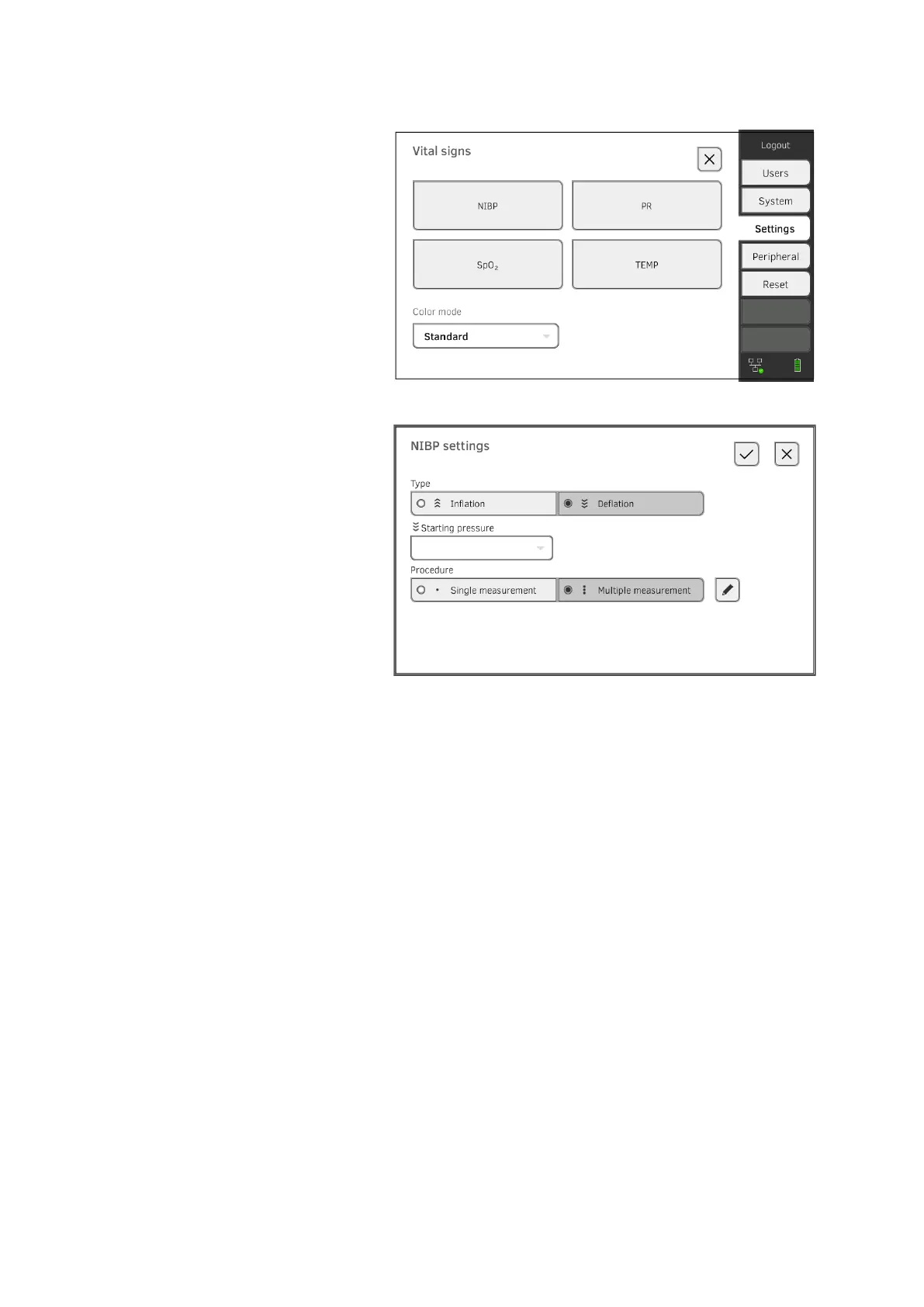
2. Press the Vital signs button.
3. Press the NIBP button.
The presets are displayed.
4. Press the desired measurement method.
• Inflation, continue at step 6.
• Deflation, continue at step 5.
5. Adapt Starting pressure if necessary.
6. Press the desired measuring sequence:
• Single measurement
• Multiple measurement ➔ Configuring multiple measurement
NOTICE!
Faulty operation, missing measuring results
Results from multiple measurements cannot be transmitted to EMR
systems or the
seca analytics 115 PC software.
► Specify Single measurement as a preset if blood pressure values
are to be transmitted to an EMR system or the
seca analytics 115
PC software.
7. Press the Confirm button.
The dialog window closes.
The modified settings are adopted.



 To Next Page