224
Powercom
63 Powercom
63.1 Powercom
Termination Addressing Interface
Switch Yes RS485
Overview
•
Interface not integrated; Retrofit RS485 interface card
•
4-pin wiring
•
Communication address must be allocated
•
Installation steps
• Allocate communication address
• Switch off the inverters and Solar-Log™
• Install the RS485 interface in the inverter
• Connect inverters to the Solar-Log™
• Connect the inverters to each other
Allocate communication address
•
Recommendation: Continuous numbering starting with 1.
•
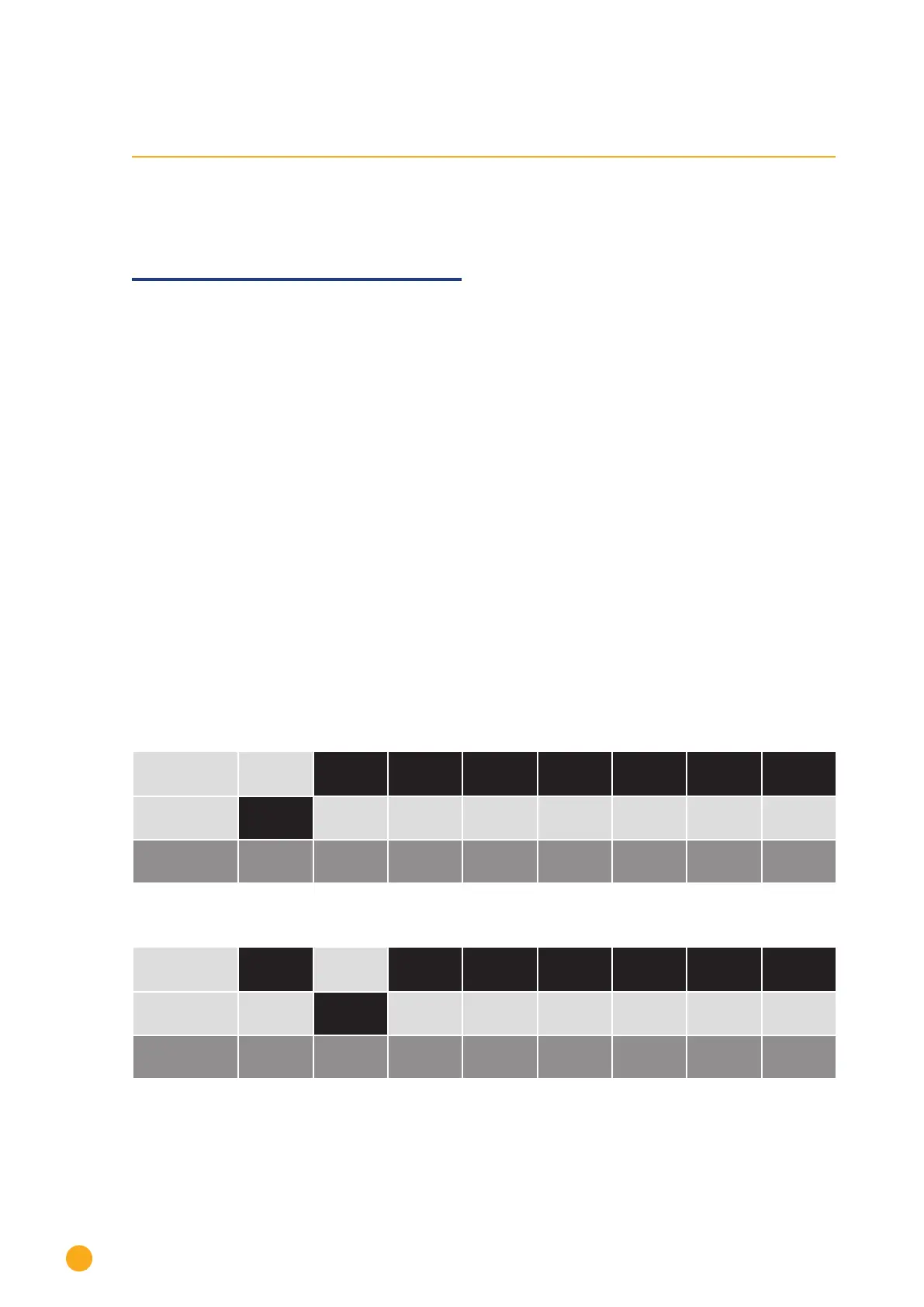
Setting: Using the DIP switch on the interface card.
Before installing the RS485 interface card:
► Allocate the communication address using the 8 interface card DIP switches:
Example - Communication address 1:
On
O
DIP switch
Example - Communication address 2:
On
O
DIP switch


 To Next Page