DOC-06810 Rev. A 5–81
Objet1000 Plus User Guide
ExtendedTrayPreview
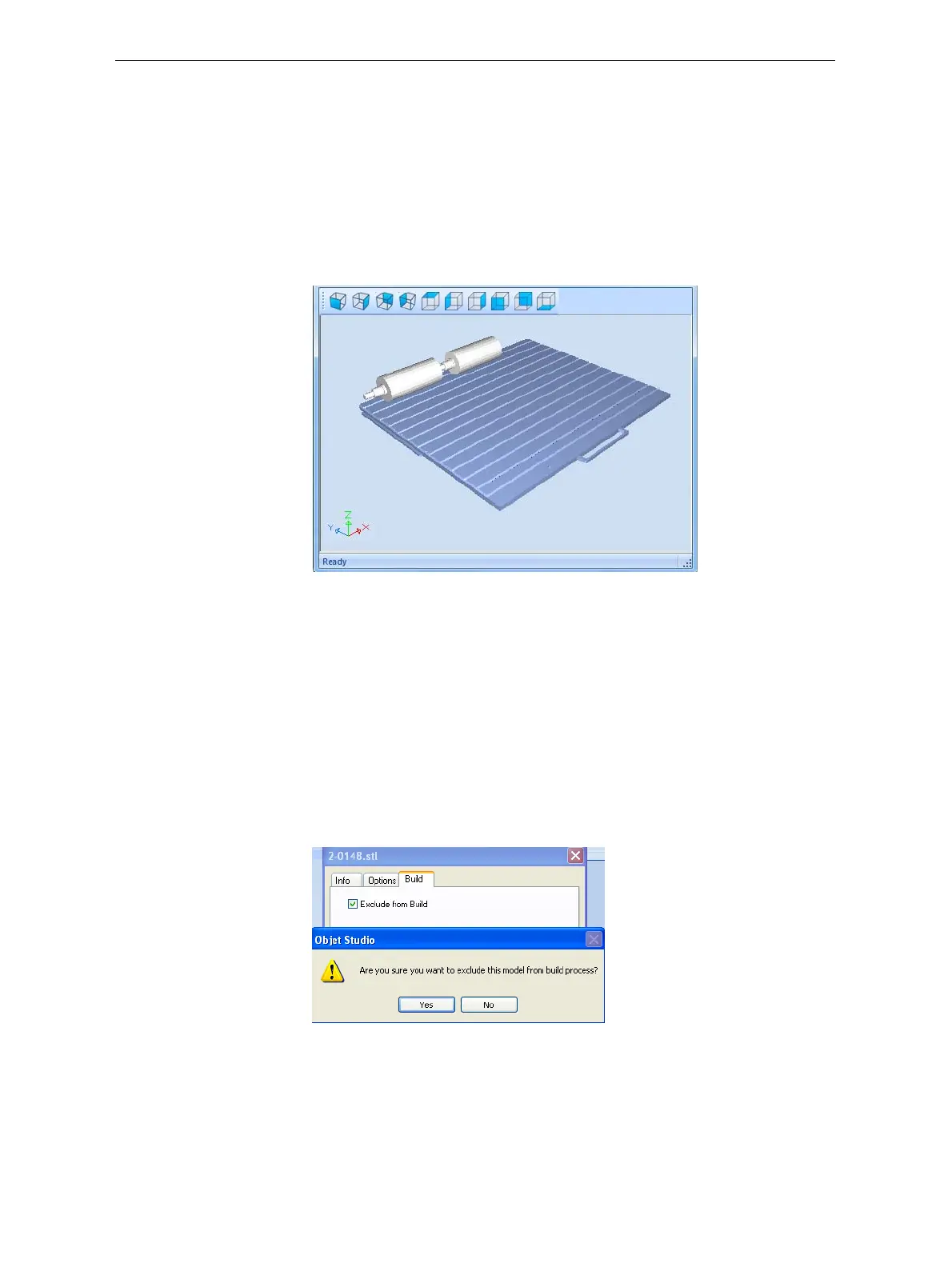
Inthiswindow,youcanviewthetrayfromdifferentanglesand
magnificationswithoutleavingtheJobManagerscreen.Inadditionto
displayingtheselectedjobintheTrayPreviewpane,youcanopenan
enlargedbuildtraywindow.
To display the build tray window:
1. SelectajobintheJobsQueueortheHistorylist.
2. ClicktheTrayPreviewpane.
Figure 5-118: Job Preview
• Tochangethetraymagnification,turnthemousewheel.
• Toviewthetrayfromadifferentperspective,clicktherelevanticon.
• Toresizethewindow,dragitsedgeorcorners.
Ifthereareseveralobjectsonthebuildtray,youcanexcludeoneormore
frombeingprinted,withoutactuallydeletingtheobjectfromthetrayfile.
To prevent the printing of an object on the build tray:
1. Double‐clickontheobjectyoudonotwanttoprint.
2. DisplaytheBuildtab.
3. Select
Exclude from Build.
Figure 5-119: Excluding a model from the build
4. ClickYestoconfirm.
Onservercomputers,youcanuseTrayPreviewtodynamicallydisplay
objectsastheyareprinted,layerbylayer.Thisenablesyoutovisually
monitorprintingprogressonthecomputerscreen.













 To Next Page