Using Objet Studio
5–16
DOC-06810 Rev. A
Quick-Access
Model
Commands
Youcanaccesscommoncommandsforworkingwithobjectsonthebuild
traywiththeconvenientModelToolbarandcontextmenus.
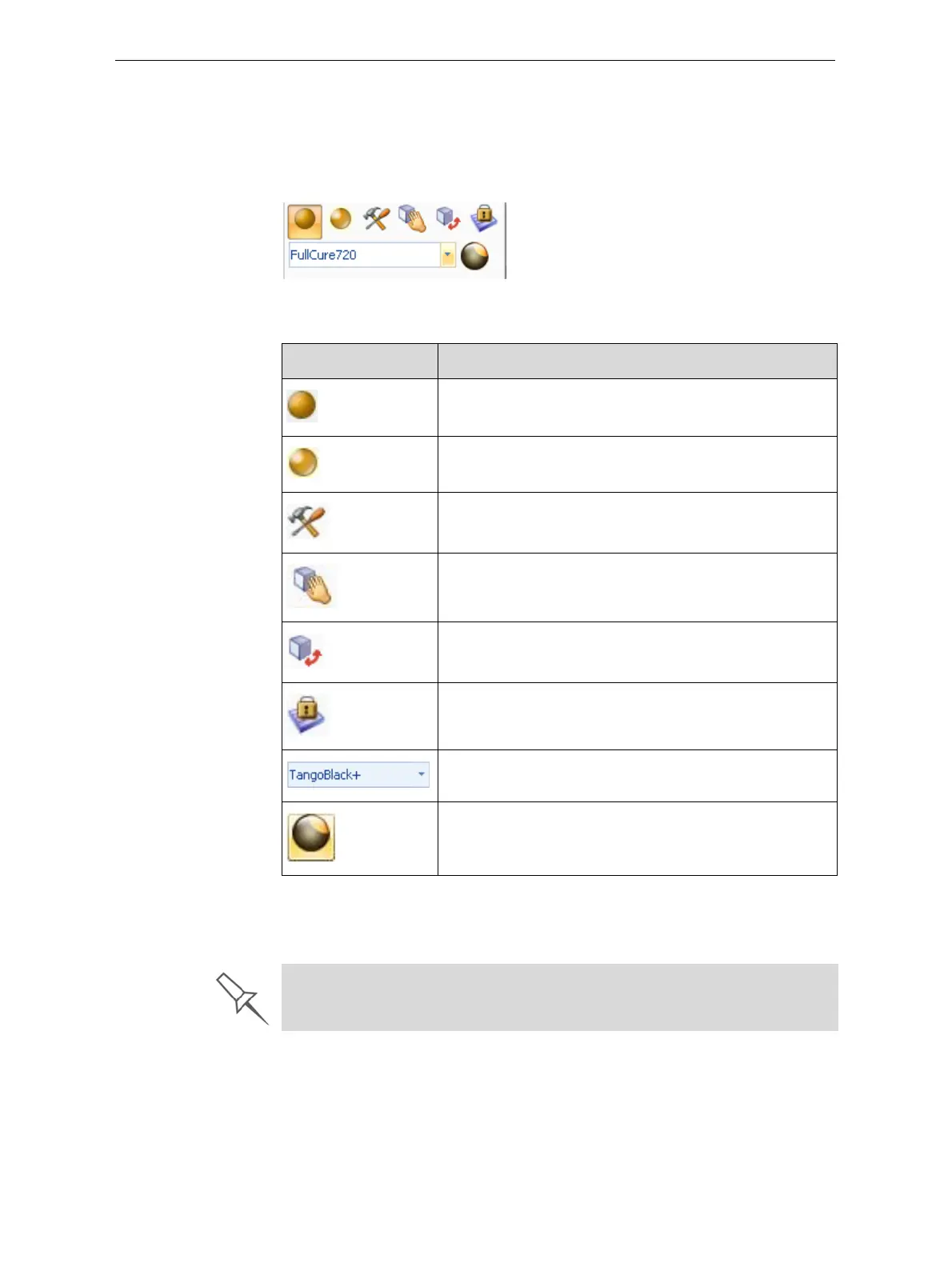
Model Toolbar SelectanobjectinthetraytodisplaytheModelToolbarthatcontainsicons
toperformcommontasks.
Figure 5-17: Model Toolbar
ThetablebelowdescribestheModelToolbaricons.
Right-click model
menu
Ifyouright‐clickonanobject,apop‐upcontextmenuisdisplayedfrom
whichyoucanalsoselectthemodelfinish,changeitspositionandscale,
andsettheGridStyleandHollowoptions.
Icon Description
Appliesamattefinishtothemodel.
Appliesaglossyfinishtothemodel.
OpenstheAdvancedPropertiesdialogboxforsettingthe
GridStyleandtheHollowoption.
Enablesdragginganobject(seepage 5 ‐33).
OpenstheTransformdialogboxforchangingthe
object’spositionandscale.
TogglestheLockModelOrientation
setting.
Allowsyoutochoosetheprintingmaterials.
Enablesyoutoapplyacoatingtothemodel,orchange
thecoatingpreviouslyapplied.
You can also create a Quick Access toolbar with your most commonly used
icons grouped together. See “Creating a Quick Access Toolbar” on page 59.













 To Next Page