Using Objet Studio
5–46
DOC-06810 Rev. A
Handling Completed Trays
Afteryouhaveproperlyplacedallobjectsonthebuildtray,yousavethe
trayasanobjtffile,whichissentto the3Dprinterforproduction.Butbefore
savingthetray,youcancheckthattherewouldbenoproblemproducingit.
Youcanalsocalculatehowmuchmaterial
wouldbeconsumedduring
productionandhowmuchtimethiswouldtake.
Tray Validation
Beforesendingajobtotheprinterforproduction,youshouldcheckthat
thetrayis“valid”andcanbeprinted.
Note: Because of the unique characteristics of each type of modeling
material, make sure that the correct material is selected before
performing Tray Validation.
To validate that the tray can be printed:
¾
OntheTraySettingsribbon,intheBuildProcessgroup,click .
or—
FromtheToolsmenu,select
Placement Validation.
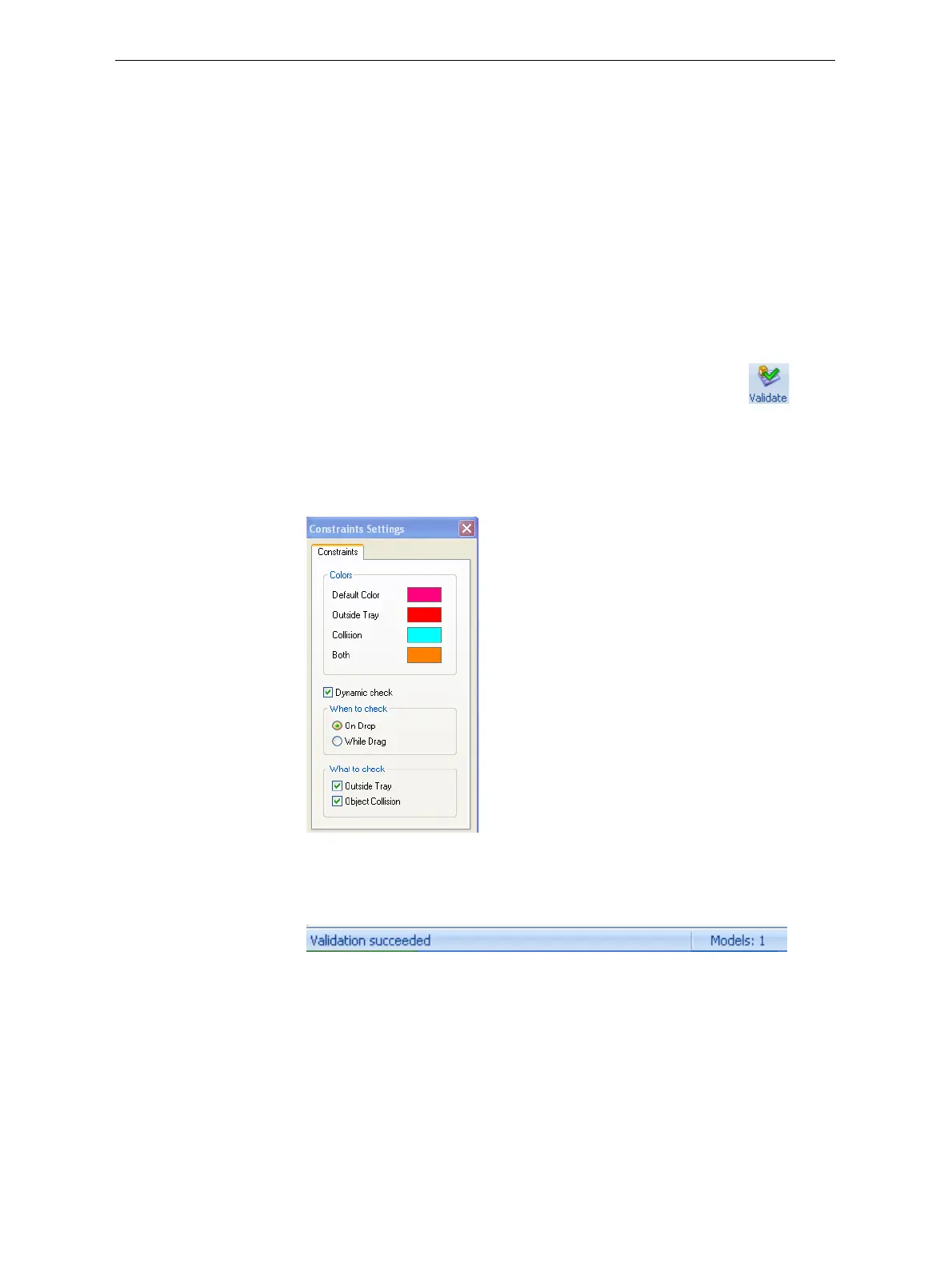
Ifthetrayisnotvalid,thecoloroftheproblematicmodelsonthetray
changesaccordingtoapre‐setcode.
Figure 5-67: Color code
Note: The “Both” color also indicates a problematic stl file.
Thevalidationstatusappearsonthebaratthebottomofthescreen.
Figure 5-68: Validation details in status bar
Ifthemaximumcombinedweightofmodelsonthebuildtrayexceeds
135kg,awarningmessageappears.Ifso,youcanremoveorresizeone
ormoremodelsbeforesendingthetraytotheprinter.













 To Next Page