DOC-06810 Rev. A 5–35
Objet1000 Plus User Guide
Changing an
Object’s
Orientation
Thereareseveralmethodsforchangingtheorientationofobjectsonthe
buildtray.
To rotate an object:
¾
SelecttheobjectandusetheObjectmenuoptions(seealso
“RepositioningObjects”onpage 33).
To re-align an object’s plane:
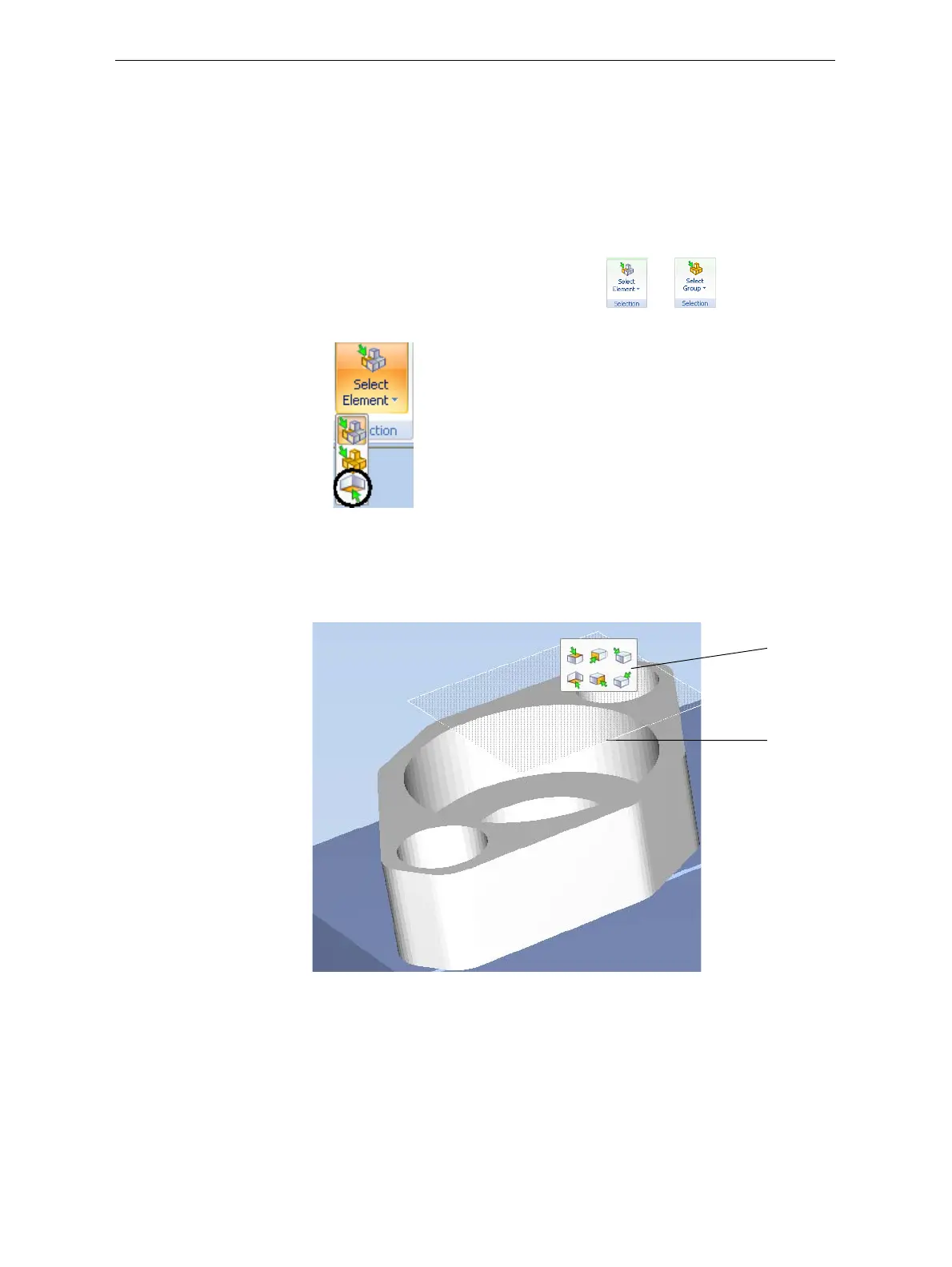
1. OntheTraySettingsorModelSettingsribbon—
a. ClicktheiconintheSelectiongroup:or .
b. Ontheflyouttoolbar,clicktheSelectPlaneicon:
or—
FromtheToolsmenu,select
Plane Alignment > Select Plane.
2. Clickonpartofanobjectonthebuildtray.
Theselectedplaneisdisplayed.
Figure 5-46: Aligning by plane
Alignment
toolbar
Selected
plane













 To Next Page