DOC-06810 Rev. A 5–25
Objet1000 Plus User Guide
To inspect, modify or remove the coating applied to an object:
1. OntheModelToolbarortheModelSettingsribbon,click .
TheCoatwithdialogboxopens.
2. Performoneofthefollowingactions—
• Changethecoatingsettings,andclickApply.
• Toremovethecoating,cleartheCoatWithcheckboxandclickApply.
• Tokeepthecurrentcoatingsettings,clickApplyorCancel.
Assigning
Properties to
Hidden
Objects
Toenableyoutoassignmaterialsandotherpropertiestopartsofobjects
thatarehiddenfromviewonthebuildtraydisplay,youcantemporarily
turnoffthedisplayofsomeobjects.
To prevent the display of objects:
1. Right‐clickanobject,eitheronthebuild trayorinthemodeltree.
2. Fromthemenuthatopens,selectoneofthefollowingoptions—
• Hide,tocausetheselectedobjecttodisappear.
• Hide Others,tocauseallotherobjectsonthebuildtraytodisappear,
sothatonlytheselectedobjectisdisplayed.
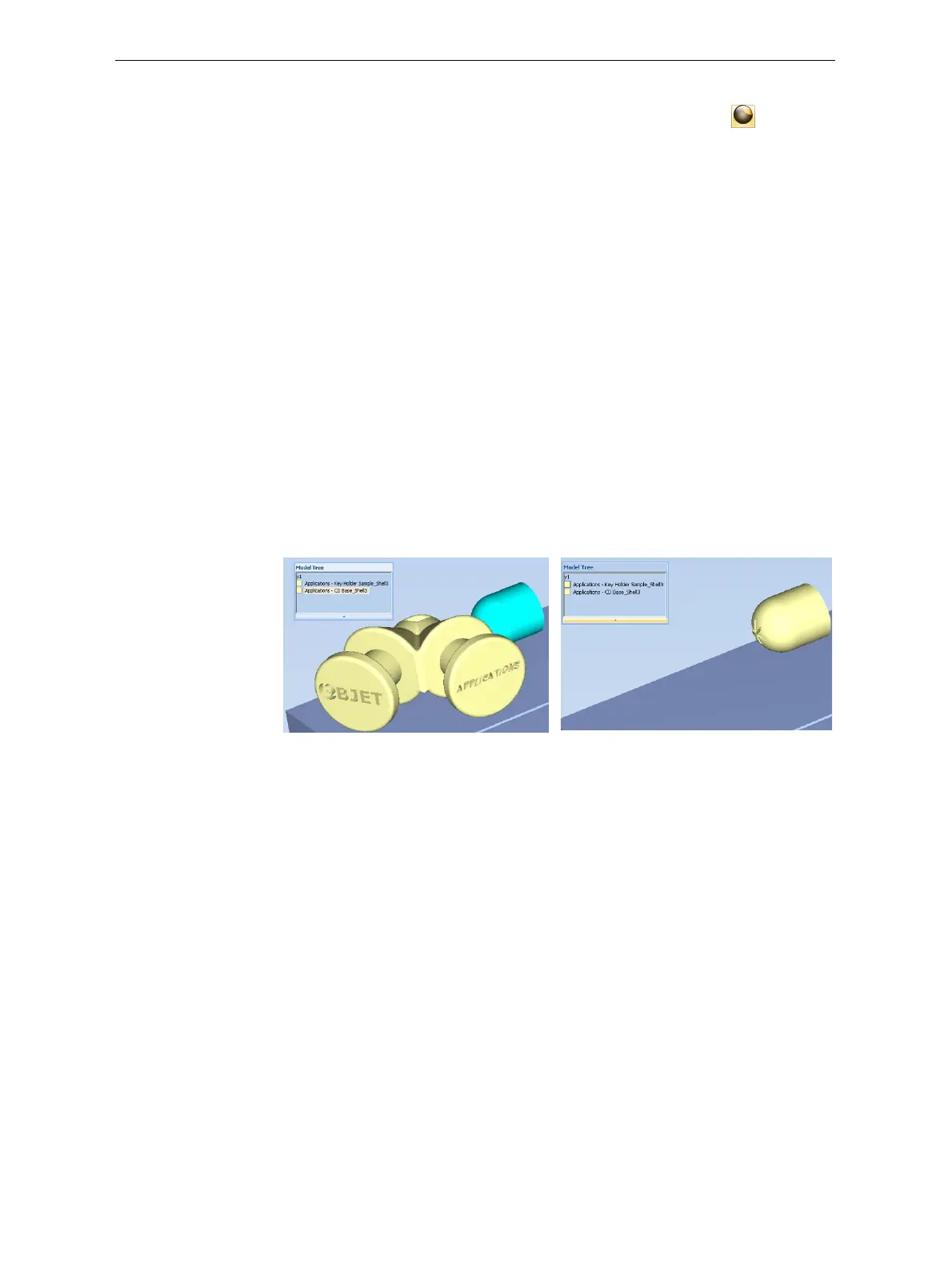
Alternately,youcanclearthecheckboxnexttothenameofthe
objectinthemodeltreetocausethatobjecttodisappear.
Figure 5-31: All objects displayed Figure 5-32: Outer object hidden













 To Next Page