DOC-06810 Rev. A 5–47
Objet1000 Plus User Guide
Production
Estimates
ObjetStudioenablesyoutocalculatethetimeandmaterialresources
neededforproducingtraysbeforesendingthemtotheprinter.Thetimeit
takesObjetStudiotoperformthiscalculationdependsonthenumberof
objectsonthetrayandtheircomplexity.Calculatingtheproduction
estimateforafulltray
couldtakeupto15minutes,dependingonyour
computer’sspecifications.
To calculate the time and materials needed for producing the current
tray:
¾
OntheTraySettingsribbon,intheBuildProcessgroup,click .
Whiletheestimateisbeingcalculated,aprogressbarisdisplayed—on
therightsideofthestatusbar(atthebottomofthescreen).
Figure 5-69: Estimate progress bar
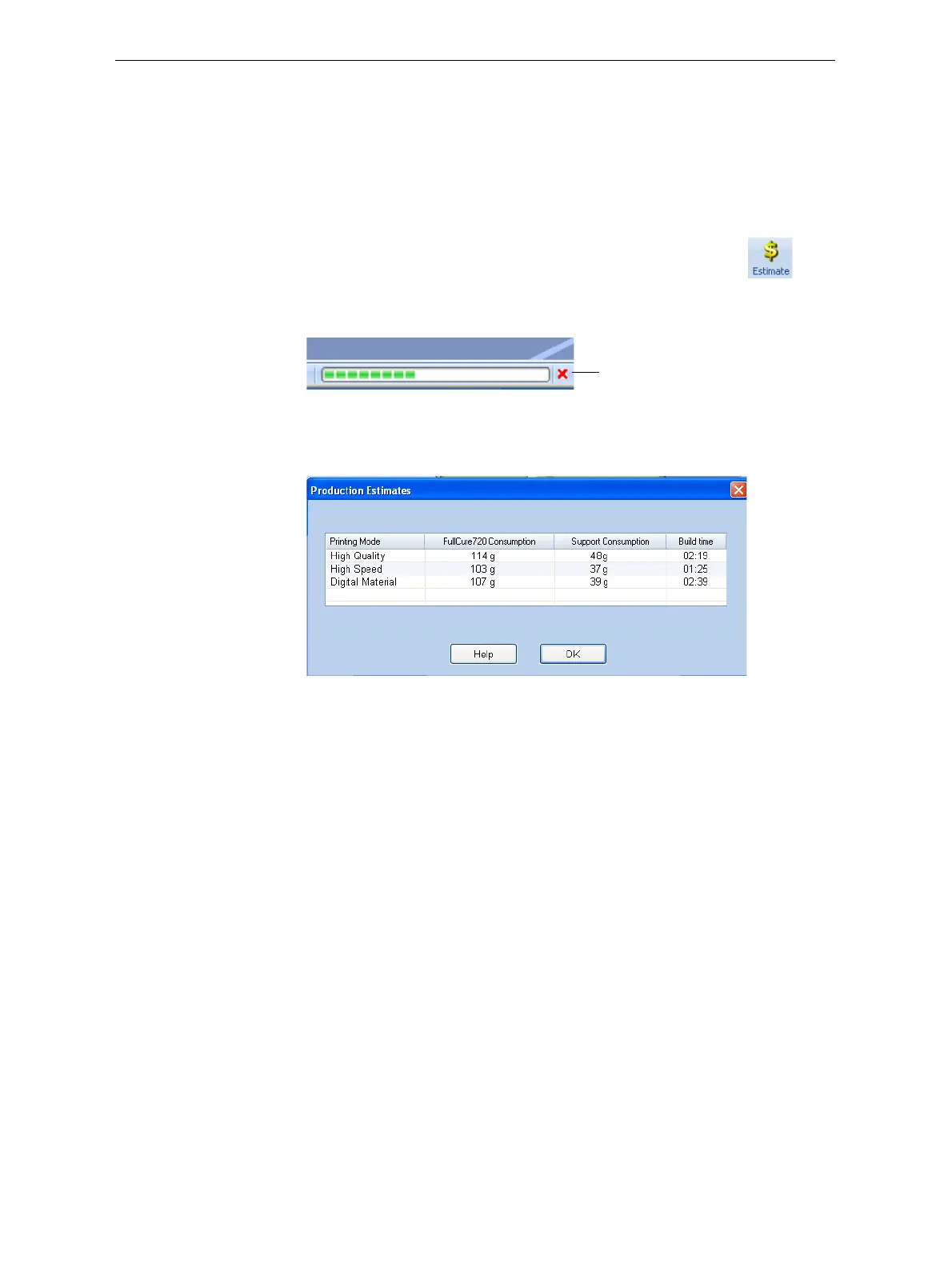
WhenObjetStudiofinishescalculatingtheproductionresources,the
resultsaredisplayedinadialogbox.
Figure 5-70: Production resource calculations for different printing modes
AsshownintheProductionEstimatesdialogbox,theresourcesneededfor
producingthemodelsonthetraydependontheprintingmodeusedbythe
printerwhenproducingthejob.Youmightwanttoconsiderthese
estimateswhendecidingontheprintingmode(seebelow),andwhetheror
notto
allowusingsubstitutemodelmaterialswhenprintingthejob.
Note: You select the printing mode and material substitute options after
you send the build tray to the printer (see “Printing the Tray File” on
page 49).
Ifthemaximumcombinedweightofmodelsonthebuildtrayexceeds
135 kg,awarningmessageappears.Ifso,youcanremoveorresizeoneor
moremodelsbeforesendingthetraytotheprinter.
Cancel













 To Next Page