DOC-06810 Rev. A 6–55
Objet1000 Plus User Guide
Testing and
Calibrating the
UV Lamps
TheeffectiveUVradiationfromthelampsusedforcuringmodelscan
changeovertime.Toensureoptimumcuringofmodelsduringprinting,a
pop‐upmessageremindsyoutotestthelampsandcalibratetheireffective
UVradiationafterevery300hoursofprinting.Youdothisbyrunningthe
UVCalibrationWizard,usingaUVradiationmeterapprovedforusewith
theprinter.
Thewizardcomparesthemeasuredradiationtotherecommended
radiationlevelforeachofthelamps,ateachprintingmode—HighSpeed,
HighQualityandDigitalMaterial.
Whencalibratingthelamps,thewizardattemptstoadjusttheradiation
level,ifnecessary.
• Ifthereadingiswithintheacceptablerange,thewizardcontinuesto
thenextphase.
• Iffurtheradjustmentisnecessary,thecurrentphaseisrepeated.
• IftheUVradiationis toolowtobeproperlyadju sted,thewizard
continuestothenextphase,butthefinalwizardscreenindicatesthat
thelamp’sradiationfortheprintingmodeisunacceptable.
To test and calibrate UV lamp radiation:
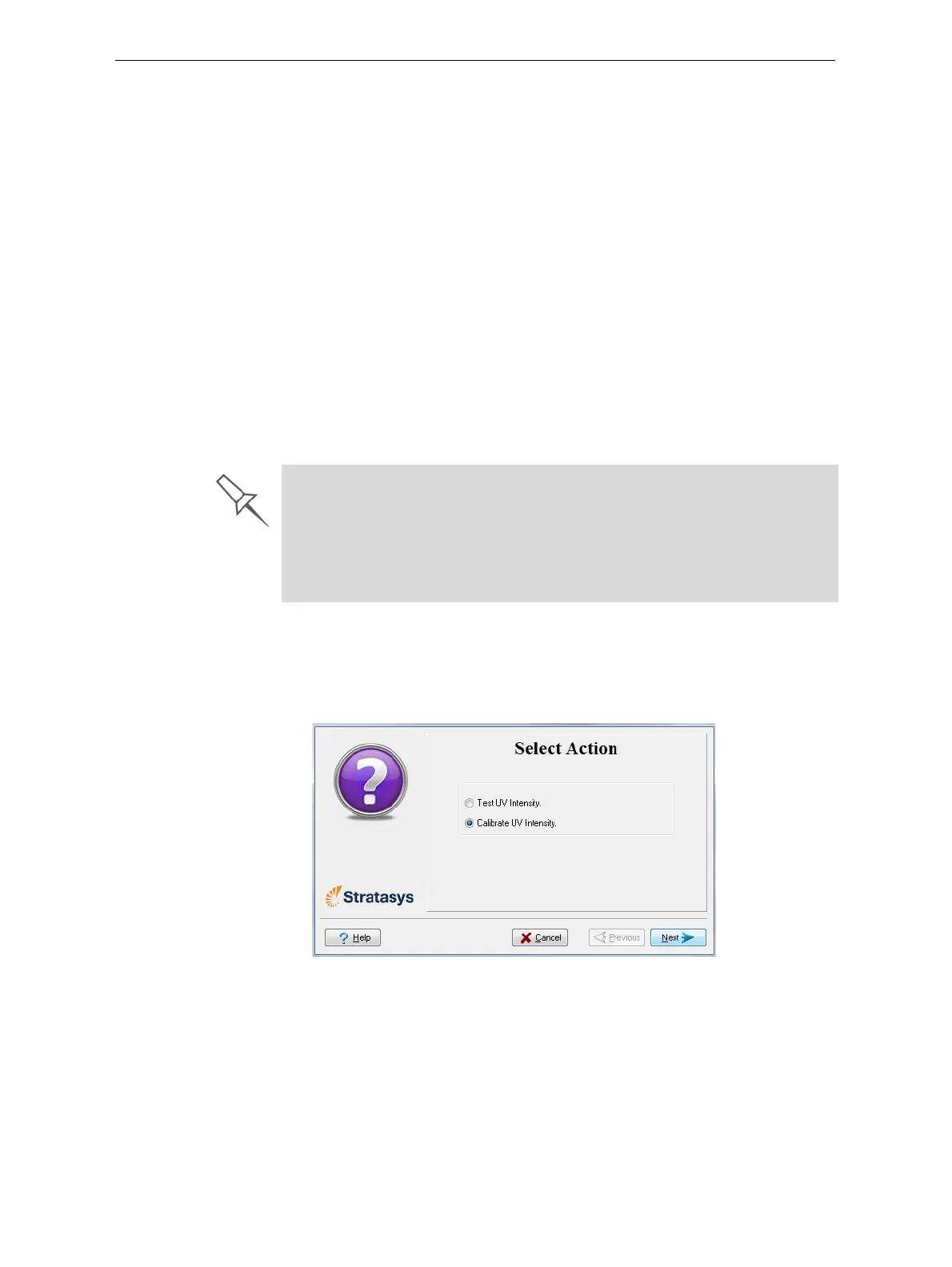
1. StarttheUVCalibrationWizardfromtheOptionsmenu.
2. Inthefollowingscreen,select
Calibrate UV Intensitytoadjustthelamp’s
radiationleveltotheacceptablerange.
Figure 6-84: UV Test/Calibration selection
Before testing and calibrating the UV lamps:
¾ Make sure the glass lens on each UV lamp is clean. For easy access,
run the Head Cleaning Wizard, and use the special cleaning pad
supplied.
¾ Make sure that the UV radiation meter is available to you, and that the
sensor’s lens is clean.













 To Next Page