Operating & Maintaining the Objet1000 Plus 3D Printer
6–56
DOC-06810 Rev. A
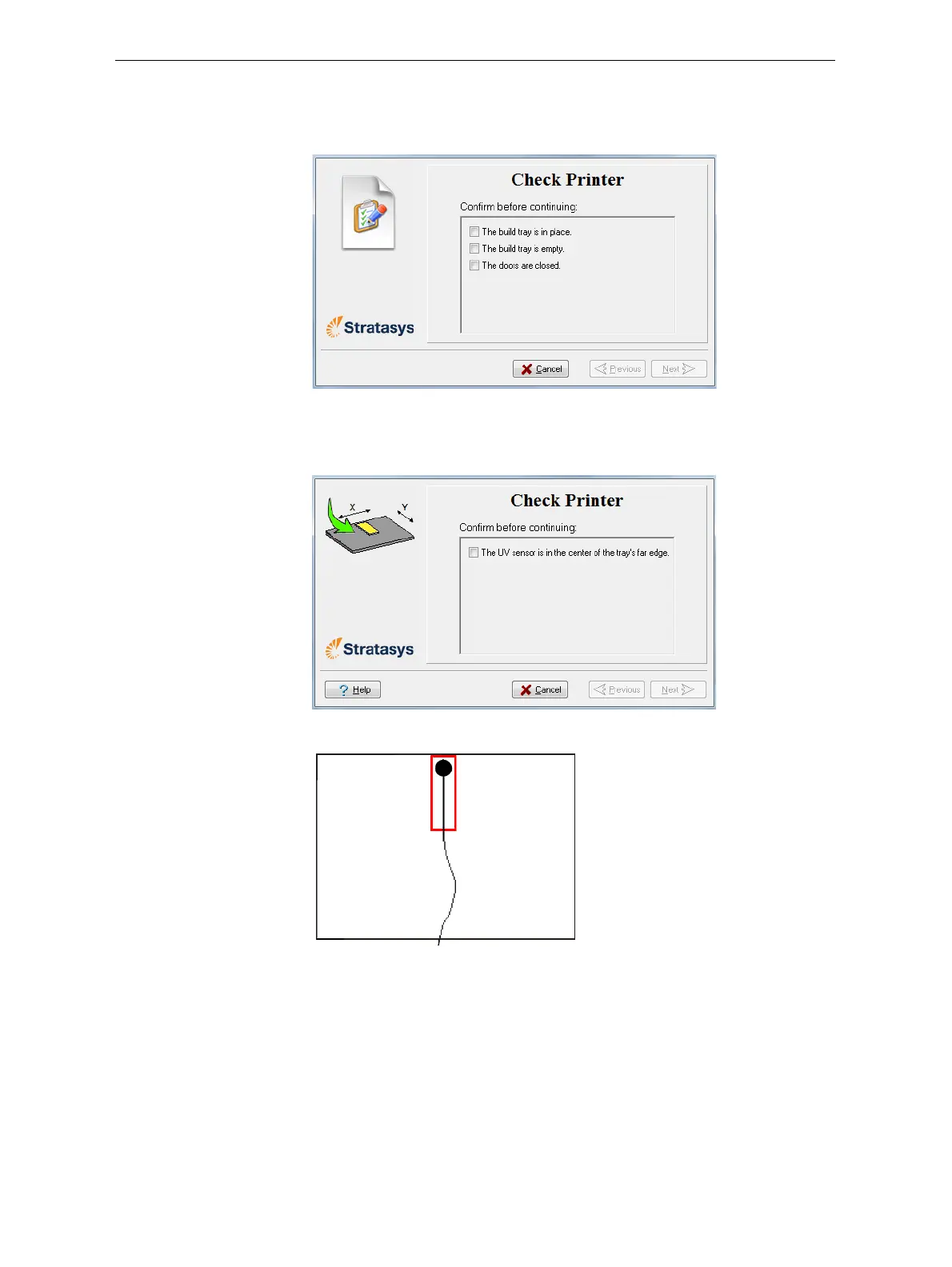
3. Makesurethatthebuildtrayisintheprinterandthatitisclear
(empty),andclosetheprinterdoors.Confirmthisinthewizardscreen
andclick
Next.
Figure 6-85: Printer preparation
4. Whenthefollowingscreenappears,opentheprinterandplacetheUV
sensorattherearedgeofthetray,inthecenter.
Figure 6-86: Sensor placement screen
Figure 6-87: Correct UV-sensor placement
5. Makesurethatthesensorcableissecurelyconnectedtothesensor.
6. Leadthecableoutoftheprintersothatyoucanclosetheprinter,and
makesurethatthecablewillnotinterferewiththemovingprintblock.
7. Closetheprinter,whilecheckingthatthesensordoesnotmove
outof
position.
8. SettheUVmetertomeasuremJ/cm2.
9. Settherangeonthemeterto2,000.













 To Next Page