Using Objet Studio
5–32
DOC-06810 Rev. A
Measurement
Units
3Dfilescontainanobjectʹsproportions,butnotitsunitsofmeasure.
Therefore,makesuretocorrectlyselecteithermillimetersorincheswhen
insertinganobject.Otherwise,thesizeoftheobjectonthebuildtraywillbe
eithermuchtoolargeormuchtoosmall.
To set the measurement units when inserting an object:
¾
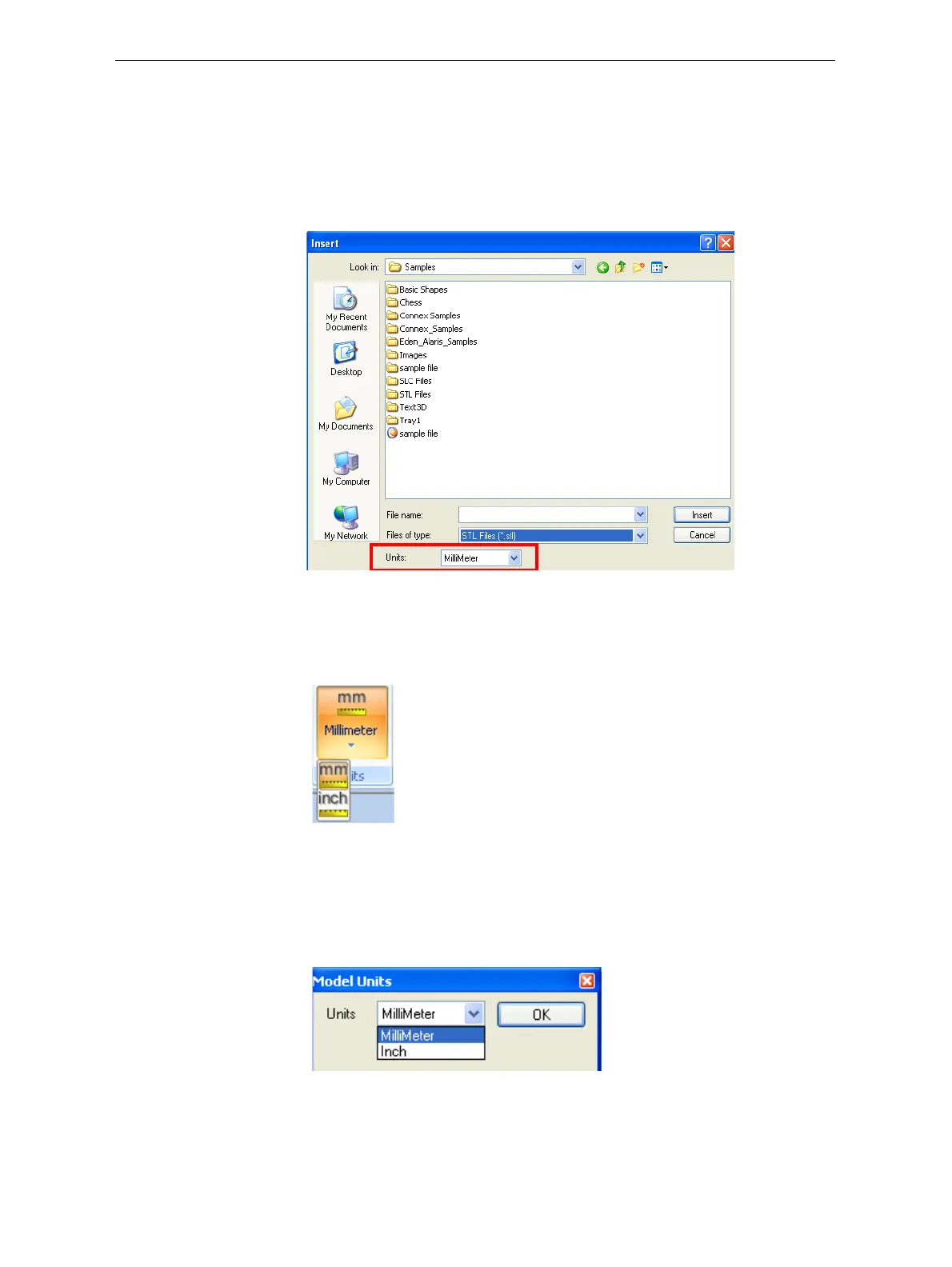
IntheInsertdialogbox,Unitsfield,selectMillimeterorInch:
Figure 5-39: Units field in the Insert dialog box
To change measurement units for a selected object from the
Model Settings ribbon:
1. OpentheUnitsflyouttoolbar.
Figure 5-40: Units flyout toolbar
2. Selectthemeasurementunitsdesired.
To change measurement units for a selected object from the standard
toolbar:
1. FromtheObjectmenu,selectChange Units.
Figure 5-41: Model Units dialog box
2. IntheModelUnitsdialogbox,changethesettingandclickOK.













 To Next Page