DOC-06810 Rev. A 5–45
Objet1000 Plus User Guide
Object display
options
Thedisplayformataffectshowquicklyobjectsdisplay.Forexample,ifyou
select
Bounding Box,objectsdisplayfasterthantheydowhenyouselect
Entire Object.Youcanchoosedisplayformatsforobjectswhentheyare
stationary(staticview)andforwhenyouaredraggingthem(changingview).
To select the object display preference while changing view, and in static
view:
1. Selecttodisplayobjects:
• WithaBoundingBox(seefigure 5‐52onpage 39)
• WithAdaptivePolygonReduction(changingviewonly)
• WithPolygonReduction(staticviewonly)
• EntireObject
2. Click
OKwhendone.
Zoom Options
Whilemanipulatingobjects,youoftenneedtoviewthematdifferentzoom
levels.
To change the zoom level:
¾
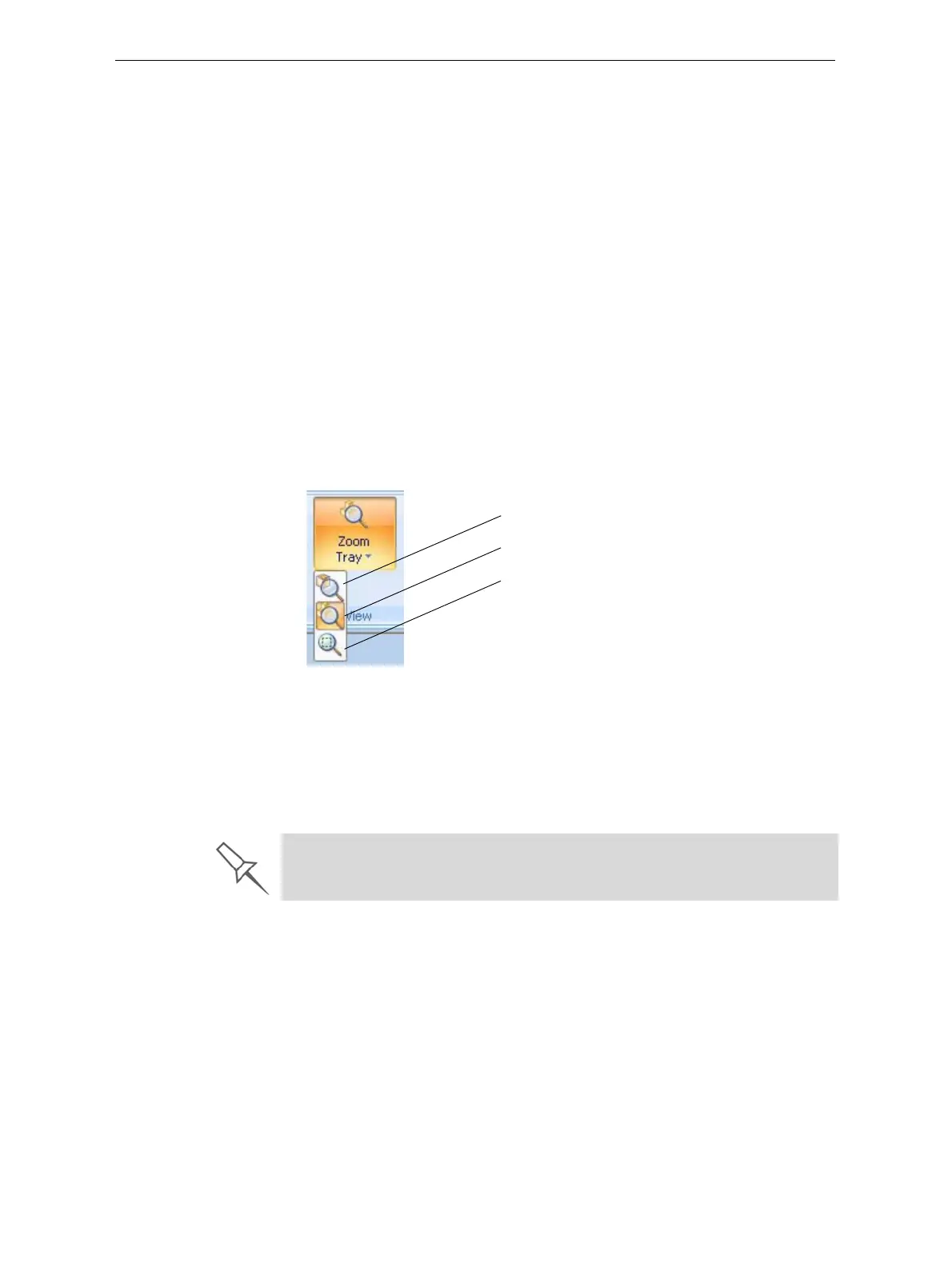
Ontheribbon,opentheZoomflyouttoolbarandselectanoption:
Figure 5-66: Zoom flyout toolbar
ZoomObjectfocusesontheselectedobject.
ZoomTraydisplaysthewholetray.
ZoombyRectangleallowsyoutodisplayasectionofthetrayby
selectingitwiththemouse.
Youcanalsozoominandzoomoutwiththemousewheel.
Zoom Object
Zoom Tray
Zoom by Rectangle
You can configure Objet Studio to automatically zoom in on the objects
placed on the build tray. See “Automatic Zoom” on page 65.













 To Next Page