Using Objet Studio
5–10
DOC-06810 Rev. A
Placing
Objects on the
Build Tray
To place an object on the build tray:
1. OpentheInsertdialogbox—
• FromtheObjectmenu,selectInsert.
or—
• OntheTraySettingsribbon,click .
or—
• Right‐clickonthebuildtray,andselectInsert fromthecontext
menu.
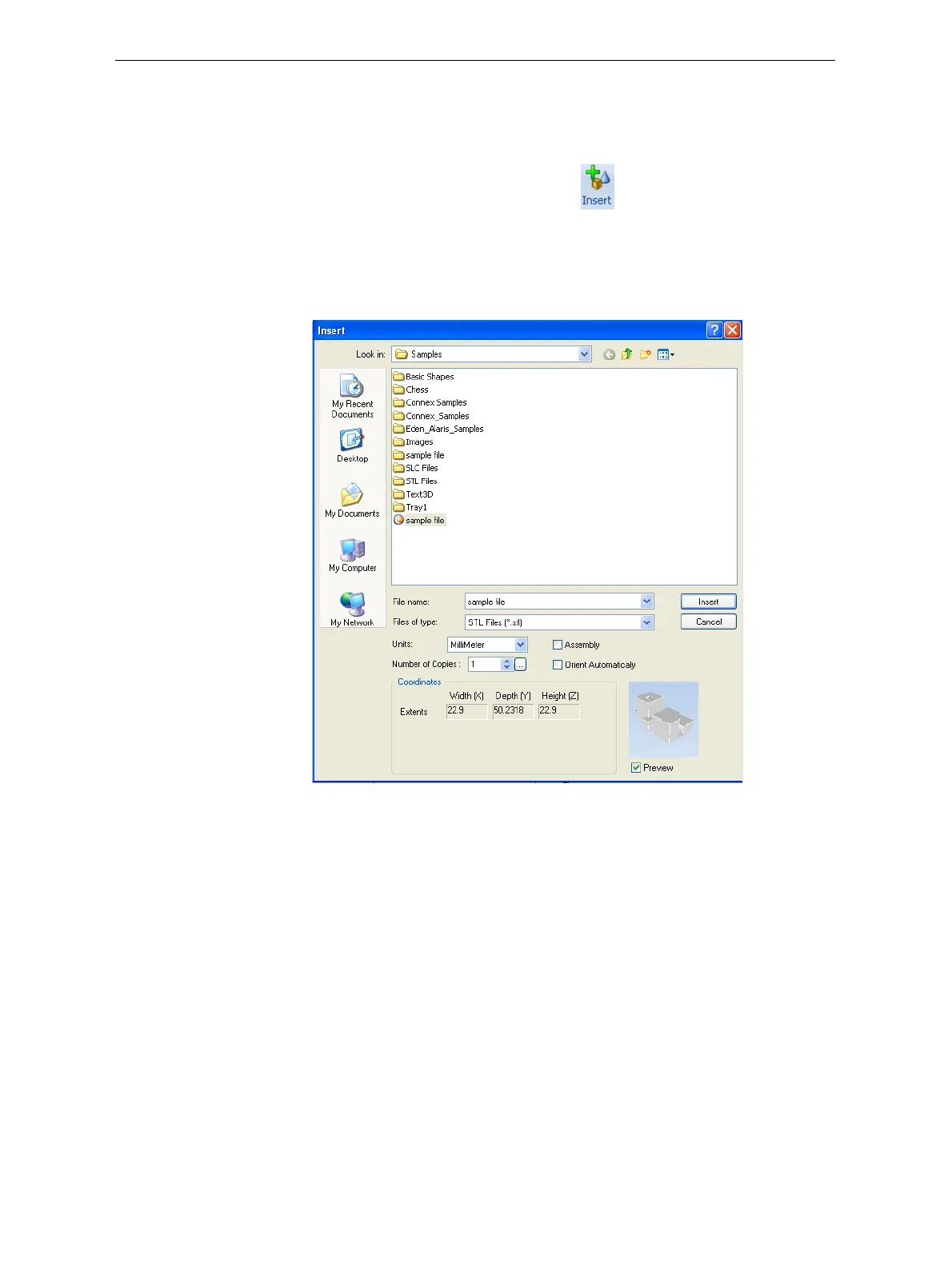
TheInsertdialogboxappears.
Figure 5-9: Insert dialog box
2. IntheLookinfield,displaytheappropriatefolder.
3. IntheFilesoftypefield,selectthefiletypetodisplay.
4. Selectthedesiredfile,andmakesurethatitappearsintheFilename
field.
IfthePreviewcheckboxisselected,theobjectisdisplayedinthedialog
box,as
showninfigure 5‐9.
Youcanopenseveralstlfilestoplaceseveralmodelsonthebuildtray.
Ifyouselectmultiplestlfilesthatmakeupanassembly,youcanselect
allorsomeoftheparts.Toprinttheentiremodel,selectallofan
assembly’scomponentstlfiles,
andselecttheAssemblycheckbox.This
positionsthepartsasacomplete,integratedmodelinsteadofas
independentparts.TheeffectsofselectingtheAssemblycheckbox—in
boththemodeltreeandthebuildtraydisplay—areshowninthe
followingfigures.













 To Next Page