DOC-06810 Rev. A 3–3
Objet1000 Plus User Guide
Work Configurations
TheObjet3Dprintingsystemcanbesetupasasingle‐stationsystemoras
amulti‐stationsystem.Whenconnectedtoalocalcomputernetwork,the
systemcanservemultipleusers.Insuchconfigurations,eachuser
workstation(client)preparesfileswithObjetStudiosoftwarefor
production.Aserver(host),
typicallynexttothe3Dprinter,actsasajob
managerthatsendsproductionjobstotheprinterforproduction.
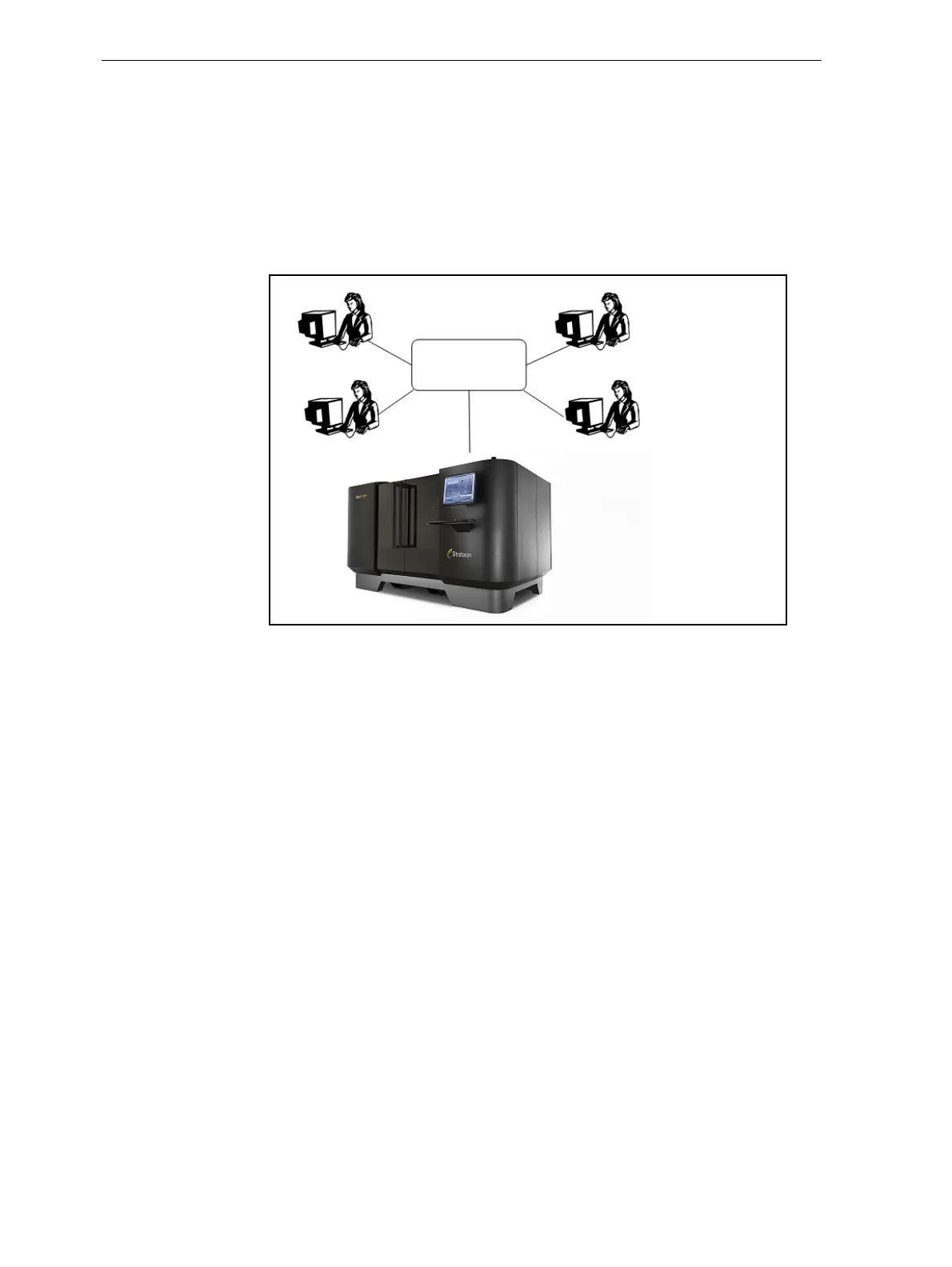
Figure 3‐2showstheprintersetupinamulti‐clientconfiguration.
Figure 3-2: Multi-client network configuration
WheninstallingObjetStudio,youchoosewhethertoinstallitasaclient
stationorasamasterstation(serverorstandalonestation).
ObjetStudioarrangesthejobsitreceivesaccordingtotheirpriorities,
model‐materialtype,andotherfactors.Inmulti‐workstation
configurations,theoperatoroftheserver—typicallytheproduction
administrator—hastotalcontroloverthejobssenttothe3Dprinter,and
canprioritizeanddeletejobs,reviewjobhistoryandreprintajob,andso
on.
Client
workstations
Printer













 To Next Page