Operating & Maintaining the Objet1000 Plus 3D Printer
6–62
DOC-06810 Rev. A
Calibrating the
Load Cells
Loadcellsaresensorsthatmeasuretheweightofthematerialcontainers
andthewastecontainerintheprinter.Itisimportantthatyouperiodically
checkthattheweightmeasurementsareaccurate,bothforconvenienceand
topreventunnecessarywasteofprintingmaterials.Itisrecommendedthat
youcalibratetheload
cellsonceamonth.
To calibrate load cells:
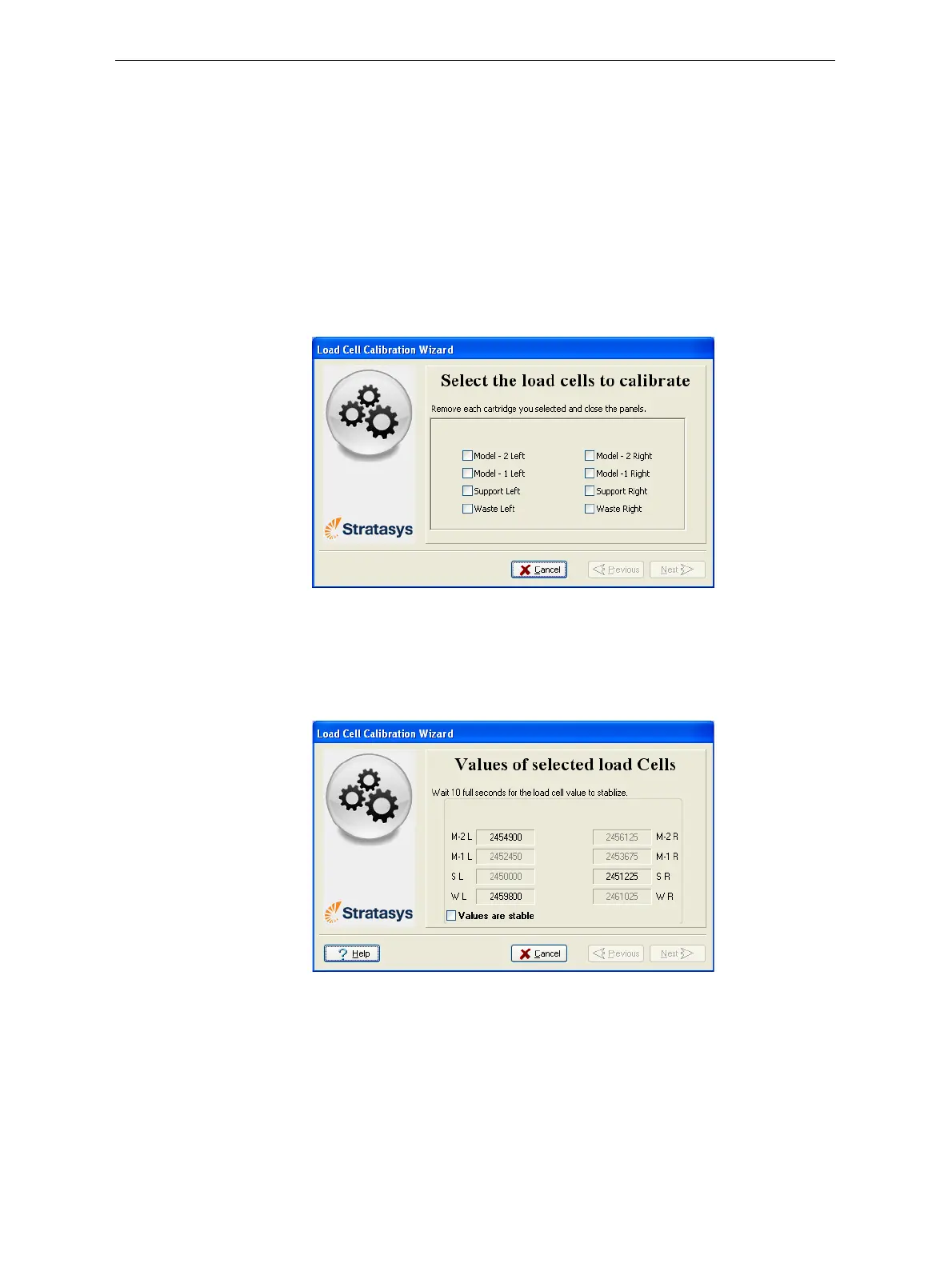
1. StarttheLoadCellCalibrationwizardfromtheOptionsmenu(see
figure 6‐9onpage 12).
2. Makesurethattherearenocontainersontheloadcellsthatyouwant
tocalibrate,selecttheappropriatecheckboxesinthewizardscreen,
andclick
Next.
Figure 6-98: Load cell selection
3. Removethecartridgeorcontainer,asinstructedbythewizard,
confirmthisinthewizardscreen,andclick
Next.
4. Inthenextwizardscreen,observethenumbersandwaituntilthelevel
isrelativelystable—twounitsaboveorbelowtheaveragelevelshown.
Figure 6-99: Level stabilization
5. Selectthecheckbox,andclickNext.
Ifyouneedtocalibratemorethanoneloadcell,thenextcalibration
screenappears.Repeatsteps4and5untilalloftheloadcellsare
calibrated.













 To Next Page