DOC-06810 Rev. A 5–49
Objet1000 Plus User Guide
E-mailing
Objet Digital
Files
Youcaneasilye‐mailobjdffilesusingMicrosoft
®
OfficeOutlook
®
.Sending
objdffilesisrecommended(insteadofstlfiles)becausethesizeofafileis
typicallyreducedbymorethanhalf.Anaddedbenefitisthatthe objdffile
containsthemodel‐materialinformationfortheobject.
To e-mail a file:
1. FromtheToolsmenu,selectEmail Objet Digital File.
OutlookopenswiththefileattachedandSubjectdetailsaddedtothe
e‐mailform.
2. Enterthee‐mailaddressandsendthefile.
Printing the
Tray File
Whenatrayisreadytobeprinted,itisplacedintheJobsQueue.Whenthe
jobreachestheheadofthequeue,ObjetStudiopre‐processesthetrayfileto
createslices,andfeedsthemtothe3Dprinter.
To send the tray to the print queue:
1. OntheTraySettingsribbon,BuildProcessgroup,click .
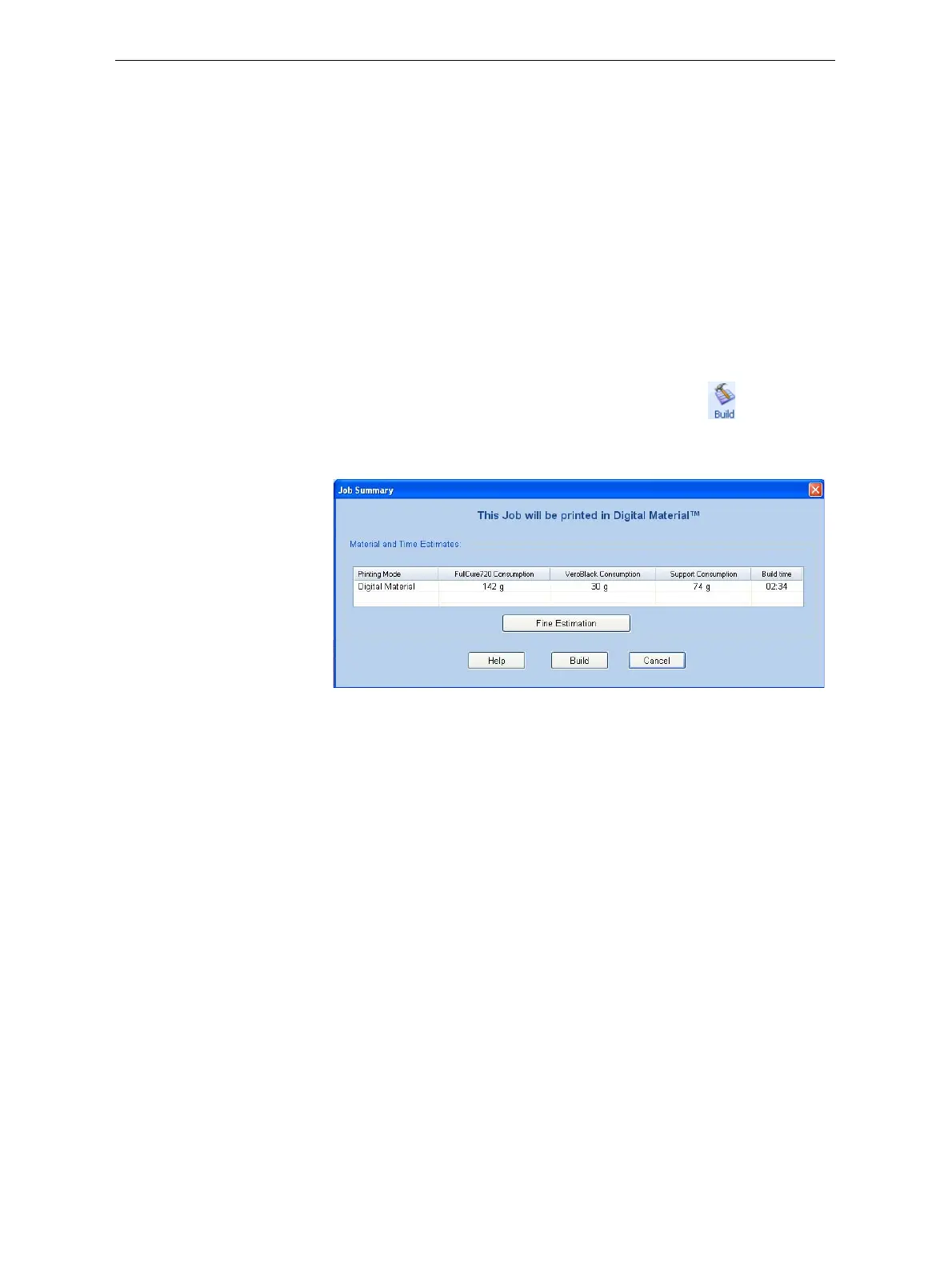
• Ifprintingthetrayrequirestwomodelmaterials(DigitalMaterial
mode),theJobSummarydialogboxopens.
Figure 5-71: Job Summary when printing with multiple model materials
Note:The values displayed are the result of a quick calculation, and
represent a rough estimate of the materials and time input required to
print the job. For a more accurate calculation, click Fine Estimation.
Continuewithstep4onpage 5‐51.
• Ifprintingthetrayrequiresonlyonemodelmaterial,thePrinting
ModeSelectiondialogboxopens.













 To Next Page